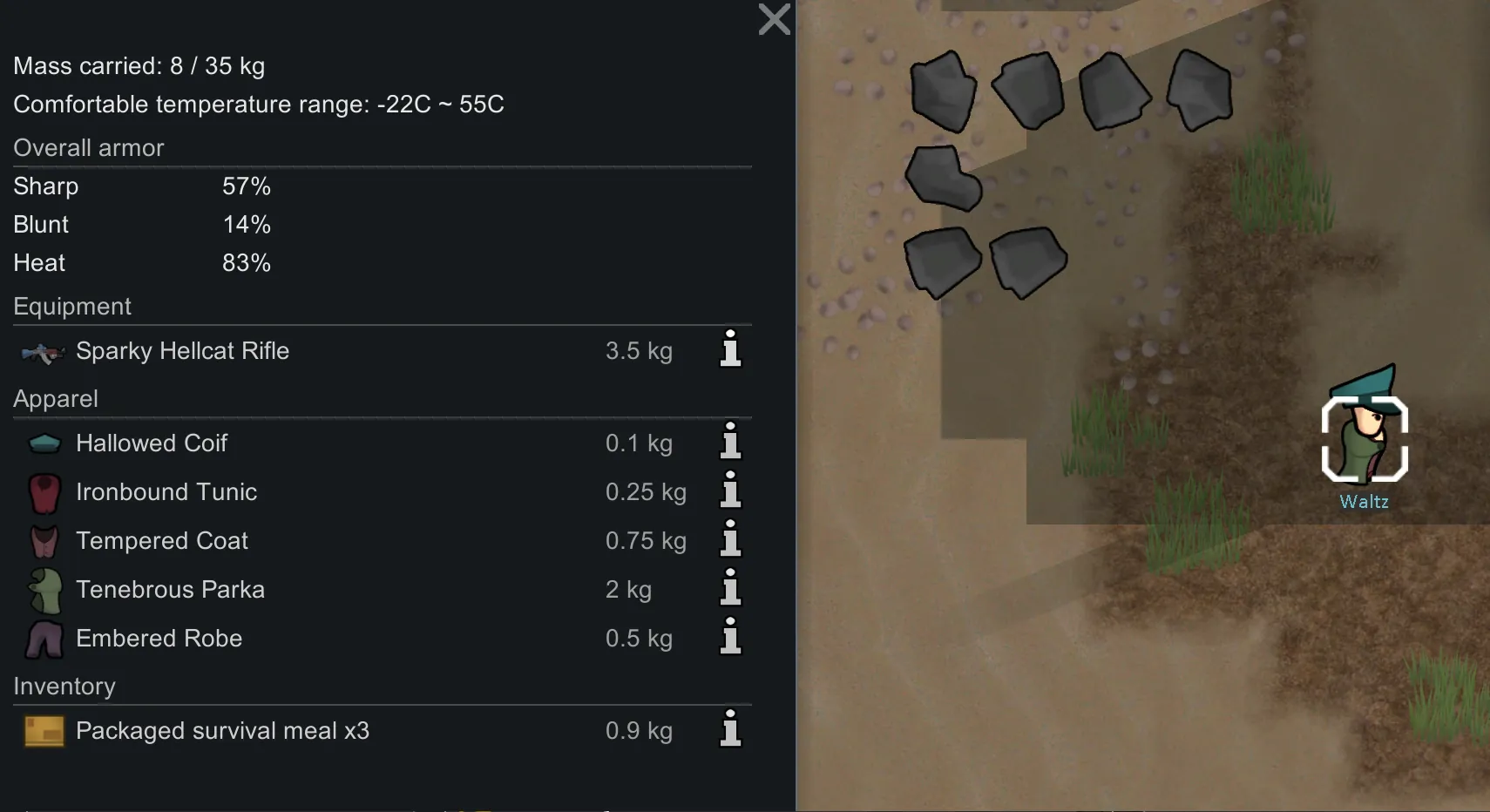
Odyssey-style uniques from any apparel. Works with armor and modded apparel too.
Pick a fit. Click a box. Get a legend.
*Spawns:* uniques from this add-on appear from high-quality crafting upgrades and from stripping pawns wearing the unique apparel.
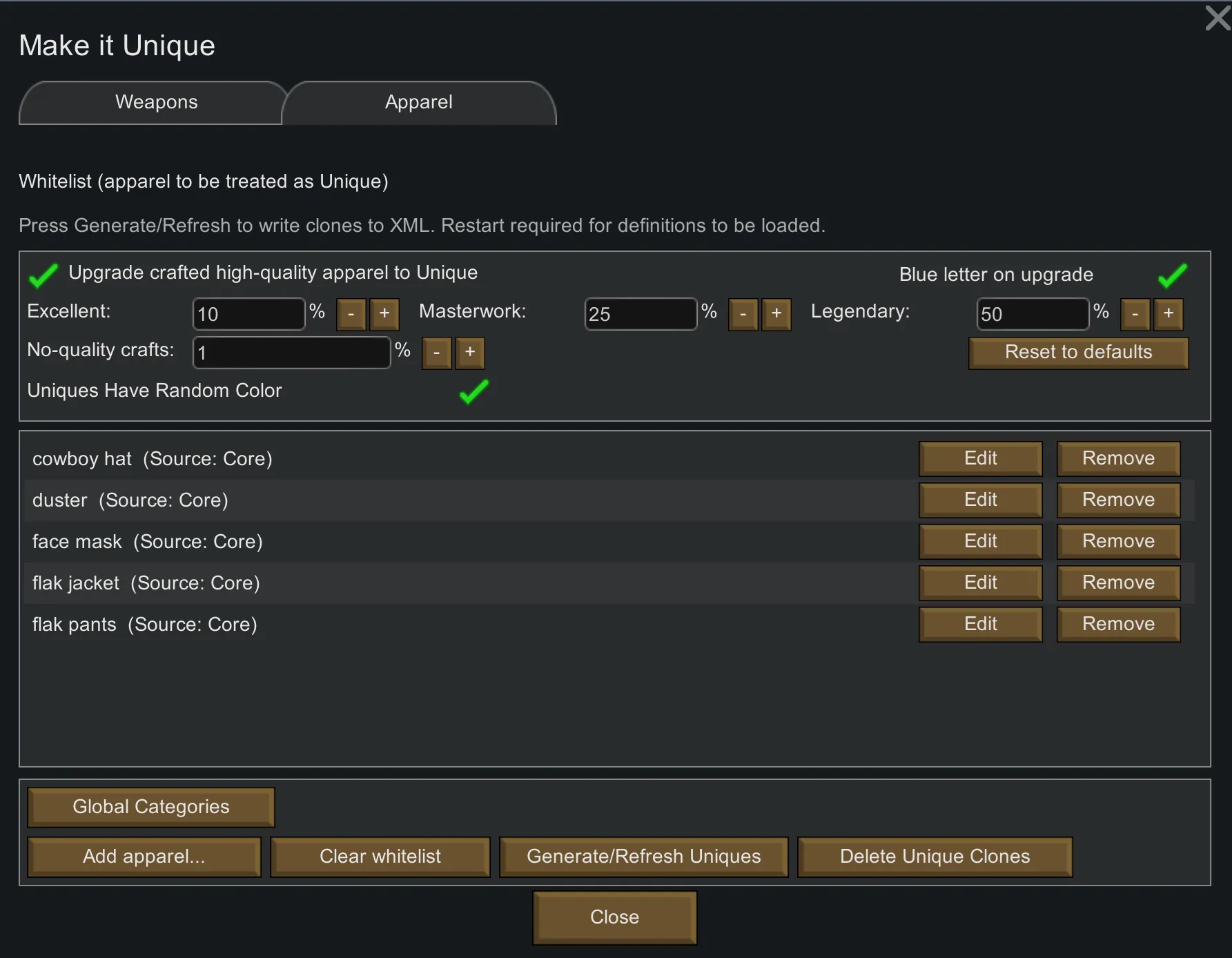
*Optional crafting:* a toggle in the mod settings gives high-quality crafted apparel a chance to come out Unique.
— What it does —
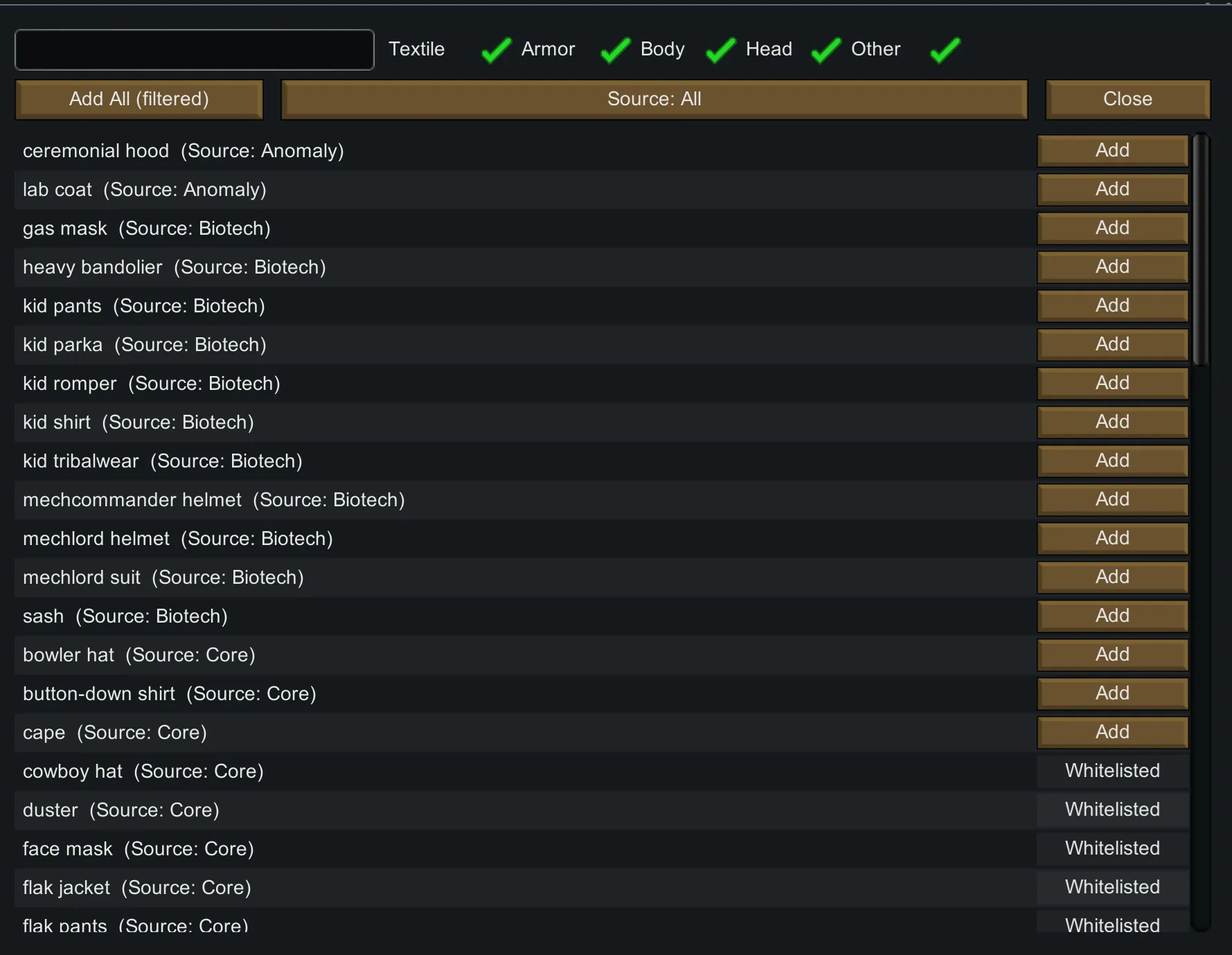
- Whitelist any apparel (vanilla or modded). The add-on creates a “\*\_Unique” sibling that rolls Odyssey-style names and perks. *Items already shipping with a unique sibling other mods are filtered to avoid duplication.*
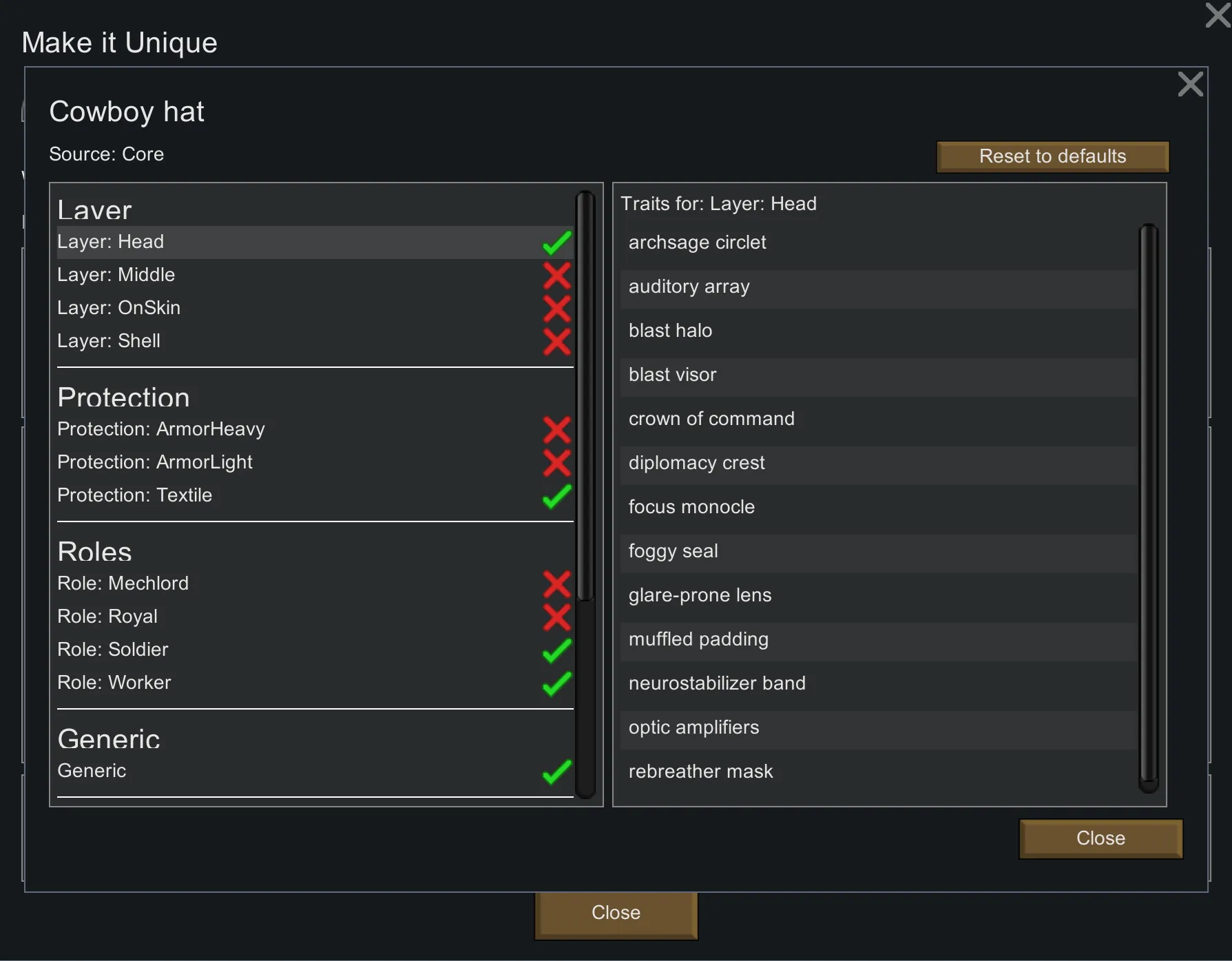
- Category-driven identity. You set broad categories (the vibe); the Unique rolls fitting traits from those categories.
- Smart defaults. The add-on guesses sensible categories automatically; you can nudge them to steer the identity.
- DLC-aware. Royalty/Ideology/Biotech pieces only pull DLC-specific trait families if those DLCs are active.
— Unique, Tailored —
Each Unique is a bespoke version of a base apparel item stamped with thematic categories and the perks they imply. You set the theme, the addon tailors the outcome — adding stories, not replacing your originals.
– *High Quality Crafts (optional)* – if toggled on, crafted apparel of Excellent or higher has a chance to roll as the unique variant. If another mod already provides a unique for that item, crafting the base piece can roll *that* unique instead.
— Global Category Toggles —
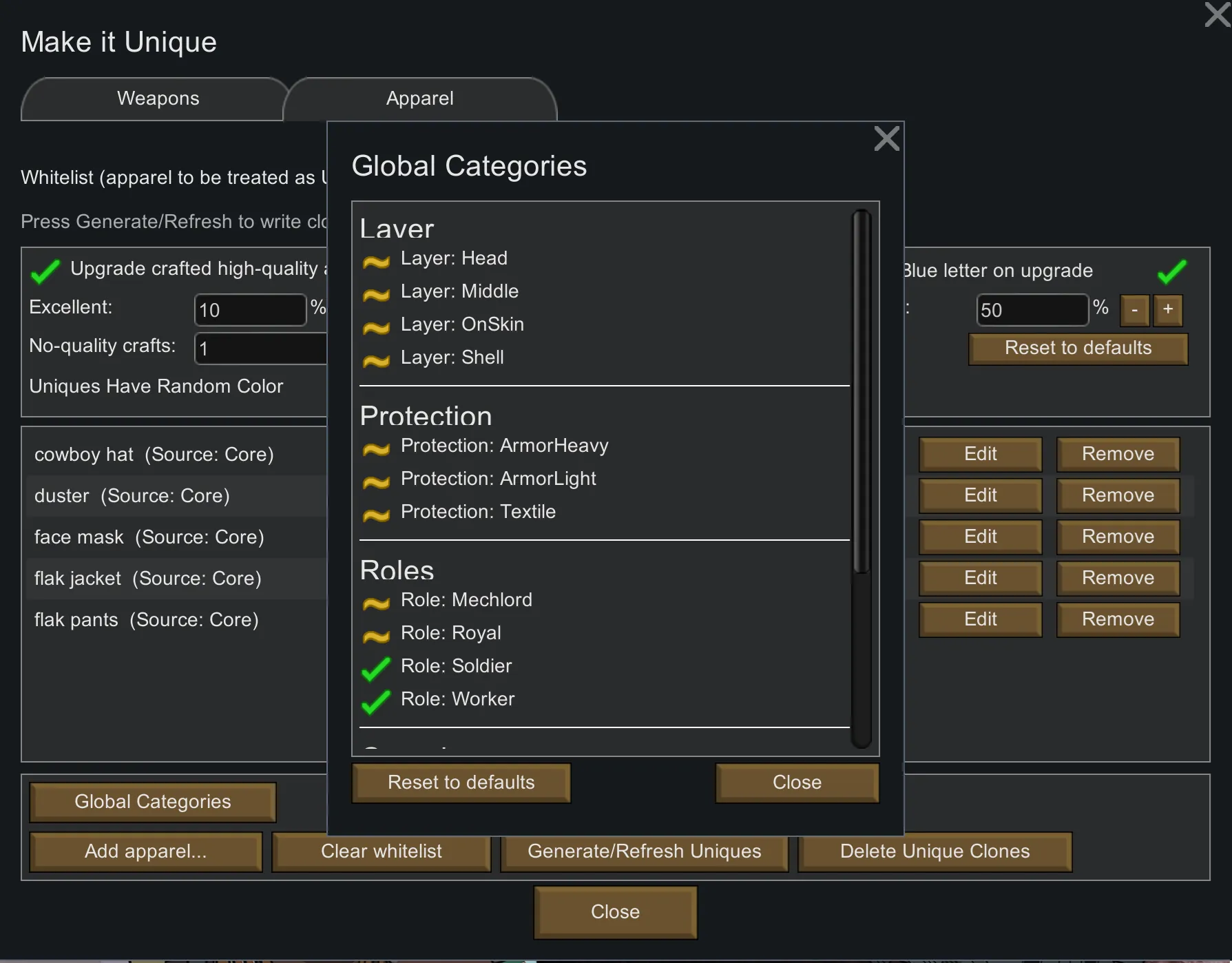
- Find them under Mod Settings → Make It Unique → Apparel.
Master filter: Globally enable/disable whole category families (e.g. On-skin/Middle/Shell/Head layers; Textile/Light/Heavy; Worker/Soldier/Royal, etc.).
- Affects everything: Toggles apply to all whitelisted apparel—generation and craft rolls only use categories that are both selected on the item and toggled on globally.
- Plays nice with other mods: Detected categories/traits from other mods respect the same global on/off switches.
- When to use: Turn whole families off to keep a tighter theme, or on to broaden the perk pool.
- Note: After changing global toggles, click Generate/Refresh (Apparel) and restart to rebuild the XML and load the new pool.
— How it plays —
- Open the mod settings and whitelist the apparel you want to be eligible.
- Click Generate/Refresh (Apparel) to create the XML defs.
- Restart RimWorld to load the newly created clones.
- (Optional) tweak their categories to shape the kind of perks they tend to roll. The category guesser makes mistakes.
- As other mods add their own apparel categories and traits, this add-on can detect them. You can assign those modded categories and their traits to any apparel of your choosing.
- Keep playing. If you enabled the crafting chance, Excellent and above can roll as Uniques when finished at the bench.
— For mod authors —
- The add-on detects your ApparelCategoryDefs and the traits associated with them. Add new categories/traits in your mod and MIU can use them automatically.
- Players edit categories in MIU’s settings; if they don’t, the guesser assigns a sensible default.
- Want to disable a specific trait in your load order? Use Cherry Picker (or any trait blacklist tool). Doing per-item trait surgery would explode the number of defs.
— Requirements & load order —
- Harmony
- RimWorld 1.6
- Odyssey DLC
- Make It Unique(base mod)
Suggested order: Harmony → Core + DLCs → apparel mods → Make It Unique → Make It Unique — Apparel Add-on
*Ensure apparel-adding mods load before MIU so they appear for selection/generation.*
— Compatibility —
- Works with most apparel mods.
- Safe to add mid-save. (If removing, replace or despawn any Uniques first to avoid missing-def references.)
- No clue about CE; feel free to make a patch.
— Incompatible —
- No known incompatibilities.
— Known Issues —
- After generation, a restart is required to load the new defs (prompted in-game).
- Deleting generated apparel uniques removes those defs; any items using them will disappear until regenerated.
— FAQ —
Q: Does this replace my apparel?
A: No. It creates parallel “\*\_Unique” defs; originals remain unchanged.
Q: Can I pick exact perks?
A: No. You set categories (the theme); the roll comes from those categories, Odyssey-style.
Q: Where do these Uniques appear?
A: In the same places as Odyssey uniques. Optionally, high-quality crafts can roll as Uniques if you enable the setting.
Q: Why aren’t my apparel items showing up?
A: Make sure apparel mods load before MIU, then click Generate/Refresh (Apparel) and restart.
Q: My unique clones aren’t in-game after I changed my list?
A: Re-run Generate/Refresh and restart to load the new defs.
Q: Why did my generated XML defs disappear after an update?
A: The shipped files are blank; game updates can clear your generated files. Your whitelist persists—just hit Generate/Refresh again and restart.
— Future plans —
- Make the Unique Apparel Namer's logic better
- Cross-mod category packs as authors opt in.
— Credits —
Ludeon Studios (RimWorld & Odyssey)
Harmony (Brrainz & contributors)
All the apparel mod authors whose gear now tailors into legends
Tags: Apparel, Armor, Odyssey, Framework, Utility, 1.6, Harmony, Unique Apparel