Ronco Door Groups!
Adds grouping functions to doors to make it easier to allow or disallow a bunch of them en masse.
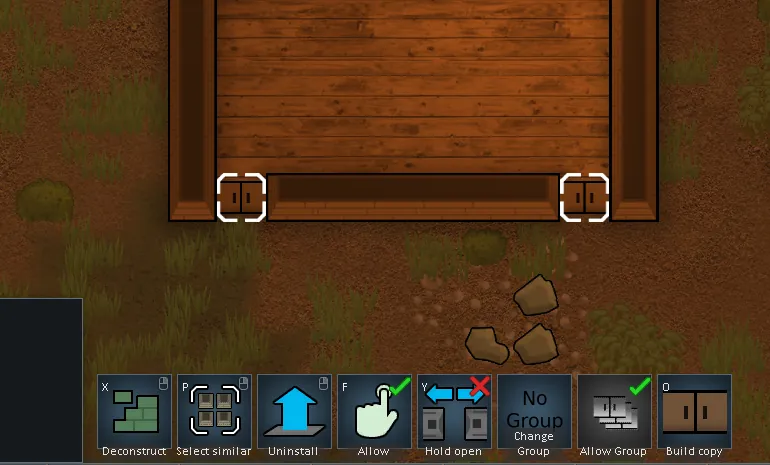
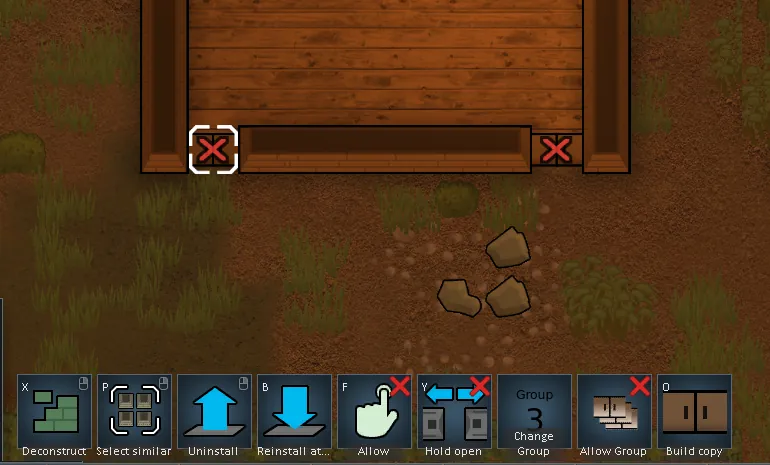
To add a door to a group, just select the door and then click on the 'Door Group' button on the gizmos bar. You can select a bunch of doors at once and then click on the button if you'd like. It will cycle the door(s) through pre-set groups of 1-10 (or No Group, the default option).
To lock or unlock all the doors in a particular group, just select one of the doors in the group and click the 'Allow Group' button to toggle locking on or off. Simple! Just, ah, don't select multiple doors when you hit the button, or it'll toggle it for each door. Okay, i guess it's fine if you select an ODD number of doors. Don't select an EVEN number of doors and toggle it, or it'll toggle it back to the starting position. Ha ha! Yeah I'll try to fix that.
I'm sure this is also full of bugs so please feel free to let me know if you find anything.
Requires Harmony.