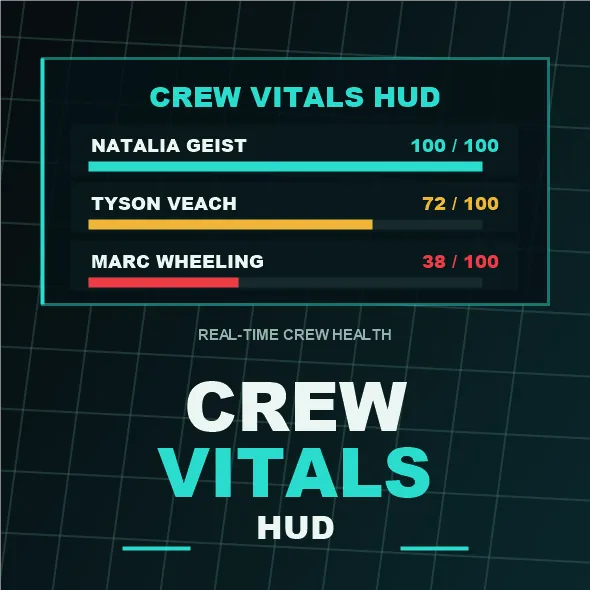
Crew Vitals HUD
Description
Crew Vitals HUD adds a clean in-round crew health panel to Barotrauma, showing your crew's condition without opening the health interface.
The HUD is built for quick scanning during active rounds: crew names, health bars, current health text, downed state, dead state, and a highlight for your controlled character.
Features
Added: In-round crew vitals HUD with HP bars and current health text.
Added: Compact, Normal, and Detailed display modes.
Added: Sorting by crew order, lowest health, name, or your controlled character.
Added: Injured-only filtering for a quieter medical alert view.
Added: Configurable row count, opacity, scale, position, and health text style.
Added: A SET panel with live-preview controls for most settings.
Added: Corner presets and fine X/Y position inputs.
Added: Local settings persistence.
Dependencies
Required: LuaCsForBarotrauma / Luatrauma.
Load order: Enable LuaCsForBarotrauma before this mod.
How To Use
Enable LuaCsForBarotrauma.
Enable Crew Vitals HUD.
Start or load a round.
Use the SET button on the HUD to adjust the display.
Latest Release
v1.0.0 First Workshop release.
v1.0.0 adds the crew vitals HUD, live-preview settings panel, display modes, sorting, injured-only filtering, and saved local settings.
Known Issues / Issue Reports
Fine X/Y position values apply after pressing Done. Button-based settings preview immediately.
Large modpacks and heavily customized UI setups need more player testing.
When reporting an issue, please include:
Enabled mod list/load order
LuaCs log or error text
Singleplayer/multiplayer and host/client role
Resolution/UI scale if the HUD placement looks wrong
Steps to reproduce
Localization
English: Supported.
Other languages: JPN | CN Planned.