BetterNeedsTab
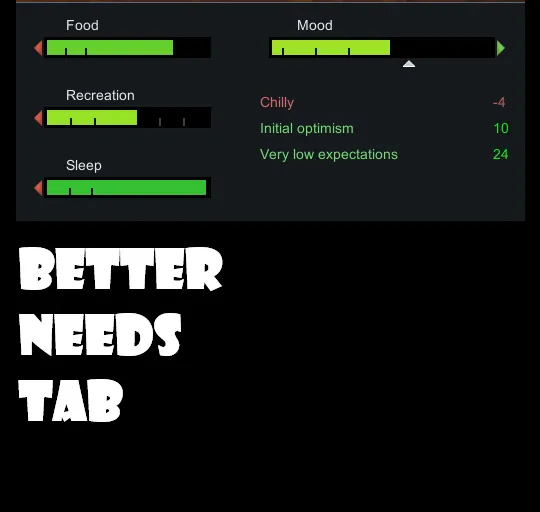
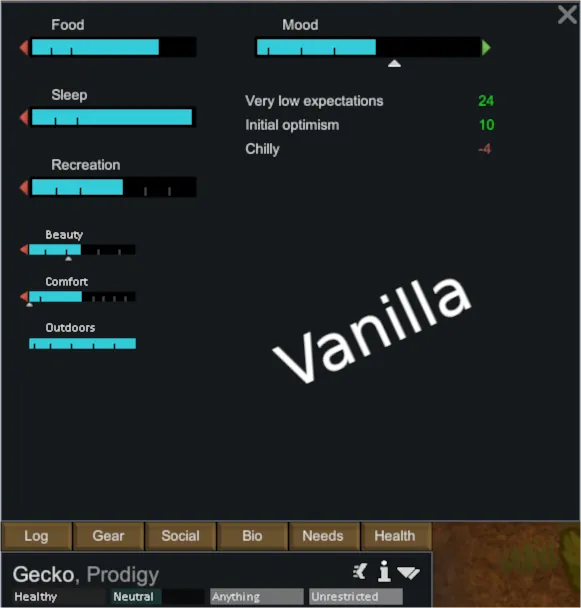
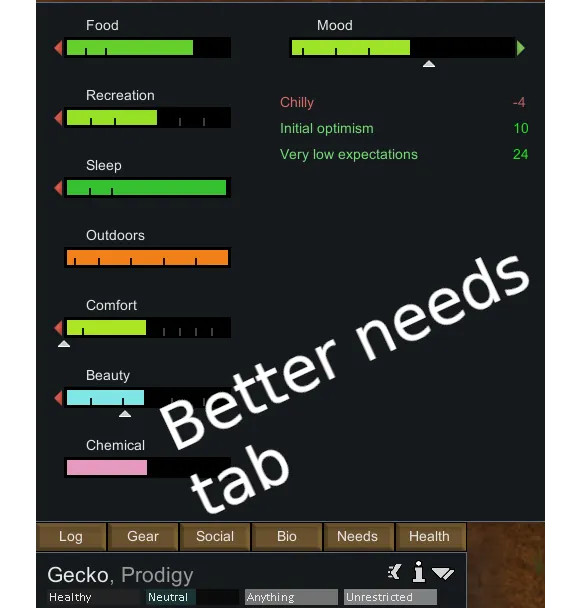
Take full control of the Needs tab for every type of pawn. Reorder need bars exactly the way you want - separately for colonists, slaves, prisoners, animals, mechanoids, entities and drones - give them custom colours per pawn type and sort mood thoughts to find problems at a glance. Every setting is saved persistently and fully restored on load.
Features (Quick overview)
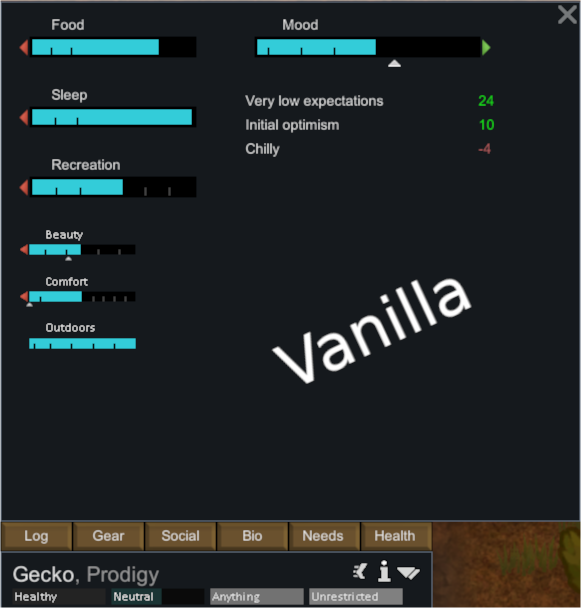
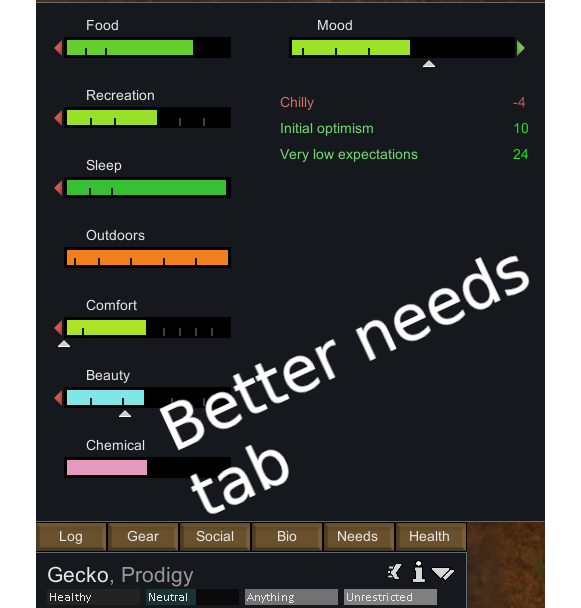
Features
- Drag & Drop Reordering - Click and drag any need bar to move it wherever you like.
- Per-Pawn-Type Order - Need order is stored separately for each pawn type. Colonists, slaves, prisoners, animals, mechanoids, entities and drones each maintain their own independent order. Opening the Needs tab for a different pawn type always shows that type's own arrangement.
- Per-Pawn-Type Colours - Colour overrides are also stored per type. A colonist's Food bar can be blue while a prisoner's Food bar is red - completely independent.
- Scrollbar for Many Needs - Running lots of mods that add new needs? A scrollbar appears automatically when needs overflow the panel - nothing gets cut off.
- Custom Need Bar Colours - Right-click any need bar to assign a static preset colour or a dynamic red > yellow > green gradient or leave it at the vanilla default.
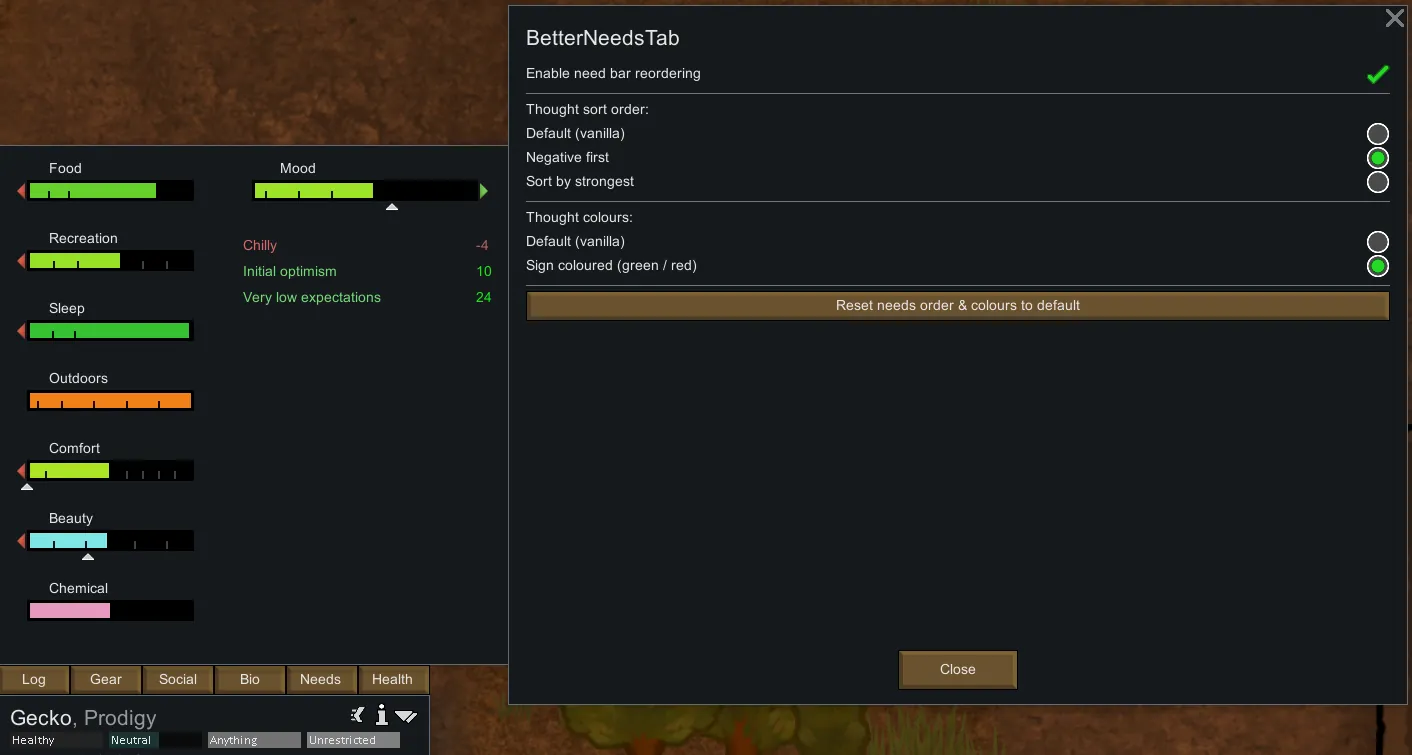
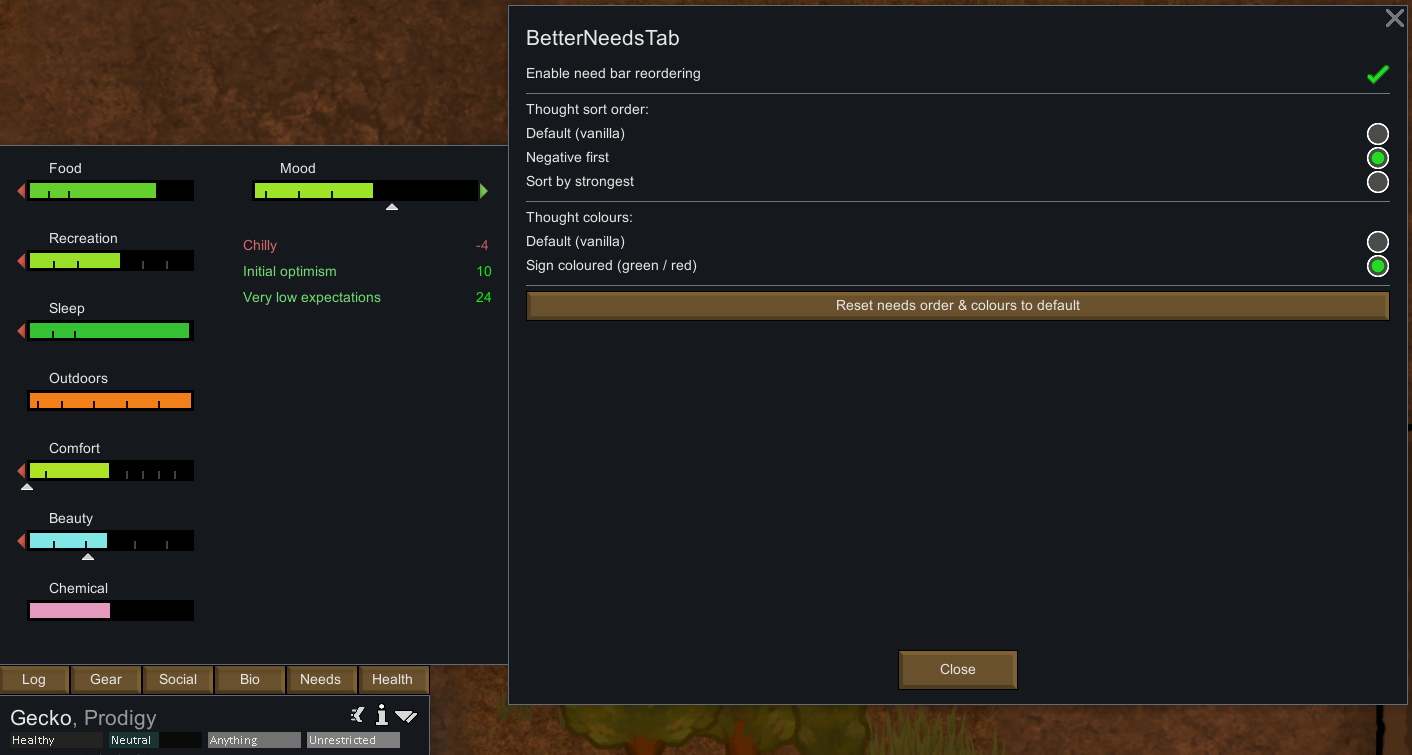
- Thought Sorting - Choose how mood thoughts are listed:
[list]
- Default (vanilla order)
- Negative first - spot bad moods instantly
- Sort by strongest - biggest impacts at the top
[*] Thought Colour Overrides - Enable sign-coloured thoughts (green for positive, red for negative) for a quick visual overview.
[*] One-Click Reset - Revert all ordering and colour changes for all pawn types back to vanilla defaults from the mod settings screen at any time.
[*] Persistent Settings - All per-type orders and colours are saved with the game and fully restored on every load.
[/list]
Needs that do not exist for a given pawn type are silently skipped - no errors, no empty gaps.
How to Use
- Enable the mod and load a save (or start a new game).
- Select any pawn and open the Needs tab.
- Drag need bars up or down to reorder them. The order is saved for that pawn type only.
- Right-click any need bar to choose a colour override for that need on that pawn type.
- Open Options > Mod Settings > BetterNeedsTab to configure thought sorting, thought colours or to reset everything to vanilla defaults.
- Optionally you can disabled ordering and recolouring in the mod settings.
Credits
Special thanks to Arivia for the original inspiration and thoughtful contribution.
Compatibility
- Safe to add to existing saves.
- Safe to remove - vanilla order is restored on the next load.
- Compatible with mods that add new needs - modded needs appear in the list for every applicable pawn type and can be reordered and recoloured independently.
Requirements
- RimWorld 1.6
- Harmony
Bug Reports
Please include a short description, reproduction steps and your Player.log or HugsLib log in the comments or discussions.
Languages
English, German
- more on request.
Licensing & Legal
Copyright © 2026 b4ttl3m3d - All rights reserved.
Allowed: Adding to Steam collections
Not allowed: Reuploading - External redistributions - Off-site mod packs - Commercial use - Asset or code reuse without permission
Contact the author before reusing any part of this mod.
Fan-made project - not affiliated with Ludeon Studios. RimWorld EULA
Support & Donations
If you would like to support the project:
 [ko-fi.com]

Donations are completely voluntary and do not grant access to additional content or features.
They are simply a way to support ongoing free development.