You can connect debugger to JSForBarotrauma, and you can inspect c# objects from js
And this mod gives you more tools to debug c# with js debugger
It allows you to attach hooks to any game method that can block / throw exceptions, log and change method args, work as fallbacks just like that
d.Guard(GetMethod('Barotrauma.GameMain.Draw'))
d.ThrowAt(GetMethod('Barotrauma.GUI.Draw'))
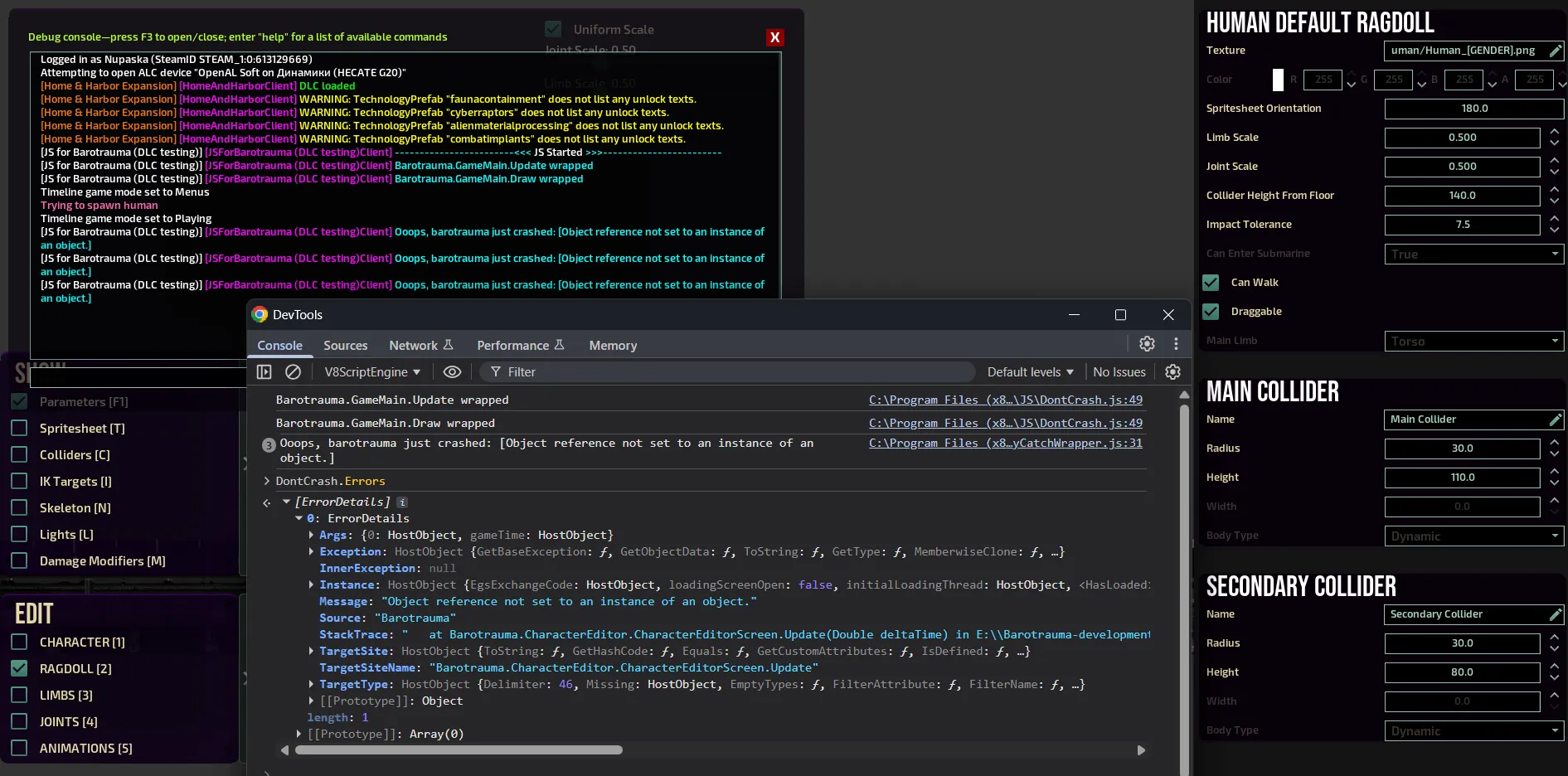
it also keeps track of all exceptions that happened, and you can inspect them
As a side effect, it doesn't let the game crash instantly, so you can just use it as don't crash mod
Guide how to use it will be here [github.com]
you can also type
js d.Help()
command for lil help
easy way to try it:
- Enable this mod, you may need to type js_reload in the console if plugins didn't reload
- Go to character editor, Click on Ragdoll, disable "Can Walk"
- Have Chrome, open "chrome://inspect/#devices", wait 30 sec, press inspect
- type "d.Errors" in the console, check it
- then type "d.AutoIsolate = true", crash again and check errors again
- then type "js d.Crash()" in barotrauma console