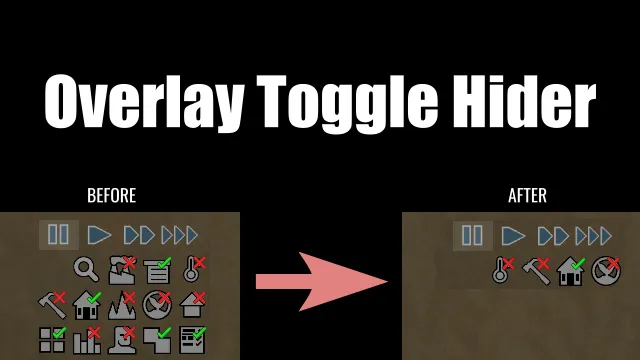
This mod allows you to hide specific toggle buttons (overlay buttons) located at the bottom right of the screen individually.
- Perfect for players who want a cleaner UI by hiding unused toggle buttons.
- You can also individually hide toggle buttons added by other mods.
🌟 Use Cases
- This mod simply hides buttons visually - the toggled functions themselves remain active.
- Therefore, it might be useful to hide "set-and-forget" buttons like the following after configuring them to clean up your screen:
[list] - "Toggle automatically expanding the home area"
- "Toggle automatic rebuild of destroyed structures"
- Other buttons you rarely change once set
[/list]
🚀 How to Use
- Start the game (Load a save or start a new game).
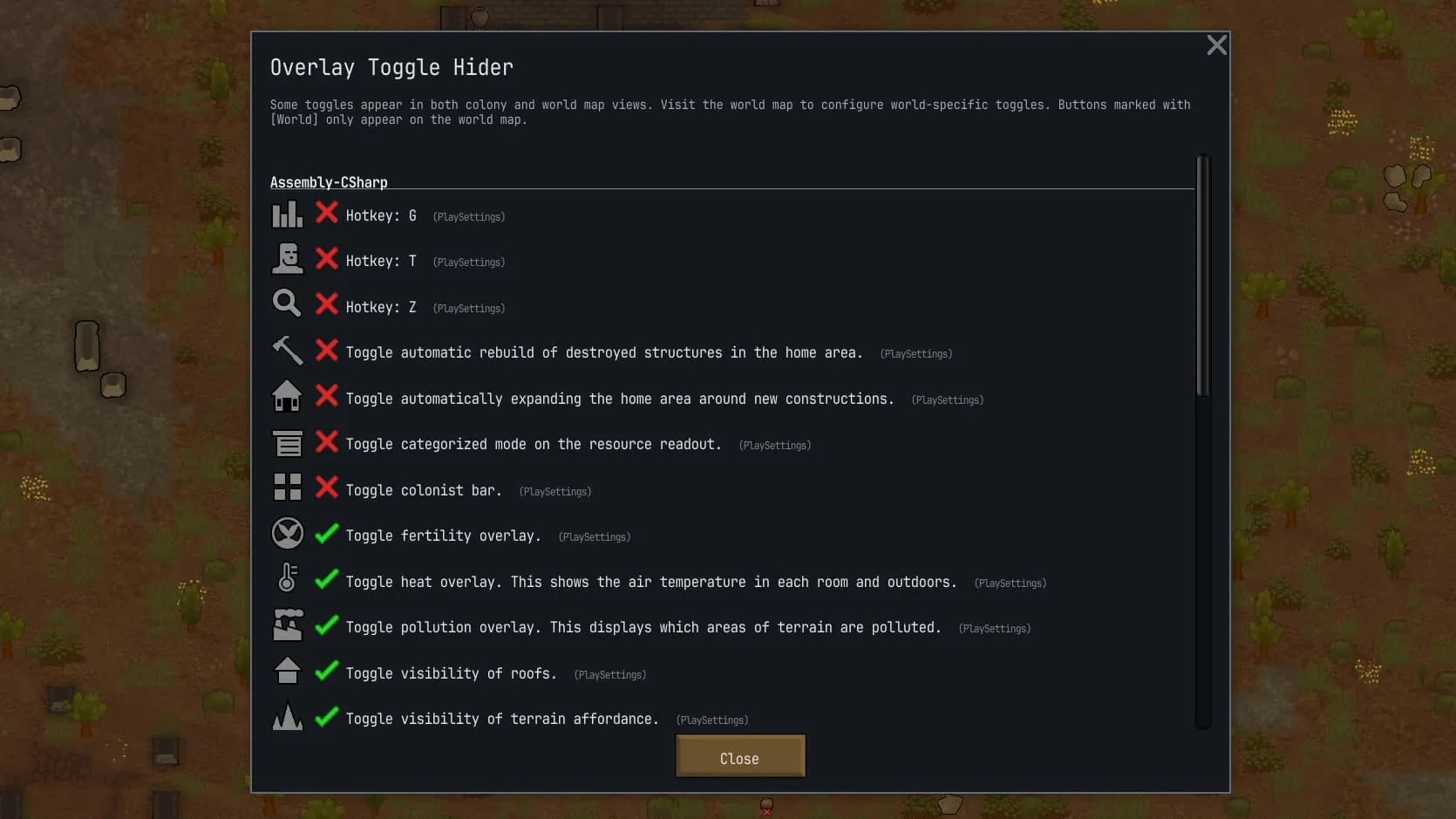
- Open Options -> Mod Options -> Overlay Toggle Hider.
- Click the icon next to the button name to switch it to ❌. This will hide the button.
🗺️ Buttons on the World Map
- To configure buttons on the World Map, you must open the World Map at least once after loading the game.
- Once you open the World Map, World Map-specific toggle buttons will be added to the settings menu.
- World Map buttons are marked with a [World] prefix.
- Buttons shared between maps (e.g., Search) exist in both Colony and World Map contexts, but they can be hidden individually.
💾 Installation & Removal
- Safe to add to or remove from existing saves.
🤝 Compatibility
- This mod uses a simple mechanism, so it is likely compatible with most UI mods.
[list] - UI Not Included
[*] If you are looking for more comprehensive UI enhancements beyond just hiding toggle buttons, I recommend TD Enhancement Pack - Continued, which also includes a toggle hiding feature.
[/list]
画面右下にあるトグルボタン(オーバーレイボタン)を、個別に非表示にできるModです。
- 使わないトグルボタンを隠して、画面をすっきりさせたい場合に便利です。
- Modで追加されるトグルボタンも個別で非表示にできます。
🌟 活用例
- このModは、トグルボタンを視覚的に非表示にするだけなので、切り替えた機能自体は維持されます。
- そのため、以下のような「一度設定したらあまり変更しない」トグルボタンを設定後に非表示にすると、スッキリするかもしれません。
[list] - 「新しい建物の周囲を自動的にコロニーゾーンに指定」
- 「破壊された建物を自動的に再建築」
- その他の「一度設定したら切り替えることがない」トグルボタン
[/list]
🚀 使い方
- ゲームを開始します(セーブデータのロード、またはニューゲーム)。
- オプション画面を開き、Mod設定 > Overlay Toggle Hider を選択します。
- リストのアイコンをクリックして ❌ に切り替えてください。これで非表示になります。
🗺️ ワールドマップ専用のトグルボタンについて
- ワールドマップ専用のトグルボタンを設定画面に表示させるには、ゲームロード後に一度ワールドマップを開く必要があります。
- 一度ワールドマップを開くと、設定画面にワールドマップ専用のトグルボタンが追加されます。
- ワールドマップ専用のトグルボタンには [World] というマークが付いています。
- 一部のボタン(検索など)はコロニーとワールドマップの両方に存在
💾 導入と削除について
- 既存のセーブデータに途中から導入・削除しても問題ありません。
🤝互換性
- このModはシンプルな仕組みで動いているので、おそらく殆どのUI Modと併用可能です。
[list] - UI Not Included
[*] もしトグルボタンの非表示だけでなく、より包括的なUI強化を求めている場合は、同機能も含まれている TD Enhancement Pack - Continued をおすすめします。
[/list]