Features
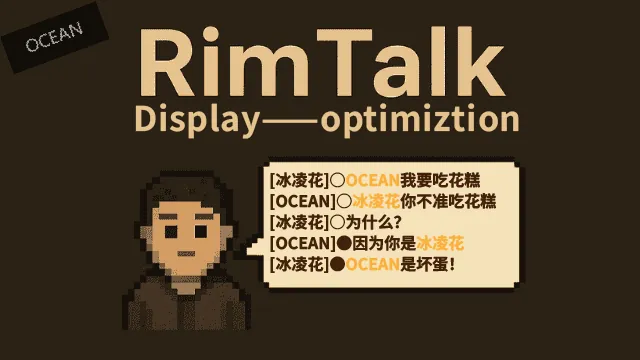
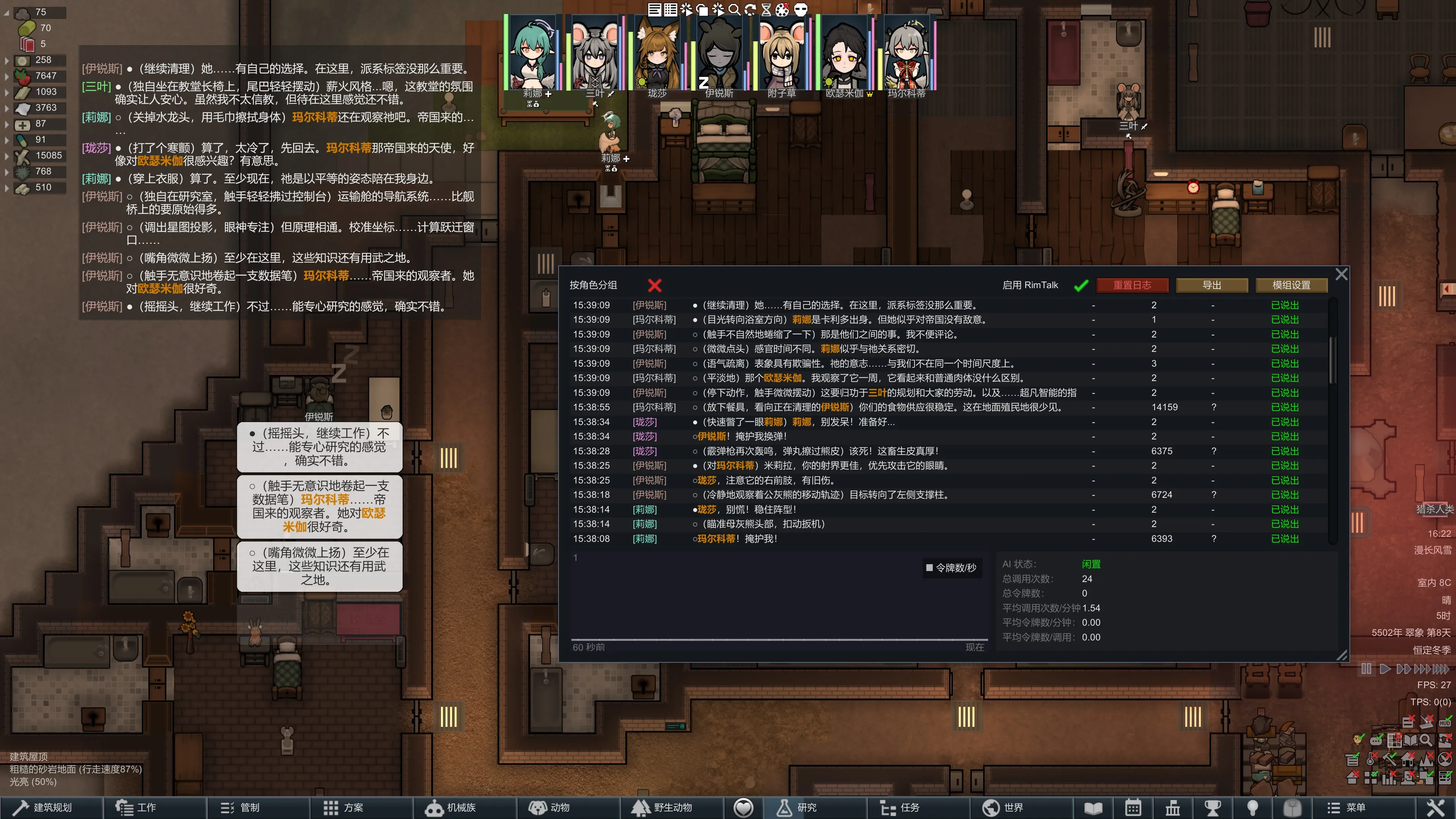
- Progress Visualization: Adds an "○" symbol to every sentence and a "●" symbol to the final sentence of a pawn's dialogue round. This visually indicates whether the current conversation round is complete.
- Dialogue Scheduling System:
- Customize dialogue intervals.
- Prevent dialogues from being ignored or skipped.
- Allows pawns to continue speaking even while paused.
- Option to pause dialogue when specific UI interfaces are open.
- Dialogue intervals can be affected by time acceleration. - Inner Voice System: Forces the AI to output in the format: (Action) Dialogue 〖Inner Voice〗. Inner thoughts are known only to the pawn, adding significant depth to the character.
- Name Highlighting: Automatically highlights names, nicknames, and forms of address in yellow.
- Keyword Highlighting: Similar to name highlighting; applies color to specific "key terms" identified by the AI.
- Symbol Customization: Symbols for Inner Thoughts and Actions can be freely defined. (Must follow a reasonable format and cannot be empty to function correctly.)
- Color Customization: Custom hex colors for Actions, Inner Thoughts, Names, and Keywords. (Find color codes online.)
- Custom Dyeing & Text Replacement: Add rules to change the visual style of specific dialogue, or delete/replace and color specified symbols or text. [Now supports regex, but be careful not to accidentally affect color code text.]
Added "Mind Reader" Trait: Performs excellently both in stats and within the Inner Voice system.
All features can be toggled and adjusted in the Mod Settings menu.
How it Works
- Dialogue Scheduling System: Intercepts the original RimTalk dialogue system and replaces it with custom scheduling logic.
- Inner Voice System: Adds specific prompts (approx. 150-300 tokens) to guide the AI's output format.
- Symbol & Color Customization: Injects your custom symbols into the prompt for the AI to generate. Performance depends on the AI model.
- Custom Dyeing/Replacement: Direct text replacement logic – simple and effective. Can also color and replace, or just color.
- Highlighting Features: Instructs the AI to mark specific words; the code then detects these markers and applies colors.
- Dialogue Detection: The code parses every round of text sent by the AI and automatically inserts the "○" or "●" markers.
Important Notes
- The Dialogue Scheduling System has not been exhaustively tested; it may contain bugs or impact performance. Please report issues in the comments.
- Some dyeing features rely entirely on AI output. This uses a small amount of extra tokens and may occasionally fail or show raw code in extreme cases.
- This mod is now compatible with RimTalk's Advanced Mode. See mod settings for details.
Key Point
I've found that sending prompts to the AI every single round isn't necessary. The AI retains basic context even if prompts are sent every 2–3 rounds. This mod provides a convenient interval-based variable in RimTalk's Advanced Mode to save tokens and keep the AI focused. Details under "Advanced Mode Compatibility" in the mod settings.
Recommended Companion Mods:
- RimTalk DynamicColors (by maiya): When both are active, his mod's color settings take priority.
- RimTalk - Player: My other mod, which includes a simple name-coloring feature (a bit rudimentary).
(Tested: All these mods are compatible together – no special load order required.)
Miscellaneous
- This mod is still in testing and was developed with AI assistance.
- Created primarily for personal use, but shared in hopes it helps others.
- I am still gaining experience in modding, so please excuse any "rough edges."
Feedback & Discussion
If you encounter conflicts or bugs, please let me know immediately. I will do my best to fix them. Discussion is welcome!
Update Log
(May 6)
- Added "Follow Game Pause" option. When enabled, dialogue pause behavior reverts to RimTalk's original style (pausing with the game), but the mod's manual pause/resume still takes highest priority.
- Fixed dyeing issues in the advanced custom dyeing module.
- Added regex support and newline (\n) support to advanced custom dyeing.
(Mar 15)
- Fixed some bugs in the dialogue scheduling system, such as word order issues and conversation stuttering.
- Added more customization options to the dyeing module.
- Improved the UI interface.
(Feb 24)
- Optimize code and ensure compatibility with other modules.
(Feb 16)
- Optimized dialogue progress detection code to reduce performance overhead.
- Added the Dialogue Scheduling System.
(Feb 2)
- Adapted for RimTalk Advanced Mode and added three new variables.
(Jan 16)
- Added Inner Voice system, Symbol Replacement, Custom Colors, and Keyword Highlighting.
(Jan 9)
- Fixed a minor bug (no functional changes).
(Jan 7)
- Further code optimization.
- Note: The experimental "Forced Sync" may cause bubble misjudgment; it is now optional.
- Fixed an issue where exported logs contained raw color codes.
(Dec 28)
- Optimized code and added forced synchronization between speech bubbles and history to prevent tag misjudgment.
- Markers (○/●) can now be toggled between the start or end of sentences, or only at the end of the round.
(This description was translated/refined by AI for clarity.)