Summary
Designed as a functional alternative to "StylishRim," focused on fine-tuning render node positions.
Implemented as an extension of the "View Render Tree" in the DebugTool.
Controls
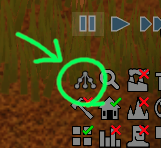
- Open Window: Select a pawn and click the logbutton or press the Ctrl + Debug Inspector key (Default: [Ctrl] + ['])
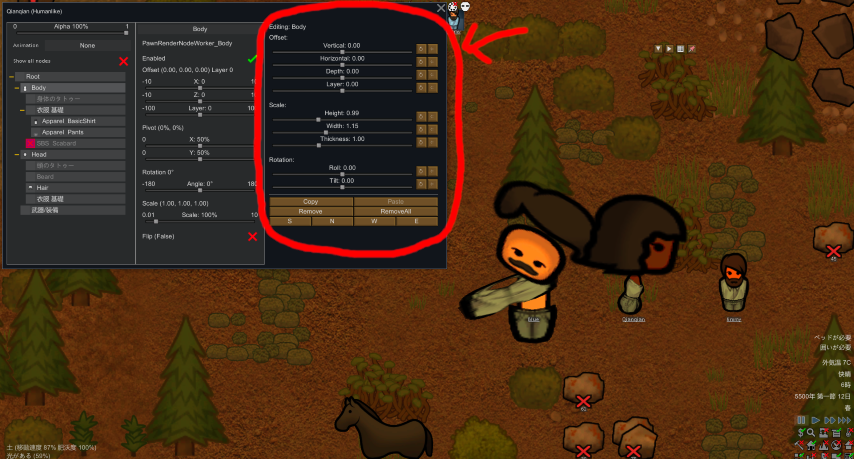
- Select Node: Choose any node from the Tree. Once selected, adjustment sliders will appear on the right.
- Precision Adjustment: Hold [Ctrl] while dragging sliders for 1/10th sensitivity.
Note: This tool utilizes the key assigned to the Debug Inspector in your settings.
Adjustment Options
Offset
- Vertical (Common), Horizontal (North/South), Depth (East/West), Layer (Priority)
Scale
- Height (Common), Width (North/South), Thickness (East/West)
Rotation
- Roll (North/South), Tilt (East/West), Shear (East/West)
Data Management
- Auto-Save: Changes are saved automatically.
- Copy/Paste: Share settings via JSON on your clipboard.
- Remove / Remove All: Delete adjustment data for specific nodes or the entire pawn.
- Binding: Data is tied to the Pawn's DebugLabel or the specific ApparelDef.
Important Notes
- Non-apparel nodes may not save correctly due to ID limitations.
- Only currently rendered nodes can be adjusted.
- Minimal performance impact may occur as it runs during the render cycle (Optimized with caching).