Overview
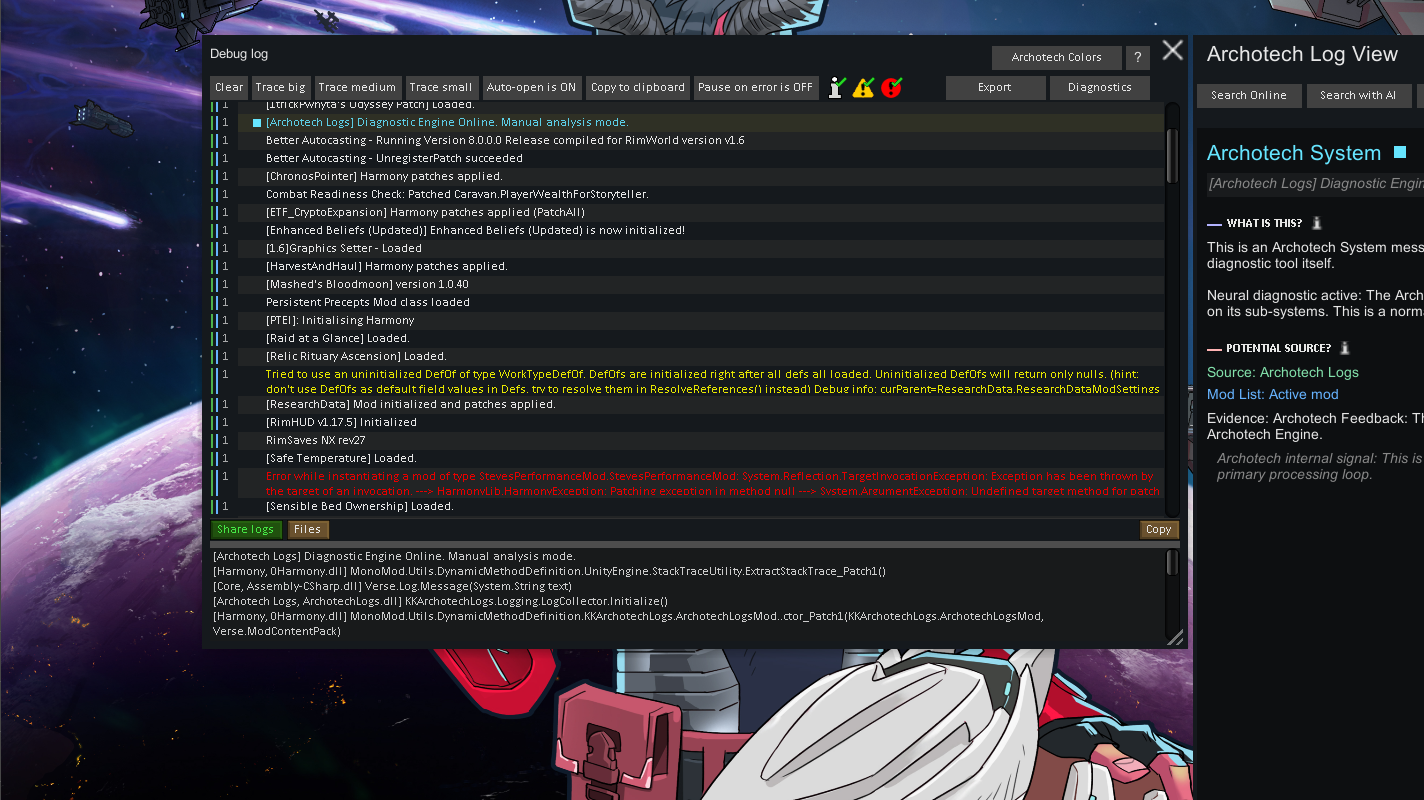
Archotech Logs is a mod that tries to enhance the in-game debug log and adds a log info view on the right side of the log, showing details about every entry. This is done by running a Deep Scan of your mod folders, making it possible for the mod to cross-reference scanned data with the logs to give you more information about the logs and a potential source for them.
AL: Also adds a way to upload and share logs in a simple way (like HugsLib does), but also adds a more detailed and advanced LogViewer, which lets you better understand, share, and bug hunt in logs than in a simple text log.
Features
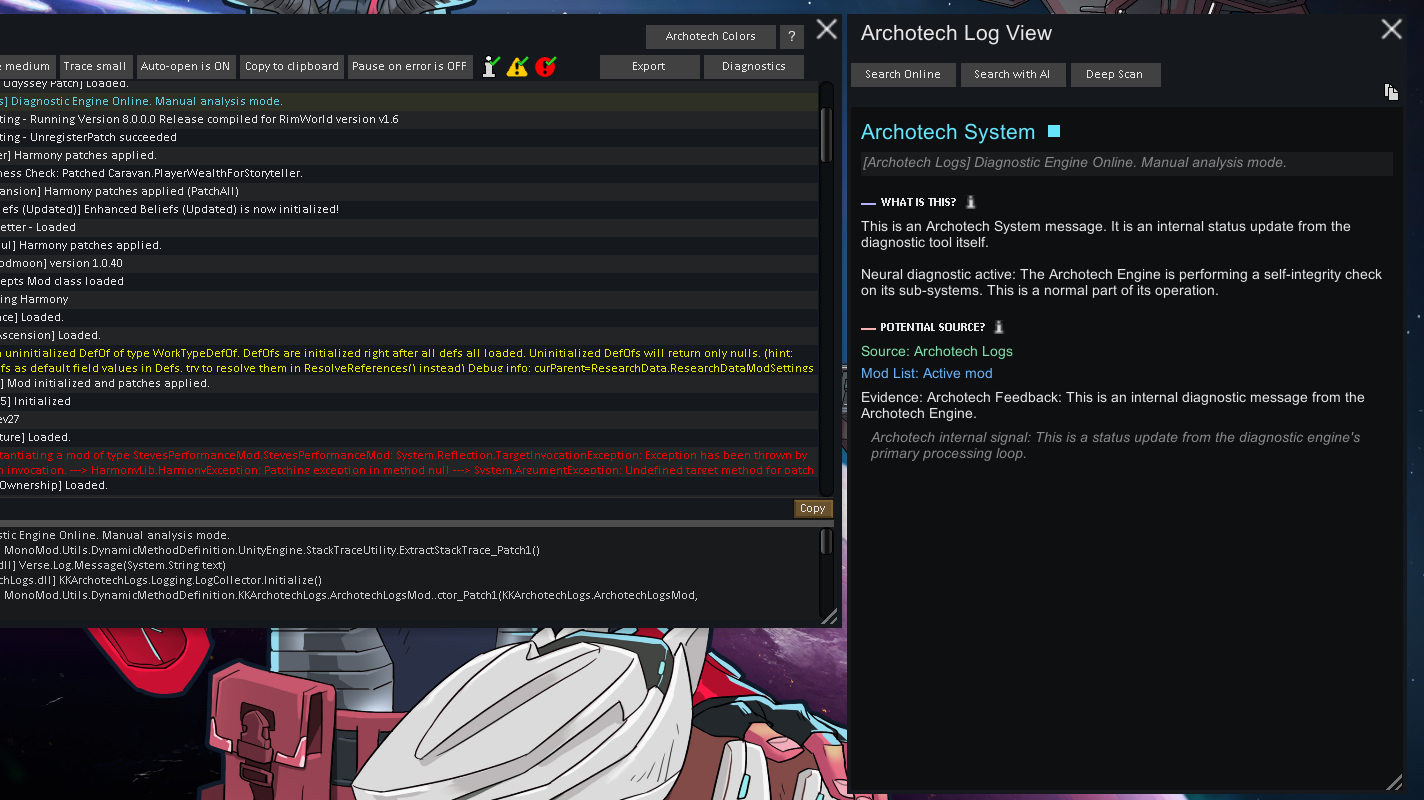
— Log Info View: Adds a new Log Info window on the right side of the Debug Log.
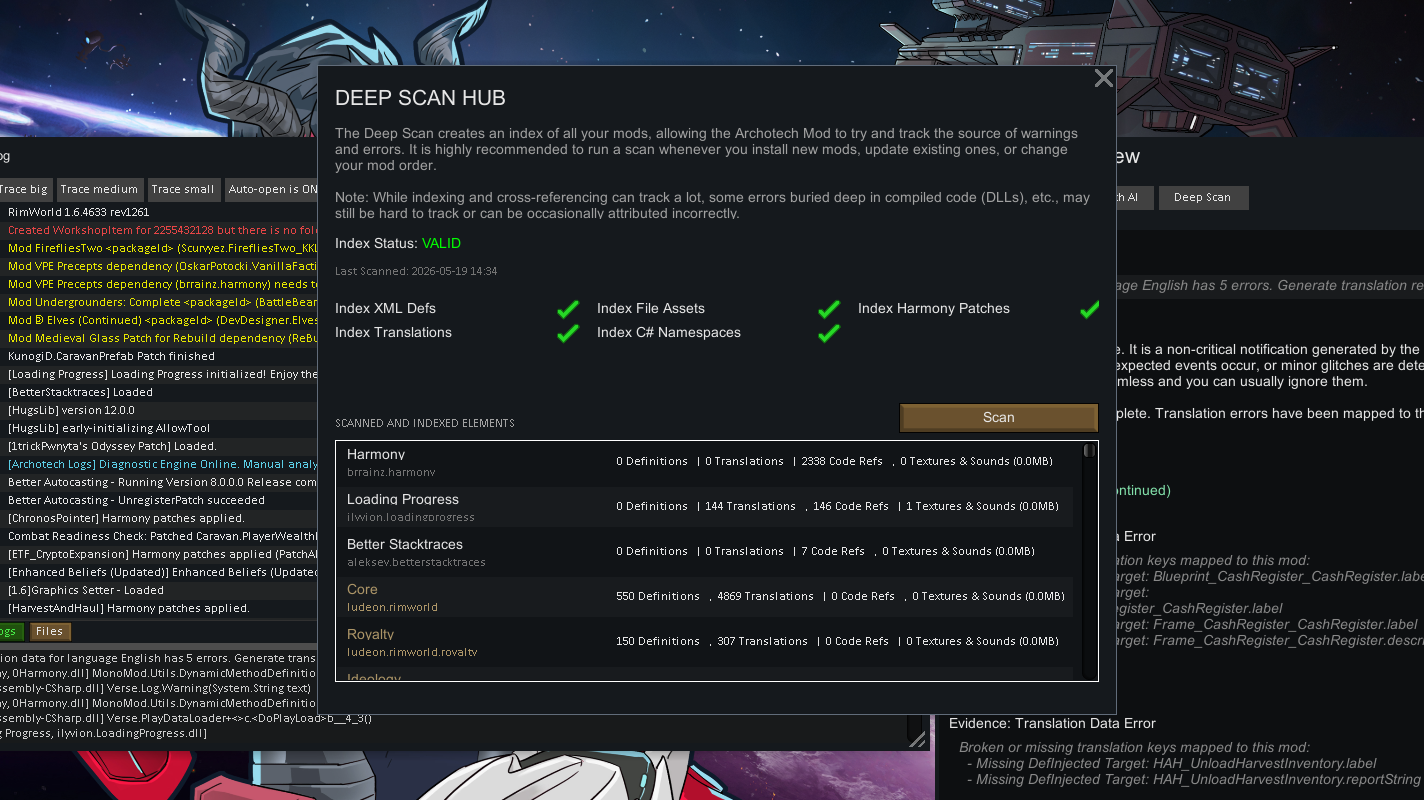
— Deep Scan: A system that lets you scan all your mod folders, to cross-reference data with the new Log Info View for better information.
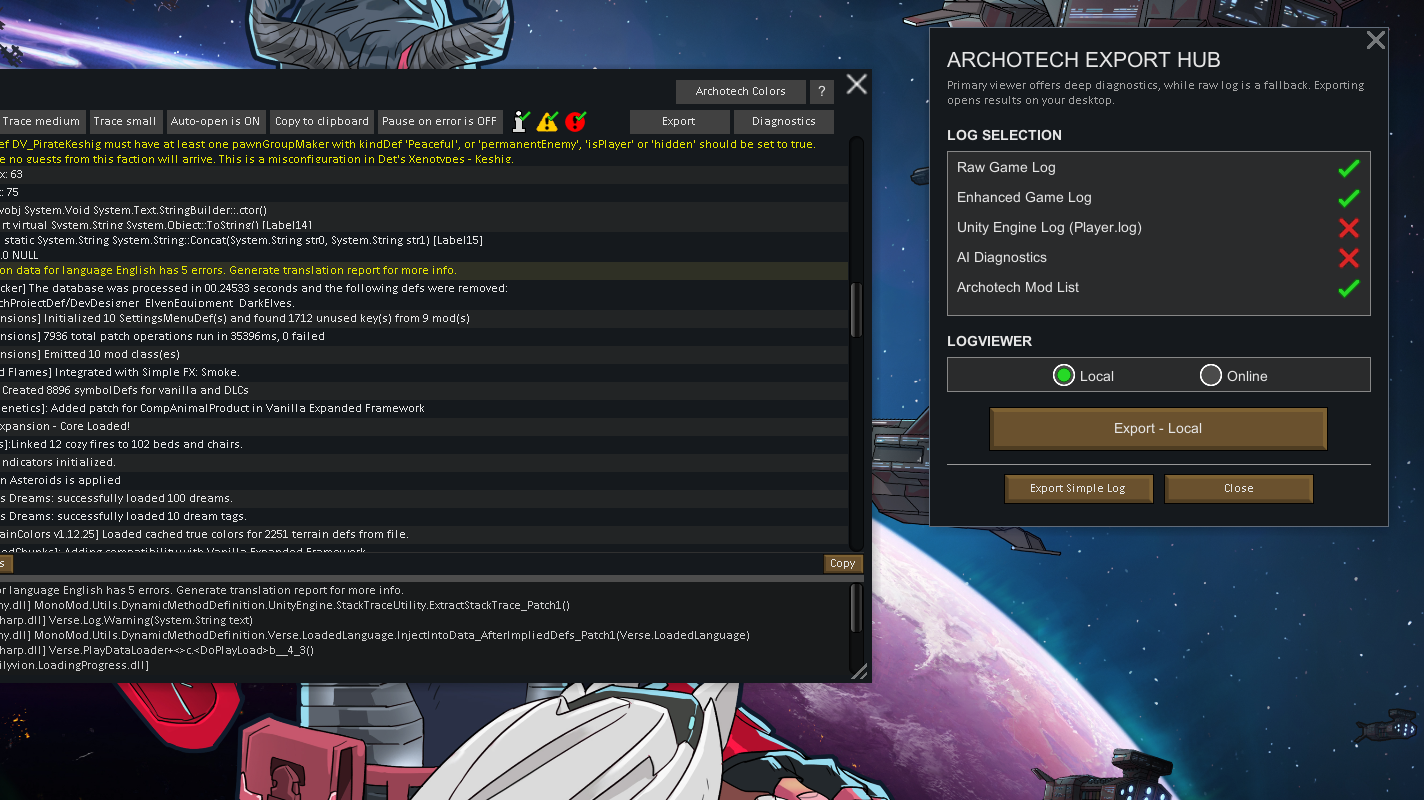
— Export: You can export and share simple logs or more advanced logs in the new LogViewer.
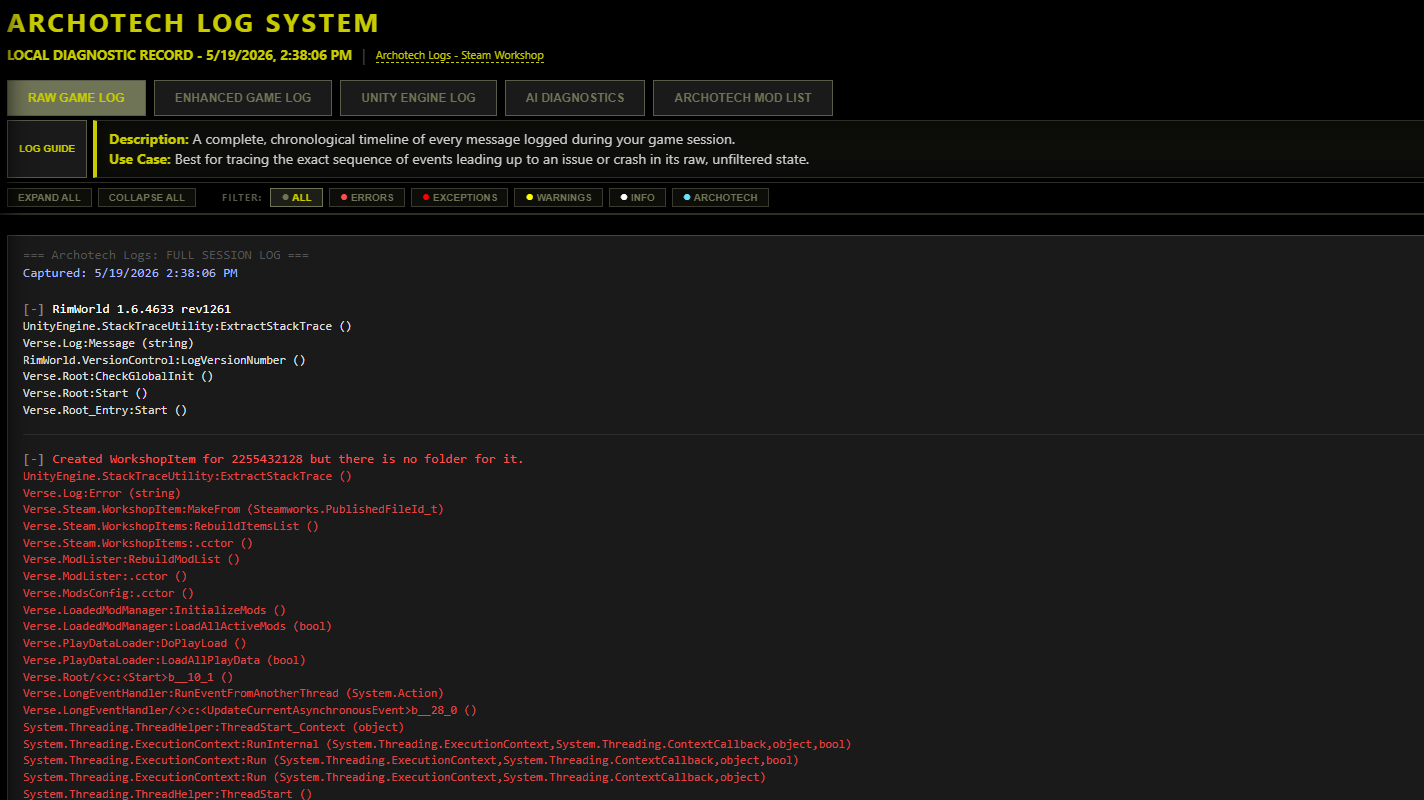
— LogViewer: A web-based tool that opens in your browser to show detailed reports. You can save these reports to your PC or share them with a link.
— AI Diagnostics: Generates a clean diagnostic format specifically for AI helpers (like ChatGPT or Claude) to help you troubleshoot.
— Mod List Comparison: A comparison tool that lets you load two different mod lists side-by-side to spot differences in load order or versions.
— Enhanced Debug Log: Small QoL things like selected log dot, clean up in colors, and Log View indicators.
— Other QoL: Also add a small ingame log button, FPS & TPS Display, optional FPS Limiter, and log spam filtering.
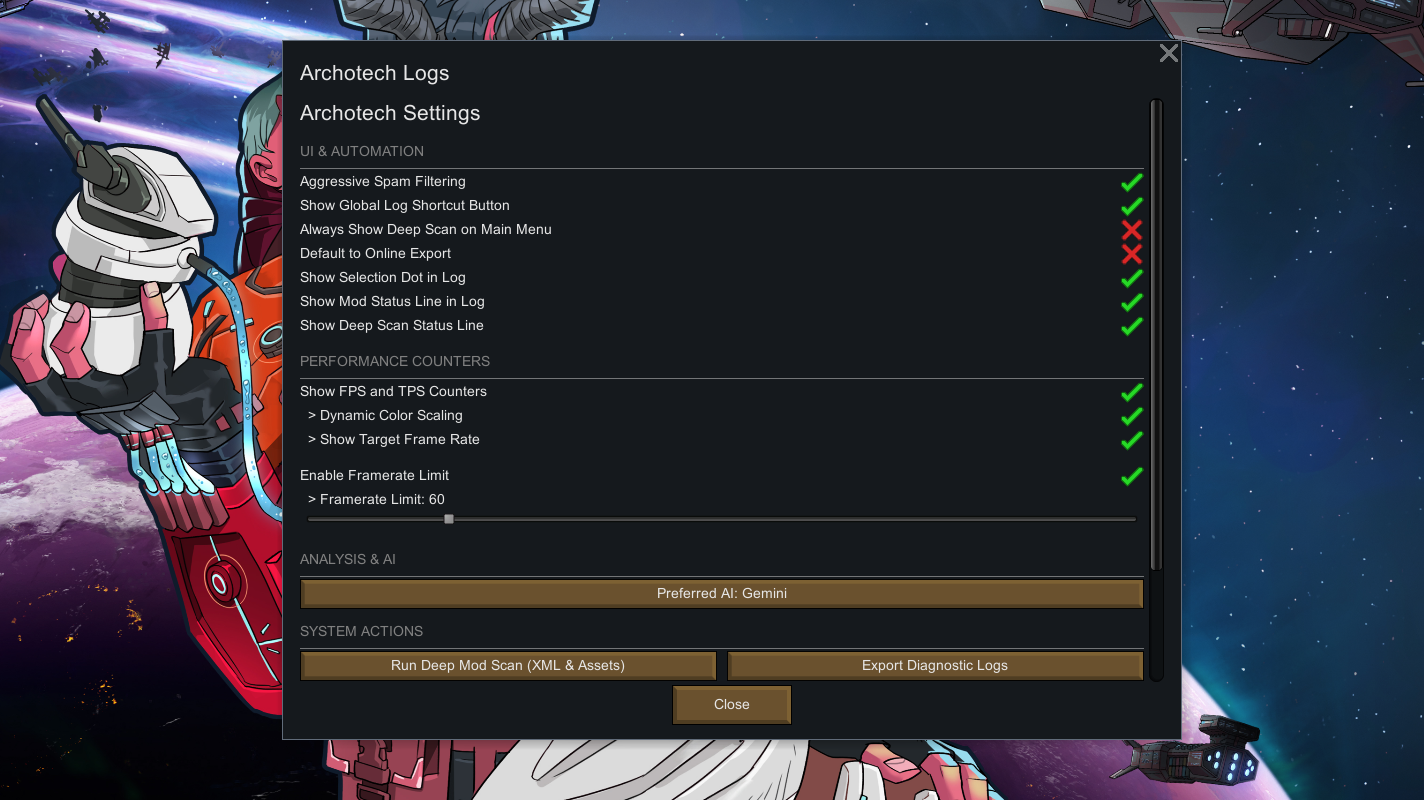
— Setting Menu: There is a setting menu, with settings for most things in the mod.
Features Explained
— Log Info View:
When you click on a log entry in the Debug Log, the new window on the right side displays extra details about that entry. It parses the trace of code instructions to highlight a "Potential Source" (the mod most likely behind the log) and "Accomplices" (other mods active in the same code block). It also displays more information about what the error actually means, helping you understand the problem without having to dig through raw code.
Potential Sources and Accomplices are found by cross-referencing data from the deep scan. But it's not possible to anticipate all cases and logs, so it's a POTENTIAL source, not a 100% sure match. Performance mods and mods that patch a lot of other things can sometimes take the blame as they wrap around the code, which is cross-referenced.
— Deep Scan:
You can run a Deep Scan of your mod folders on-demand from the Log Info View. This indexes XML Defs, translations, asset directories, and C# assemblies. This compiled index is what allows the Log Info View to cross-reference logs and identify a potential source and accomplices of the selected log.
— Export & LogViewer:
If you need to share your logs to get help, the mod lets you choose between a **Simple Export** (generates an instant link like HugsLib did) or an **Advanced Export**. The advanced option opens a detailed, interactive LogViewer in your web browser. You can save these reports locally to your PC for private analysis, or upload them to generate a shareable link.
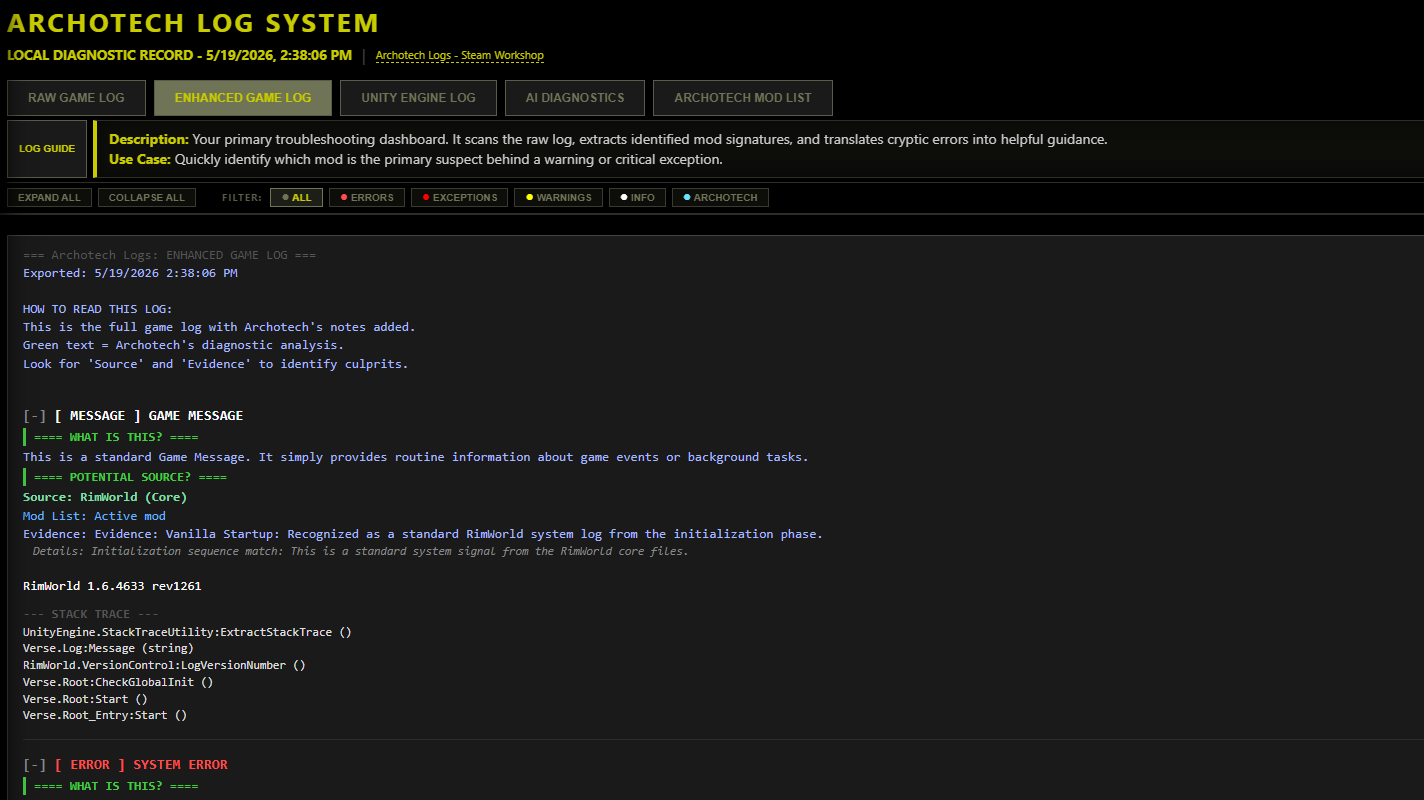
The LogViewer includes:
- Raw Game Log: The original, unmodified log for direct comparison.
- Enhanced Game Log: A searchable and filterable log that highlights suspects, accomplices, and error details.
- Unity Engine Log: Direct access to your game's internal Player.log file (available in Local Export only) to help track down native startup crashes.
- AI Diagnostics: A zero-noise diagnostic file formatted specifically for AI helpers (like ChatGPT or Claude).
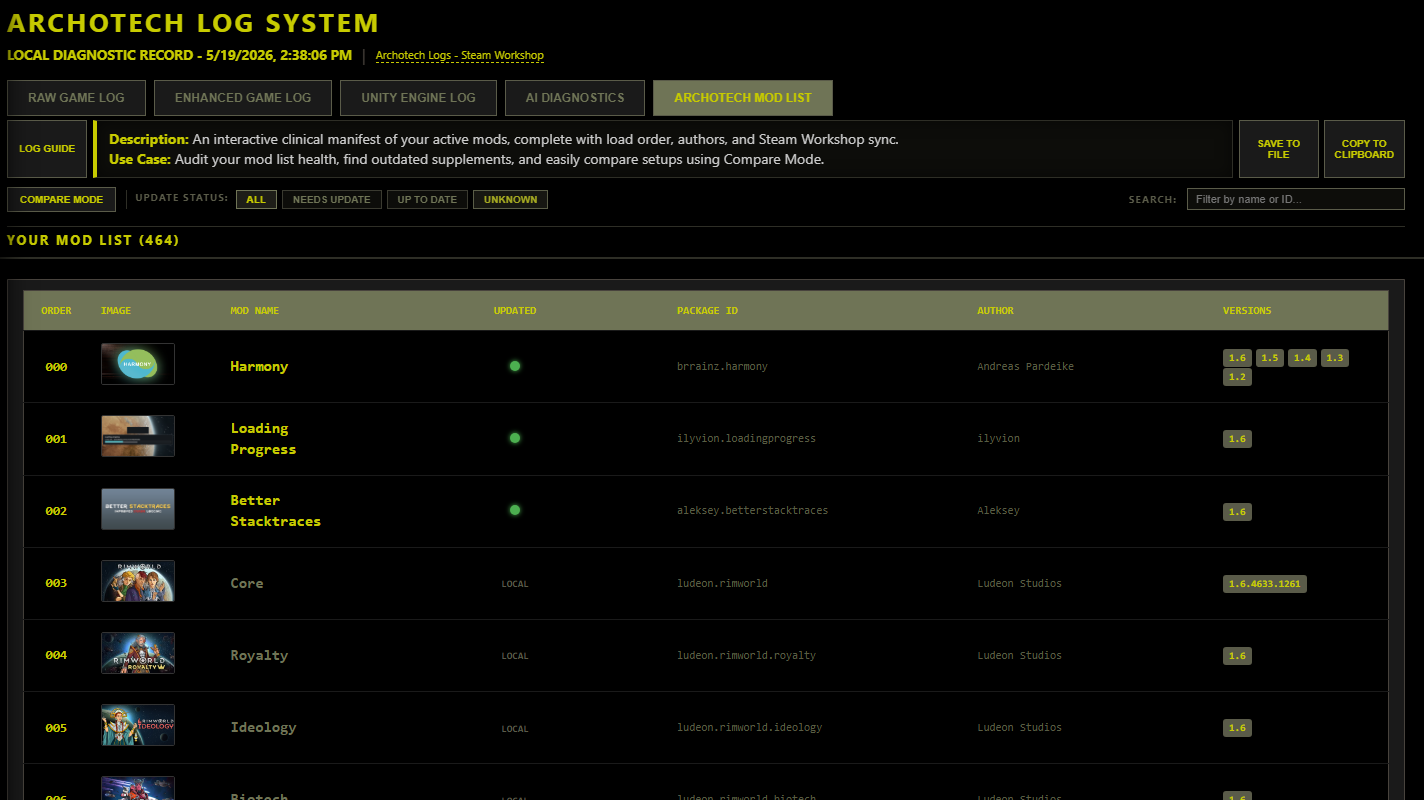
- Archotech Mod List: A detailed overview of your active mods.
— AI Diagnostics:
If you like using AI assistants to help troubleshoot your game, this feature formats the diagnostics specifically for them. It filters out useless "white noise" logs and packages vital details—like the last 10 normal logs before a crash, active Harmony patches, exact exception types, missing Def names, and the exact game tick when the issue happened—making it much easier for the AI to give you an accurate answer.
— Mod List Comparison:
In the LogViewer's Mod List tab, you can turn on Compare Mode and paste another LogViewer link. It will show both mod lists side-by-side, highlighting shared mods, unique mods, load order differences, and version mismatches. It also connects to a Steam proxy to show if mods are up to date (Green), outdated (Red), or local (Gray).
— Enhanced Debug Log:
Adds useful QoL tweaks directly to the in-game Debug Log, including clear visual indicators for errors, dynamic clean colorization, and a highlight dot showing which log is currently selected.
— Other QoL Improvements:
- Global Log Shortcut: A tiny, unobtrusive button in the corner of your screen to open the logs instantly.
- FPS & TPS Counter: A lightweight counter showing your active frame rate (FPS) and simulation speed (TPS) while playing.
- FPS Limiter: An optional frame rate capper to keep your GPU cool or work with external scaling programs like LossLess Scaling.
- Spam Filtering: Suppresses repeating error loops so they don't freeze your game or clutter your log, while keeping a precise count of how many times they happened.
— Setting Menu:
A dedicated menu in RimWorld's mod options that lets you customize the overlay, configure the FPS cap, adjust suspect analysis sensitivity, manually run deep scans, and cleanly purge all mod-generated data with a single click.
Compatibility
Safe to add to or remove from ongoing save files at any time. It does not touch your save files or modify base game data.
Translations
English. (More translations may be added in the future).
Feedback & Bug Reports
I'm always looking to make the tool better! If you find any issues, bugs, or have ideas for new features, feel free to share them in the comments or on Discord.
My other mods