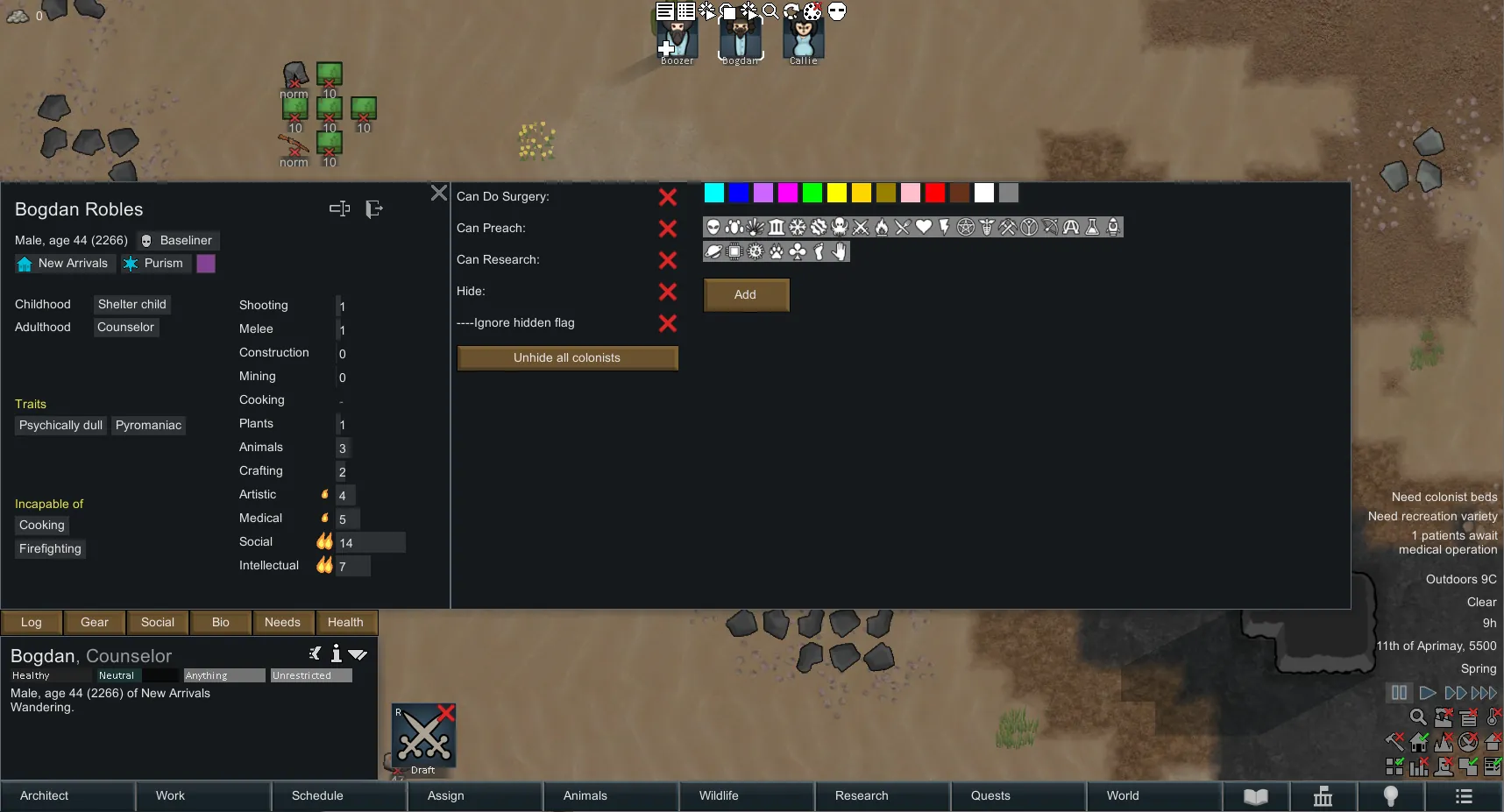
Selecting a pawn and pressing Ctrl+c will open 'Bio' window.
When on 'Bio' window pressing Ctrl+c will open Pawn Adjustment window
PAWN ADJUSTMENT WINDOW
- Can do Surgery: When 'on' will allow pawn to do surgery. This way you can have a dedicated surgeon.
- Can Preach: When 'on' will allow pawn to convert, enslave, and recruit. This way you can have a dedicated pawn with high social dealing with prisoners.
- Can Research: When 'on' will allow pawn do research. That way you can have a dedicated pawn doing research (while other 'research active' pawns will leave the research table alone).
NOTE: BY DEFAULT THESE TOGGLES ARE OFF
- Hide Colonists: when 'on' will hide the pawn from the colonist bar. Useful when you're running a large colony.
- Ignore hidden flag: When you want to do a quick diagnostic on all the pawns, toggle on to see all the pawns. This options will save w/ the mod.
- Unhide all colonists: Will reset the hidden flag on all colonists making them visible.
BRANDING:
You can manually assign a colored icon to a colonist. This icon will appear on top of the colonist when the game is paused. A quick pause and zoom out will show you where each "important" colonist is and how many of each you have on current map (top right of map).
When a colonist is assigned work priority of '1' he will be automatically branded with pre defined icons. You want to see who is the closest doctor to the bleeding out colonist? Just pause and zoom out. You want to know how many construction workers you got on the current map? Just pause.
Auto tagging work types:
doctor, construction, plants, mining, crafting, hauling, and cleaning.
NOTE: branding and auto-tagging can be turned off in mod options.