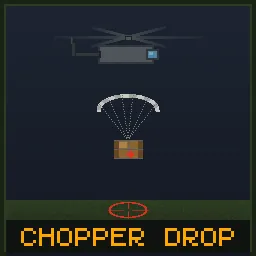
Chopper Drop [B42][MP]
Periodic military supply drops that create high-risk, high-reward hotspots. Works in multiplayer 42.1.14.
How It Works
- On a configurable timer (default: every 3 hours), a helicopter flies over and drops a military supply crate
- A map marker appears showing the drop location to all players
- The helicopter sound attracts zombies from a wide radius
- A zombie horde (default: 30 zombies) spawns at the drop site when the first player arrives
- Players race to reach the crate, fight through zombies, and claim the loot
- After the despawn timer expires (default: 45 minutes), the crate disappears and the event ends
Drop Location
- Drops are placed near the center of all online players (not biased to one player)
- Locations are biased toward towns and cities — urban areas are more likely to be picked, but rural drops can still happen
- The crate always lands on a valid walkable tile (ground floor) — avoids water (lakes, rivers, ocean) and shifts up to 30 tiles to find dry land. If no land is found, the drop is cancelled and retried automatically
- Min/max distance from players is configurable
The Crate
- Reinforced military crate — zombies cannot destroy it
- Randomized loot from a pool of 250+ items — weapons, armor, ammo, medical, food, crafting supplies, and more
- Fully customizable loot pool — enable "Use Custom Loot Config" in sandbox options and edit ChopperDrop_Loot.cfg in your Zomboid/Lua/ folder to add, remove, or comment out items
- Loot quantity per crate is configurable (default: 15 items)
- Uncollected crates disappear after the despawn timer expires
When the Event Ends
- The crate is removed (if not already looted)
- The helicopter sound stops
- The map marker is removed
- Zombies that spawned at the site remain — the area stays dangerous
Sandbox Options
- Enable/disable supply drops
- Timer mode: Real Time or Game Time
- Event frequency (minutes between drops)
- Despawn timer (minutes before crate disappears)
- Use custom loot config (load items from ChopperDrop_Loot.cfg)
- Loot quantity (number of random items per crate)
- Zombie horde size (0 to disable)
- Helicopter sound radius
- Helicopter volume (%)
- Zombie attraction radius
- Chopper pattern (Static or Orbit — orbit circles the sound around the drop site, spreading zombies out)
- Minimum players online (default: 0 — works solo out of the box)
- Min/max distance from players
- Enable/disable Chopper Drop Radio
- Radio drop chance from military zombies
- Radio charges (Tune In uses)
- Early intel head start (seconds)
- Enable/disable Request Airdrop
- Request Airdrop cooldown (minutes between called airdrops)
- Enable/disable screen alerts (large centered text when events start/end)
- Customizable alert messages (supports {x} and {y} placeholders for drop coordinates)
- Spawn retry delay (minutes before retrying after a bad landing zone)
- Enable/disable spawn fail alert (notify players when a drop is cancelled)
- Customizable spawn fail alert message
Custom Loot Config
Want to control exactly what drops in the crate? You can fully customize the loot pool:
- Start the server once — a file called ChopperDrop_Loot.cfg is auto-generated in your Zomboid/Lua/ folder
- Open the file in any text editor — it contains every item in the default pool, one per line
- Add, remove, or comment out items with # to build your own loot table
- Enable "Use Custom Loot Config" in Sandbox Options
- Restart the server — your custom loot is now active
Items from uninstalled mods are silently skipped, so cross-mod items (like Knox Antidote or X-Virus) are safe to include. The LootQuantity sandbox option still controls how many items are picked per crate.
Chopper Drop Radio
A rare tactical radio that drops from military zombie corpses. Gives you two abilities:
- Tune In — Check how long until the next supply drop. Each use costs one charge. The radio shows remaining charges in its name. When the charges run out, the radio is destroyed.
- Early Intel — Radio holders receive the drop coordinates immediately when the event starts. Everyone else is notified after a delay (default: 60 seconds), meaning the event is already underway by the time they find out.
- Request Airdrop — If the radio is fully charged, you can sacrifice it to call in an immediate supply drop. The radio is destroyed on use. Only works when no other drop is active. Cooldown between called airdrops is configurable. (New — first version, may have bugs. Disable via sandbox option "Enable Request Airdrop" if needed.)
All radio features are fully configurable. The entire radio system can be disabled if you prefer the base experience.
Admin Commands
- /chopperdrop — Type in chat to force an immediate supply drop (admin only)
- /chopperdropend — Type in chat to terminate the active supply drop (admin only)
- ChopperDropForceEvent() — Force a drop from debug console (~) or server console (/lua ChopperDropForceEvent())
- ChopperDropEndEvent() — End active drop from debug console (~) or server console (/lua ChopperDropEndEvent())
Multiplayer
Fully server-authoritative. All spawning, loot, and despawn logic runs server-side. Works in Host & Play and dedicated servers.
Support
If this mod made your squad fight over a crate, help me call in the next drop: [ko-fi.com]
My Mod Collection
This is the list of mods I use on the server I play with my friends: Faitas' PZ MP Mod Collection
Workshop ID: 3678109350
Mod ID: ChopperDrop