◆What kind of MOD is it?
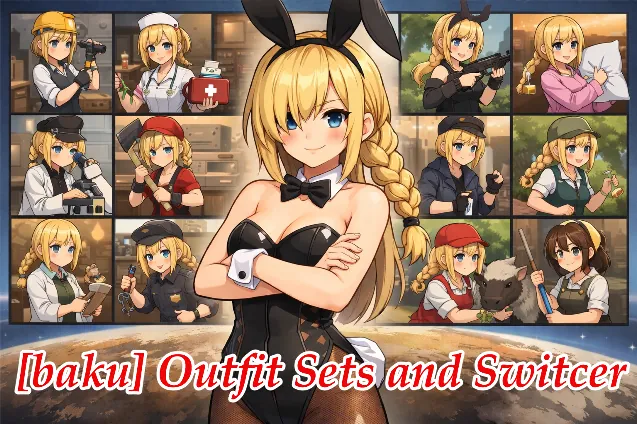
This is a cosmetic equipment MOD created as a tribute to the cosmetic equipment MOD "Dress up Colonist".
It only changes the appearance and does not affect the actual performance of the equipment.
◆What can it do?
You can dress your pawns in any equipment you like.
You can register up to 40 cosmetic equipment sets.
You can also resize and adjust the position, so you can put any clothes on anyone.
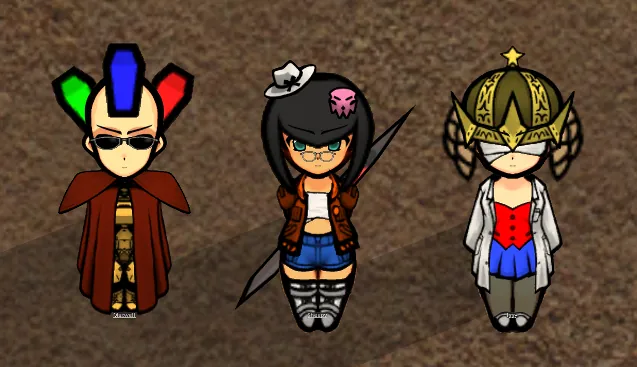
You can also tilt the equipment, so you can wear hats like Daisuke Jigen or crowns like Comet-san.
There are no restrictions like in vanilla, so you can layer equipment freely.
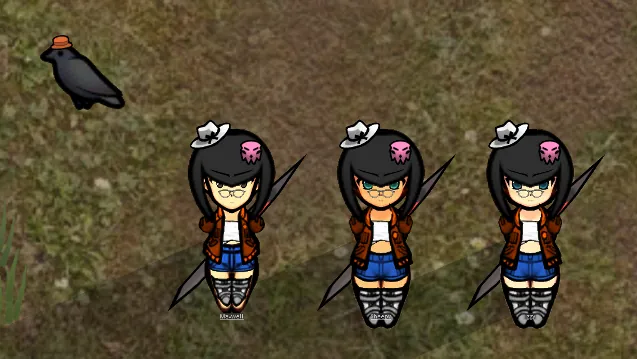
You can also equip multiple identical pieces of equipment (such as ribbons).
By setting the resizing to "0", you can "hide the equipment only when viewed from a specific direction" (like the poor rich kid style).
You can also register hairstyles (when registering a hairstyle, the actual hair will be hidden).
You can register multiple hairstyles, so you can combine them to create new hairstyles.
You can also set cosmetic equipment for animals and mechanoids.
Right-clicking a tab allows you to set its role.
Tabs with assigned roles become role tabs, and their appearance automatically switches to that role during work.
The priority of roles is determined by the order in which they appear when you right-click:
Manual > Recruitment > Various Work > Outdoor Casual Clothes > Indoor Casual Clothes > Casual Clothes for Your Room.
Manual (red text) locks the appearance and equipment to that state when pressed (when manually locked, the tab turns red, and pressing it again unlocks it).
Only one work-related role (orange text) can be registered.
If multiple casual clothes roles (yellow text) are registered, a random selection will occur when you wake up, and you will automatically change into different clothes.
Sleep (Schedule) is a setting that only applies when sleep is scheduled in the timetable. It's like wearing pajamas when it's time to sleep.
I created this for myself and included all the features I wanted, so explaining it would be quite long, but
I've designed it to be intuitive, so please try it out.
◆How to Use
*It is recommended to pause the game before performing the following steps.
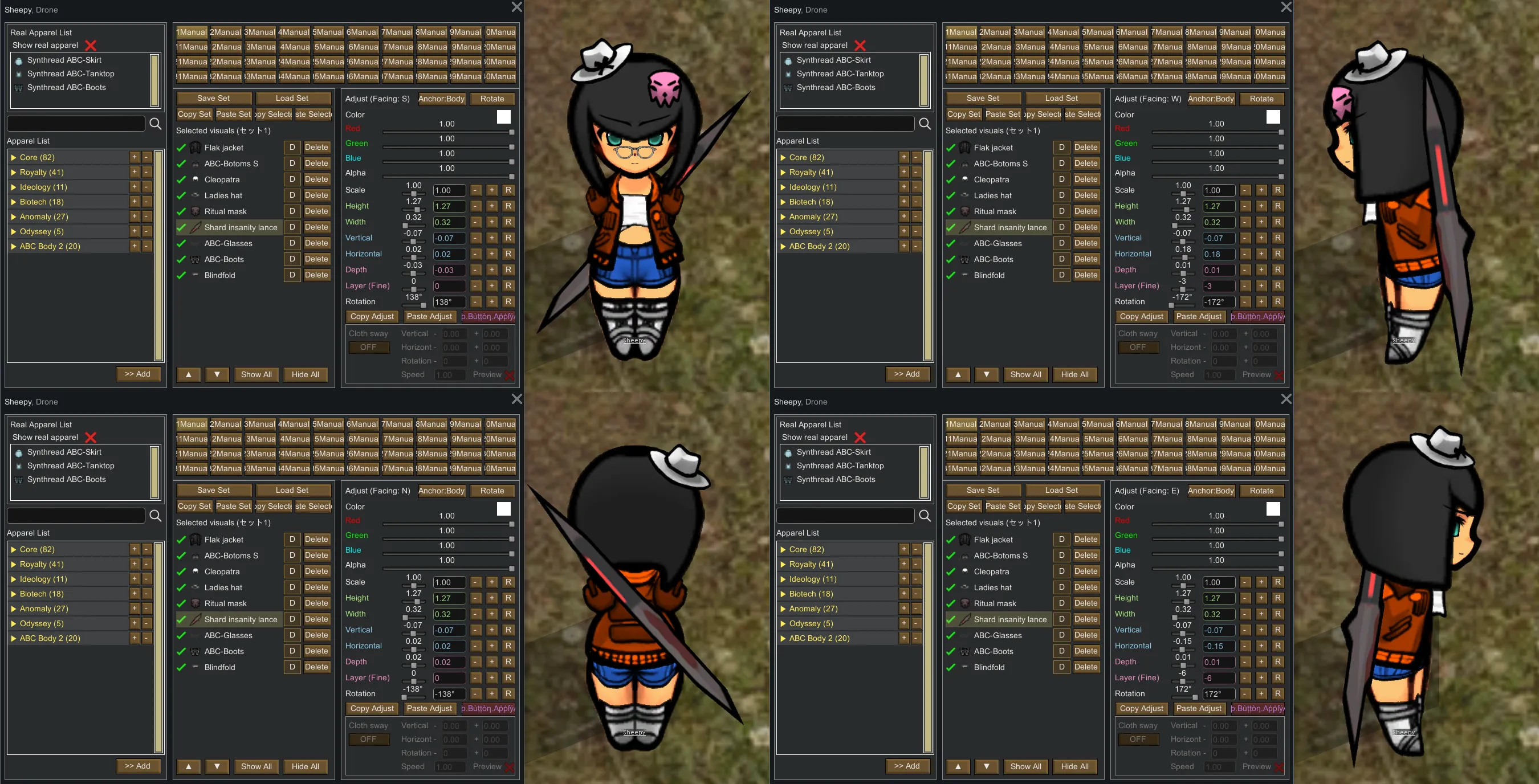
1. Open the Appearance Equipment tab.
2. Uncheck "Show Actual Equipment" (If this is checked, the appearance equipment will not function).
3. Select the tab you want to register (The tab numbers are just for convenience, so you can choose any of them).
4. Select equipment from the equipment list and click "Add" → It will be registered in the Appearance Equipment section.
5. Select equipment in the Appearance Equipment section → The adjustment section will open.
6. Adjust the size and position in the adjustment section.
You can move the selected equipment by dragging while holding down the [D] button.
For fine adjustments, use the +/- buttons for "Vertical Movement" and "Horizontal Movement".
By default, the drawing order is "0.00", so it may be hidden by the body. Please set it to "0.01" or higher.
By adjusting the drawing order (fine-tuning) as well, you can make fine adjustments such as "Show hair under the glasses" or "Show hair on top of the glasses".
7. Pressing "Apply All" will apply the "size and position adjusted in the current direction" to the remaining three directions.
8. Press the rotate button to rotate the pawn. Adjust if there is any misalignment (rotation only works when paused).
9. Set the role (manual setting is also OK).
◆Examples of ways to enjoy it:
"Combine various apparel mods to aim for the ultimate fashion look"
"Messy hair and underwear in the room, dressed up indoors"
"Cool outside, cute in the room"
"Hold a masquerade ball at a party"
"Long-haired pawn ties their hair only when working"
"Wear glasses only when researching"
"Camouflage clothing when hunting"
"Uniform uniforms for the colony"
●Prerequisite Mods
Harmony
●Recommended Mods
SimpleCameraSetting
Various apparel mods
Various hairstyle mods
Race mods
■Regarding adding/deleting during the process
This can be done safely.
■Specifications
Portraits will display the actual equipment.
You can choose between nude or equipped rendering during sleep (default is nude).
When downed, it switches to equipped rendering.
Only equipment with separate graphics for north/south/east directions is supported.
Equipment with only one-directional graphics, such as shield belts, is not supported.
■Known Issues
In some cases, clothing may not keep up with Yayo's Animation's pawn animation, resulting in an unnatural appearance.
Please be aware of this.
Please let us know if any equipment registered as appearance equipment does not display or rotation is not reflected.
We will address these issues individually.
2026/04/15
Save/load equipment sets are now supported.
All equipment and adjustment values will be saved.
If your pawns have different body sizes, there may be discrepancies, so please make minor adjustments each time.
The save location is:
Ludeon Studios\RimWorld by Ludeon Studios\Config/OutfitSetsAndSwitcher/SetData.xml
2026/04/18
Added texture inversion functionality.
This feature is only compatible with North/South maps.
Please delete any previous save sets as they are not compatible.