Outfit Preset
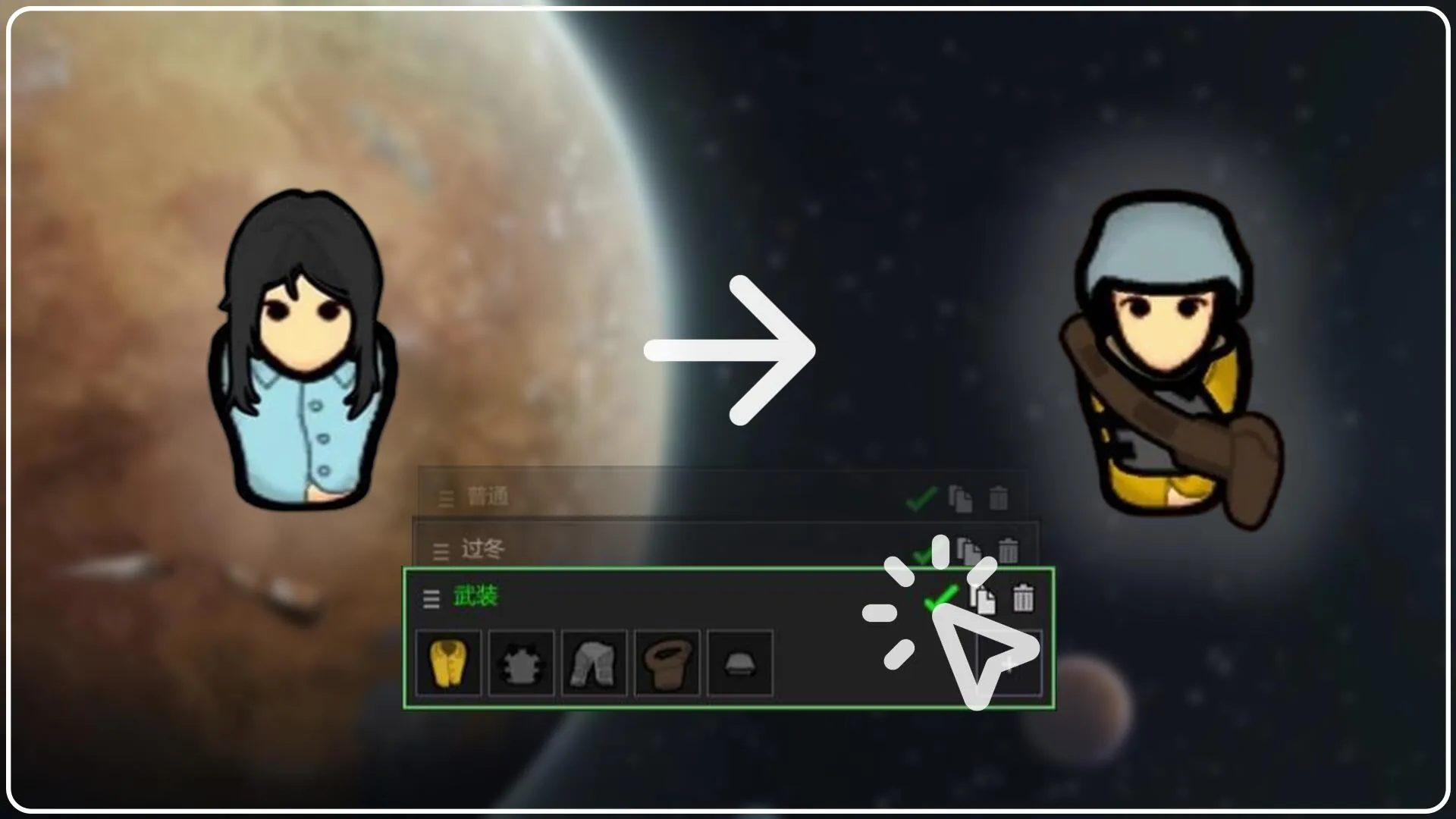
Tired of equipping gear piece by piece? Outfit Preset brings MMO-style "one-click gear swapping" to the RimWorld! Save a colonist's entire outfit as a visual card, then switch instantly with a single click. Colony equipment management has never been this intuitive.
✨ Core Features
⚡ One-Click Outfit Swap
Save current apparel as a preset, then click the card to equip the entire set instantly. Say goodbye to tedious individual equipping.
🗃️ Dual Operation Modes
· Traditional Mode: Generates gear directly — ideal for testing or quick setups.
· Pool Mode: Uses real equipment from your colony's storage, eliminating item duplication and preserving game balance.
🧠 Smart Differential Swapping
When switching presets, reusable gear is automatically retained. Only the differences are changed — saving time and reducing unnecessary undressing.
🃏 Card-Based Visual Interface
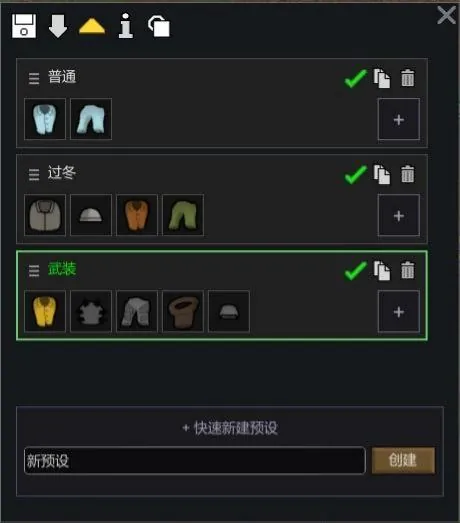
Each preset is displayed as an independent card featuring:
· Apparel icon preview
· Double-click to edit name
· One-click wear, copy, and delete actions
Everything is clear at a glance.
📦 Smart Apparel Return (Pool Mode Exclusive)
Removed apparel no longer litters the floor when switching presets. The system remembers where each item came from and prioritizes returning it to its original storage container or zone. If the original location is unavailable, it searches for another valid storage area in priority order — eliminating post-swap hauling headaches.
✏️ Flexible Item Management
· Right-click to remove: Remove a single apparel item directly from the preset via its icon.
· Free addition: Click the + at the end of the icon row to add apparel from storage or a pawn's current outfit.
· Drag to reorder: Icon rows support horizontal mouse-wheel scrolling; left-click drag freely adjusts item order.
📋 Preset Copying
Copy any preset to other pawns with one click, quickly standardizing equipment across your colony.
⚔️ Draft Auto-Swap
Assign a "Combat Preset" to each pawn. When drafted, they automatically switch to combat gear; optionally auto-revert when draft ends.
🔒 Force Wear
Lock all items in a preset to prevent pawns from automatically changing them via outfit policies — ensuring critical gear stays equipped.
🌐 Full Localization
Built-in Simplified Chinese and English, ready to use out of the box.
🔧 Technical Highlights
· Lightweight & Compatible: Minimal code footprint; does not modify core game logic — excellent compatibility.
· Vanilla-Style UI: Interface follows RimWorld's native aesthetic and coexists peacefully with most UI mods.
· Performance Friendly: Harmony patches are used solely for equipment pool state tracking, resulting in negligible performance overhead.
📌 Quick Start
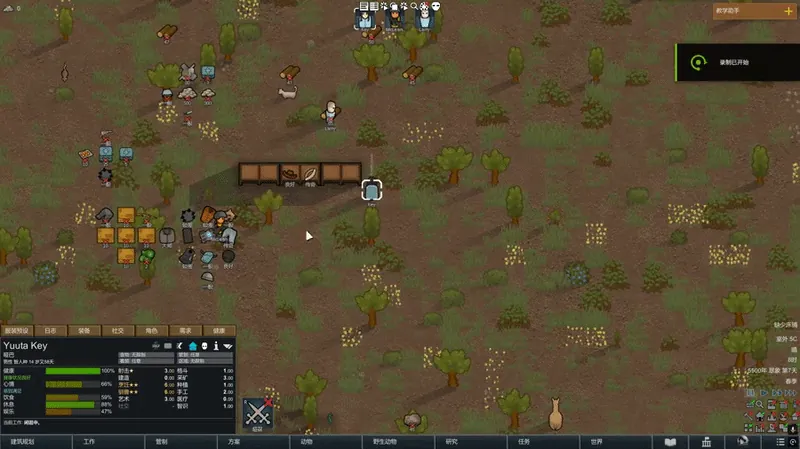
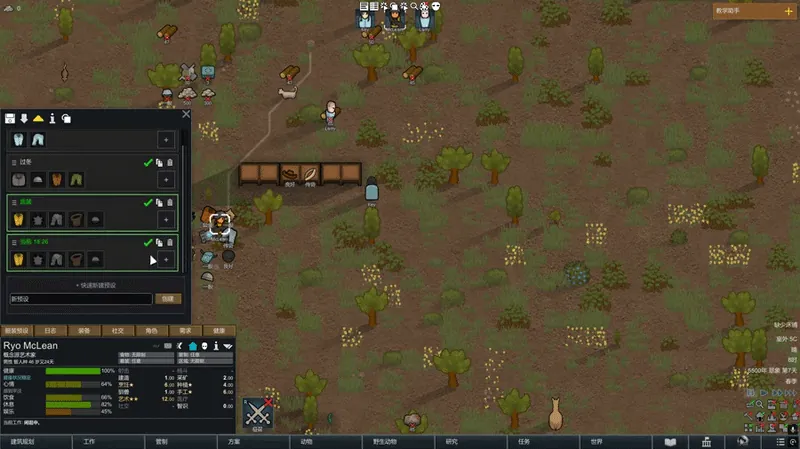
1. Select any colonist and click the "Outfit Preset" tab at the bottom of the interface.
2. Click "Save Current" to store the colonist's current outfit as a new preset.
3. Click the green checkmark on any preset card to instantly equip it.
4. Use the toolbar icons at the top to toggle equipment source mode, match strictness, sorting method, and enable draft auto-swap or force wear.
📌 Friendly Reminder
· In Pool Mode, ensure your colony storage contains sufficient corresponding equipment.
· After updating the mod, older presets may not trigger the "Smart Return" feature. It's recommended to re-save presets for each pawn to ensure full functionality.