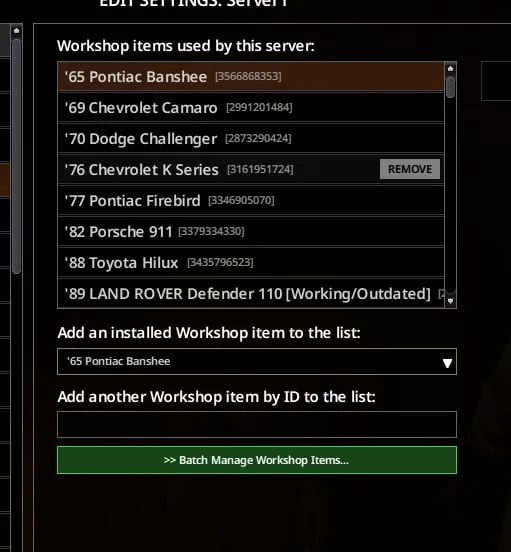
Tired of adding workshop mods to your server one by one? This mod adds a Batch Manage Workshop Items button directly in the server settings Workshop tab.[newline][newline]
What it does
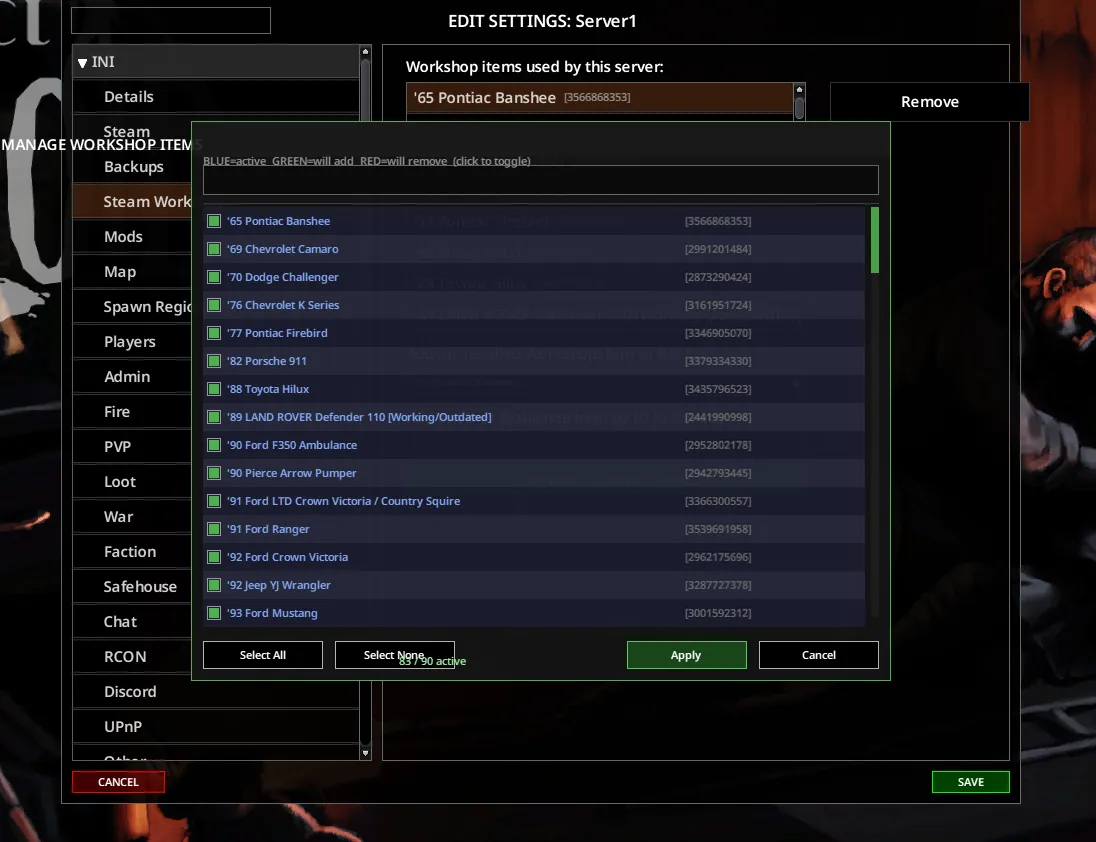
Click the button to open a panel showing all your installed workshop items. Check or uncheck as many as you want, then hit Apply — done.[newline][newline]
Color coding
Blue = already active and staying[newline]Green = will be added[newline]Red = will be removed[newline][newline]You can also search by name or Workshop ID to quickly find what you need.[newline][newline]
Notes
- Build 42 only[newline]- No game restart required[newline]- Client-side only, no server files needed[newline][newline]
Changelog
v1.1 — Fixed checkbox color for already-active items (was always showing green instead of blue)[newline]v1.0 — Initial release[newline][newline]
Feedback
Found a bug or have a suggestion? Drop a comment below — I read them all! If this saves you some time, a thumbs up is always appreciated. :steamhappy:
Workshop ID: 3704513318
Mod ID: ServerModBatchSelect