***THIS MOD REQUIRES Video Framebuffer MOD WHICH REQUIRES AN EXTRA SETUP STEP!
THIS MOD WILL NOT WORK IF YOU DO NOT RUN THE EXTRA SETUP STEP IN THE PZFB Video Framebuffer MOD!***
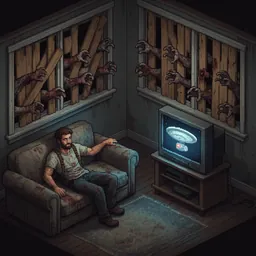
Watch videos in Project Zomboid!
Drop video files into your Zomboid/PZVP/ folder, press INSERT in-game, pick a video and quality, and enjoy.
FEATURES:
- Play any video file (MP4, MKV, AVI, WebM, MOV, FLV)
- Audio with full seek support
- Quality picker: 15% to 100% of source resolution
- Play, pause, resume, seek via clickable progress bar
- Aspect-ratio-correct display in a resizable window
- Streaming playback -- no massive temp files
REQUIREMENTS:
- Video Framebuffer (PZFB) -- install from Workshop + run install script
- ffmpeg installed on your system (ffmpeg.org)
WHERE TO PUT VIDEOS:
- Linux: ~/Zomboid/PZVP/
- Windows: C:\Users\YourName\Zomboid\PZVP\
Create the PZVP folder if it doesn't exist.
CONTROLS:
- INSERT: open player / END: close
- Click video to pause/resume
- Click progress bar to seek
PLATFORM NOTE: Tested on Linux. I don't have Windows because zombies can get through them. Feedback from Windows users is very welcome!
Source: https://github.com/expectbugs/pzvp
Workshop ID: 3699048819
Mod ID: PZVP