What is this?
This adds no content. This is an modding tool for developers to make tutorials or announcements to the player, all without ever needing to write any C#. The system is very easy to use, and is versatile for lots of use cases.
New def type: PopupDef
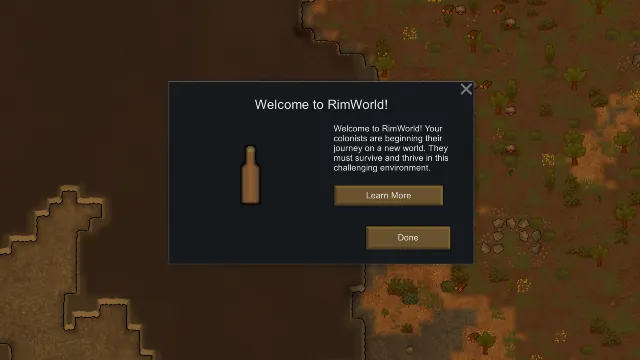
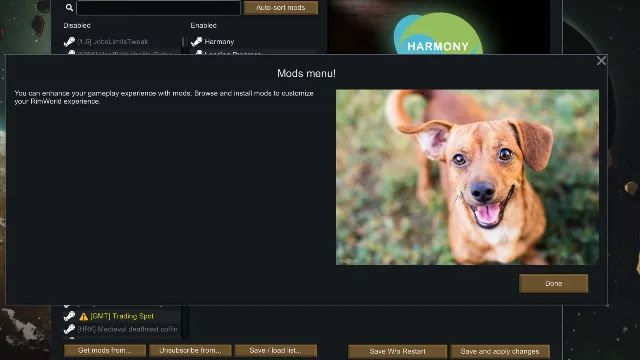
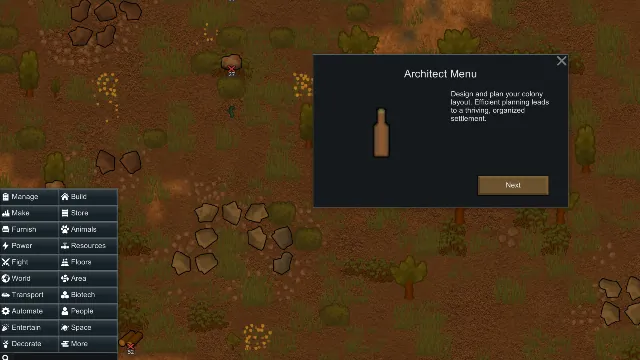
This displays a custom popup menu with custom attributes, depending on the fields defined in its XML. Here are the list of fields applicable to the def.
- defName → The internal name of the def
- title → The title displayed at the top of the popup menu
- description → The written contents of the popup, displayed in the menu
- dimensions → The dimensions of the menu that will contain the popup
- orientationStyle → How the menu is presented (Center, Right, Left)
- customButtonLabel → Text shown on the custom button (hidden if not defined)
- customButtonWebLink → Web URL tied to the custom button
- customButtonPopupDefLink → Another popup linked to the custom button
- nextPopupDef → Adds a “next” button to open another popupDef (replaced by “done” if undefined unless closeable is false)
- previousPopupDef → Adds a “previous” button to open another popupDef
- oneTime → Whether the popupDef should only appear once (true/false)
- closeable → Whether the popup can be closed (used for multi-page/integral popups)
- saveToClient → Save popup state to client instead of save file (true/false)
- sound → Defines a soundDef that will play on the tutorial appearing
- delay → How long this tutorial will take to pop up once triggered
- trigger → Defines when the popup appears:
[list] - None → Only gets triggered via modExtension
- OnGameStartup → When the game boots
- OnColonyStartup → When the colony starts
- OnNewColonyButton → When you click "new colony"
- OnModsButton → When you click the "mods" button
- OnModOptions → When you click the "mod options" button
- OnOptionsButton → When you click the "options" button
- OnCreateWorld → When you get to the "create world" page
- OnWorldPreset → When you get to the world presets page
- OnGrowingZonePlaced → When you place a growing zone
[/list]
New modExtension: Show Popup
<li Class="PopupFramework.ShowPopupExtension">
<popupDef>PopupDef</popupDef>
<tickDelay>0</tickDelay>
</li>
- Functionality of “Show popup” modExtension by def type
[list] - ThingDef → Shows a popupDef when the thing is placed or clicked
- ResearchProjectDef → Shows a popupDef when the project is completed (after the Triumphant Research window closes)
- IncidentDef → Shows a popupDef when the incident fires
- MainButtonDef → Shows a popupDef when the button is clicked
- ScenarioDef → Shows a popupDef when the scenario begins
- Pawn → Shows a popupDef when the pawn is clicked
- Storyteller → Shows a popupDef when a storyteller is selected
[*] Fields for the “Show popup” modExtension
- tickDelay → Delay (in ticks) before displaying the popupDef
[/list]
Examples are included in the mod files
Example defs and modExtension patch integrations are all bundled in. Enjoy!
Compatibility
- Works with literally everything.
Credits
- Taranchuk - C#

 [www.patreon.com]
 [discord.gg]