This microcontroller DOES in fact have a description, because it works now! This was far more difficult to create than I expected it to be, and when on a static test bench it has oddities, but its stable and functional. Took me about 16 hours or so.
So, this thing has a Composite Output that lets you see a bunch of miscellaneous data going on in the extensive logic that makes this work:
Num-Ch 1 - Input RPS Delta, basically how fast the engine RPS is changing per physics tick.
Num-Ch 2 - Throttle Mix, this is a combined figure for targeting minimum and maximum motor RPS, so at low throttle input the RPS is going to be reduced, and at maximum throttle it ramps up to the full RPS that you set.
Num-Ch 3 - Downshift Modifier, this weighs the Throttle Mix against Torque In and Torque Out according to a sensitivity constant you set (keep it quite low, 0.005 is decent) as well as minimum and maximum motor RPS limits you set.
Num-Ch 4 - This is a composite read of the current PID target CVT Ratio, its more raw data.
Num-Ch 5 - This weighs clutch engagement based on the current motor RPS, the minimum allowed motor RPS, and the sensitivity figure you set, it defaults to 10 but I don't know if higher or lower would be better.
Num-Ch 6 - The clamping function on the PID output, its probably redundant, I'm like 80% sure I'm clamping it in Lua already. Maybe.
Num-Ch 7 - This lets you kind of see the raw smoothed CVT Ratio within the LPF loop, as its weighed against the previous tick's value and a smoothing factor that coincidentally ranges from 0.1 to 10.0 and defaults to 1.0.
Num-Ch 8 - The current internal Derivative factor in the Lua PID code, you can see this swinging to adjust the CVT Ratio target based on the inputs to the PID.
Bool-Ch 1 - Traction Control System, I don't quite remember what I was thinking making this, but it basically clamps down on the CVT when it begins suffering wheelspin? It evolved organically, and I don't think its quite TCS anymore.
Bool-Ch 2 - DEBUG: Merely tells you if the Lua PID is working, since if the code fails to execute, this stays off. It also works to tell you if the PID is shutting off due to the throttle being basically off, thus saving on simulation time by stopping code execution. Its a Lua enable pin readout, basically.
Parameters you set in the Vehicle Editor:
Target High RPS - Basically explains itself, begins upshifting at full throttle when the motor reaches this RPS.
Target Low RPS - After the line above, this explains itself, starts downshifting when motor RPS falls below this at low throttle.
PROPORTIONAL GAIN/INTEGRAL GAIN/DERIVATIVE GAIN - Don't touch these unless you know what you're doing, it took some tuning, but feel free to experiment. Just be ready to delete and re-place the microcontroller often if you forgot the default values.
Downshift Sensitivity - Adjusts how readily the CVT wants to reduce its ratio, could induce hunting if its too high or low. Probably.
Minimum/Maximum CVT Ratio - If you, for some reason, want to limit the unrealistically wide ratio range of sprk's CVT from their Mechanical Parts Expanded mod, then go right ahead.
Clutch Sensitivity - How aggressively the CVT controller with open the clutch at-or-below minimum RPS.
Ratio Smoothing Factor - Its set to 1.0 for a reason, this thing causes hunting at other values, but maybe you can figure a reason to change it.
TCS Threshold - Kind of what it says on the tin.
TCS Correction Sharpness - How aggressively TCS kicks the CVT's teeth in.
PID Enable RPS - It kind of explains itself, this is the RPS that ticks on the PID Enable function in the Lua, and also turns on all of the LPF bits.
RPS Out Smoothing Factor - If the RPS of the CVT output (that is, the RPS B connection, don't invert the CVT please) is jitterly, raise this.
TqIn Smoothing Factor - Likewise, if the Torque on the CVT input side (before the clutch, not after) is jittery, increase it.
TqOut Smoothing Factor - Just as above, if RPS B Torque is jittery, raise it.
RPS In Smoothing Factor - Also just as above. Both RPS In and TqIn come from a Torque Meter connected between the clutch and the motor.
Minimum/Maximum Motor RPS - I really don't have to explain this one.
Downshift Skew Bypass - You could turn this off, but it does strange things. Its legacy code.
CVT Deadband RPS - Its explained in the property title in the editor, but this defines how many RPS the microcontroller accepts as being on-point with the ratio it wants the CVT to be at. Its the Good Enough Zone.
Clutch Smoothing Factor - Kind of how aggressively the clutch engages. I think all of these "smoothing factor" sliders are inverted.
CVT Ratio Sweep Speed - It does say lower is faster, if you want a CVT that responds more like a CVT, increase it, if you want it to respond more like a space-age clarktech RPM converter, lower it and risk hunting jitters.
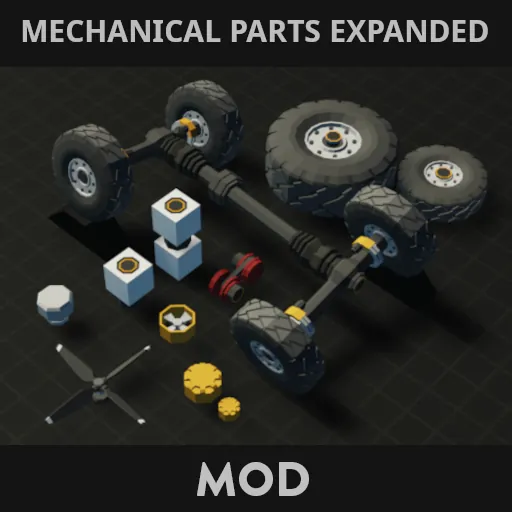
Of course, all credit for the CVT goes to sprk for their very nice to use CVT from their Mechanical Parts Expanded mod, so go check that out, you'll need their mod unless you somehow have a complex clutch/gearbox-array CVT that takes 0.1 to 10.0 inputs.
https://steamcommunity.com/sharedfiles/filedetails/?id=3538324086