Multi-Layered Tattoos mod
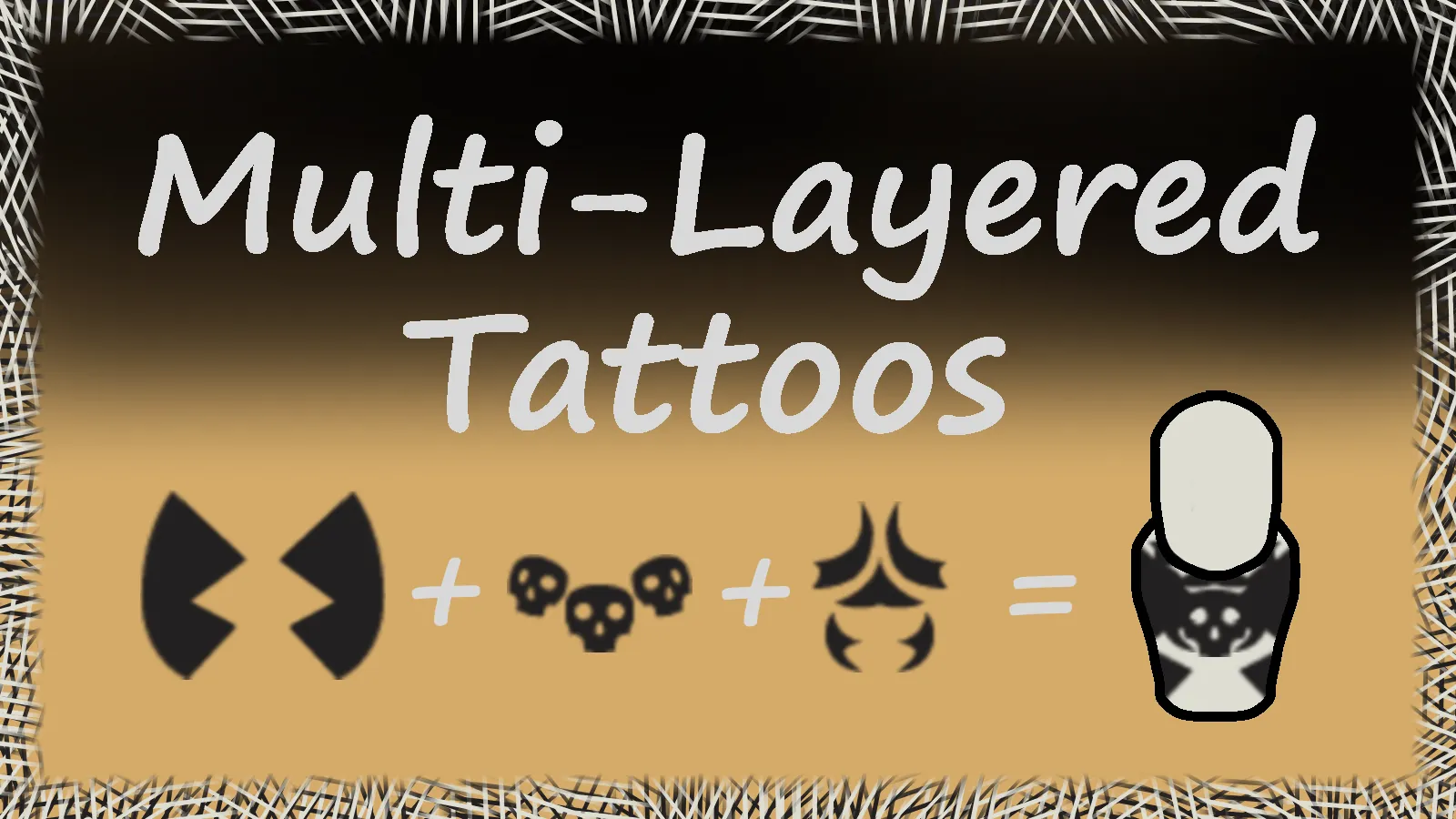
Mix multiple tattoos on your pawns to create unique designs!
Tired of choosing just one tattoo? This mod lets you combine multiple face or body tattoos on the same pawn, layering them to create completely custom looks.
Features
🎨 Mix Multiple Tattoos
- Combine up to 50 face tattoos and 50 body tattoos per pawn (15 recommended for stability)
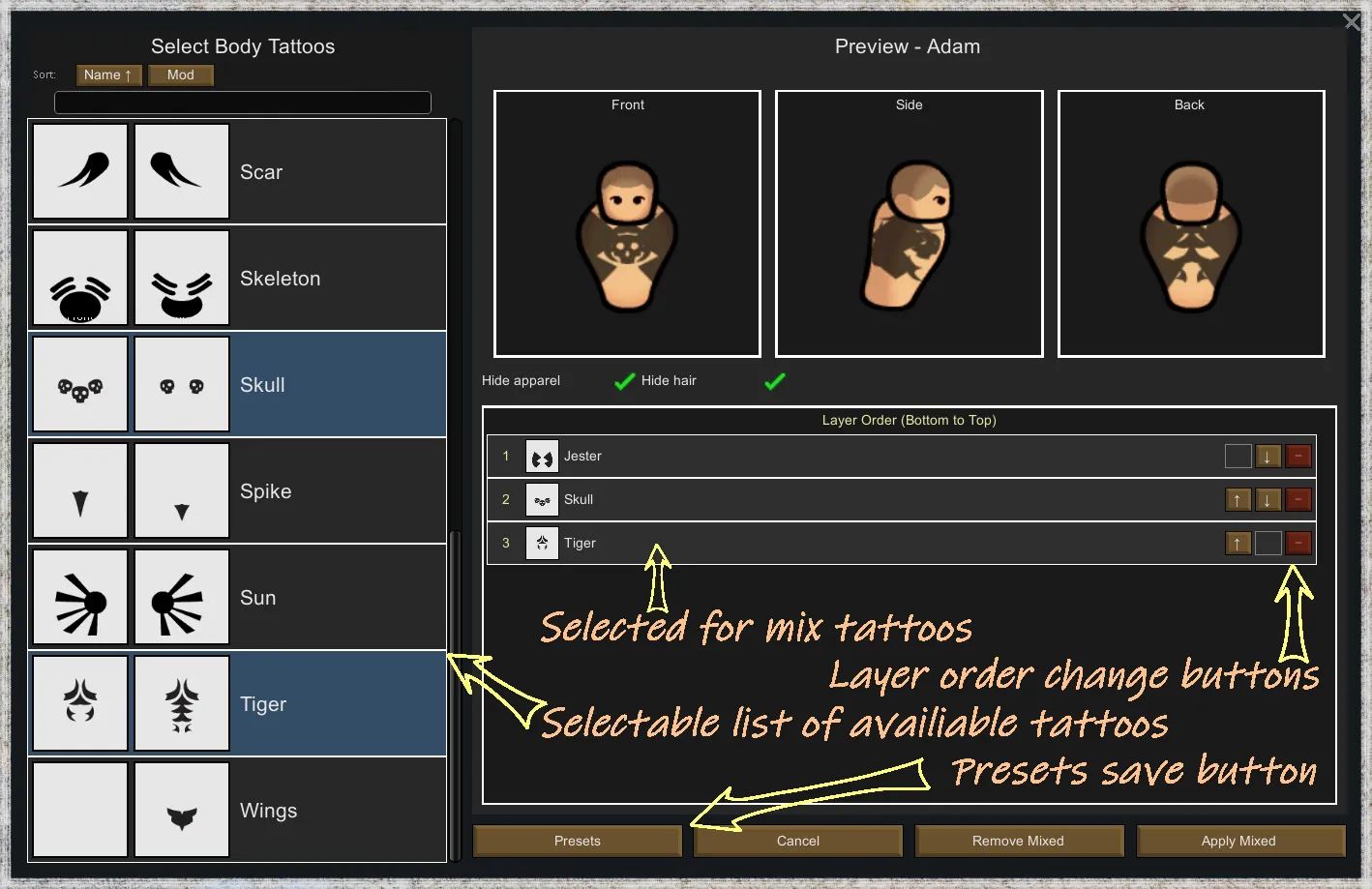
- Layer tattoos in any order you want - control which appears on top
- Real-time preview shows exactly how your mixed tattoos will look
- Works with all vanilla tattoos and most modded ones
🔄 Easy to Use
- Click the "Face" or "Body" button on any colonist or prisoner
- Select tattoos from the list
- Drag and drop or use arrow buttons to change layer order
- See instant preview from front, side, and back angles
- Apply when you're happy with the result
💾 Save Your Designs
- Save your favorite tattoo combinations as presets
- Load presets instantly on any pawn in any save
- Share designs across all your colonies
- Manage, rename, and delete presets easily
⚙️ Customizable Settings
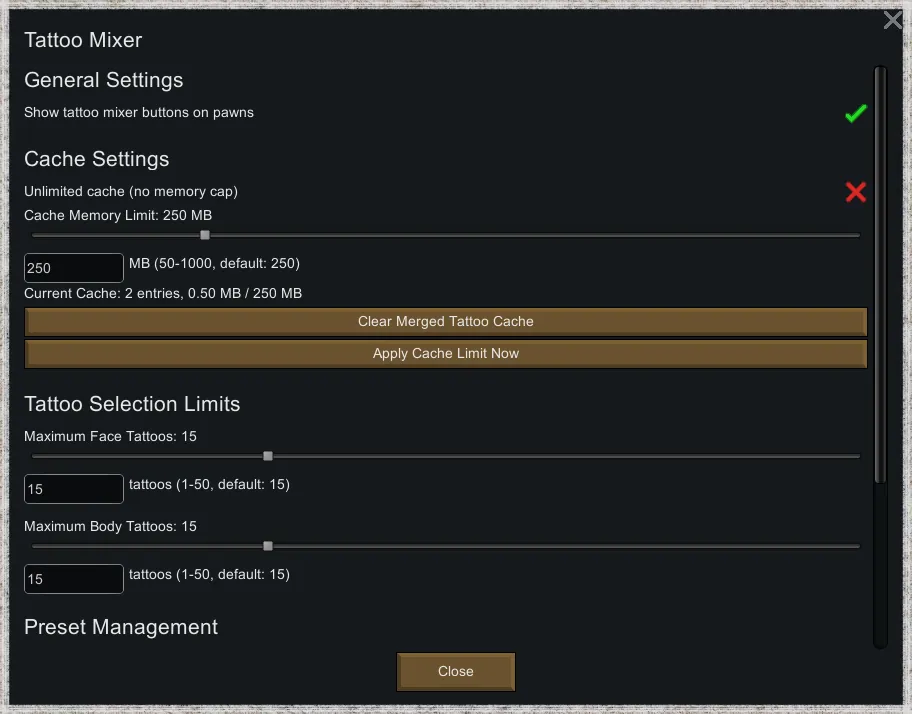
- Adjust cache memory (50-1000 MB) to balance performance
- Set maximum tattoos per pawn (default 15, up to 50)
- Toggle gizmo buttons on/off
- Clear cache with one click if needed
Compatibility
- RimWorld Version: 1.6
- Safe to add to existing saves
- Safe to remove (pawns will keep their first tattoo)
- Works with any mod that adds tattoos
- No conflicts with other mods
Settings Location: Main Menu → Options → Mod Settings → Tattoo Mixer
FAQ
Q: Will this slow down my game?
A: No, with default settings (15 tattoos max) there's no noticeable performance impact. The mod uses smart caching.
Q: Can I use tattoos from other mods?
A: Yes! Works with any mod that adds tattoos properly.
Q: What happens if I remove a tattoo mod?
A: Missing tattoos are automatically removed from mixed designs. No errors or crashes.
Q: Can I hide modification buttons?
A: Yes, just open Mod settings and toggle off corresponding feature.
Q: Can I change the order after applying?
A: Yes, just open the mixer again and rearrange the layers.
Q: Do presets work across saves?
A: Yes! Presets are saved globally and work in all your colonies.
Q: Why can't I select more than 10 tattoos?
A: This is the recommended limit. You can increase it in mod settings, but more tattoos may cause visual glitches or performance issues.
---
Enjoy creating unique pawns with custom tattoo combinations!
If you like this mod, please rate and favorite. Your support helps!