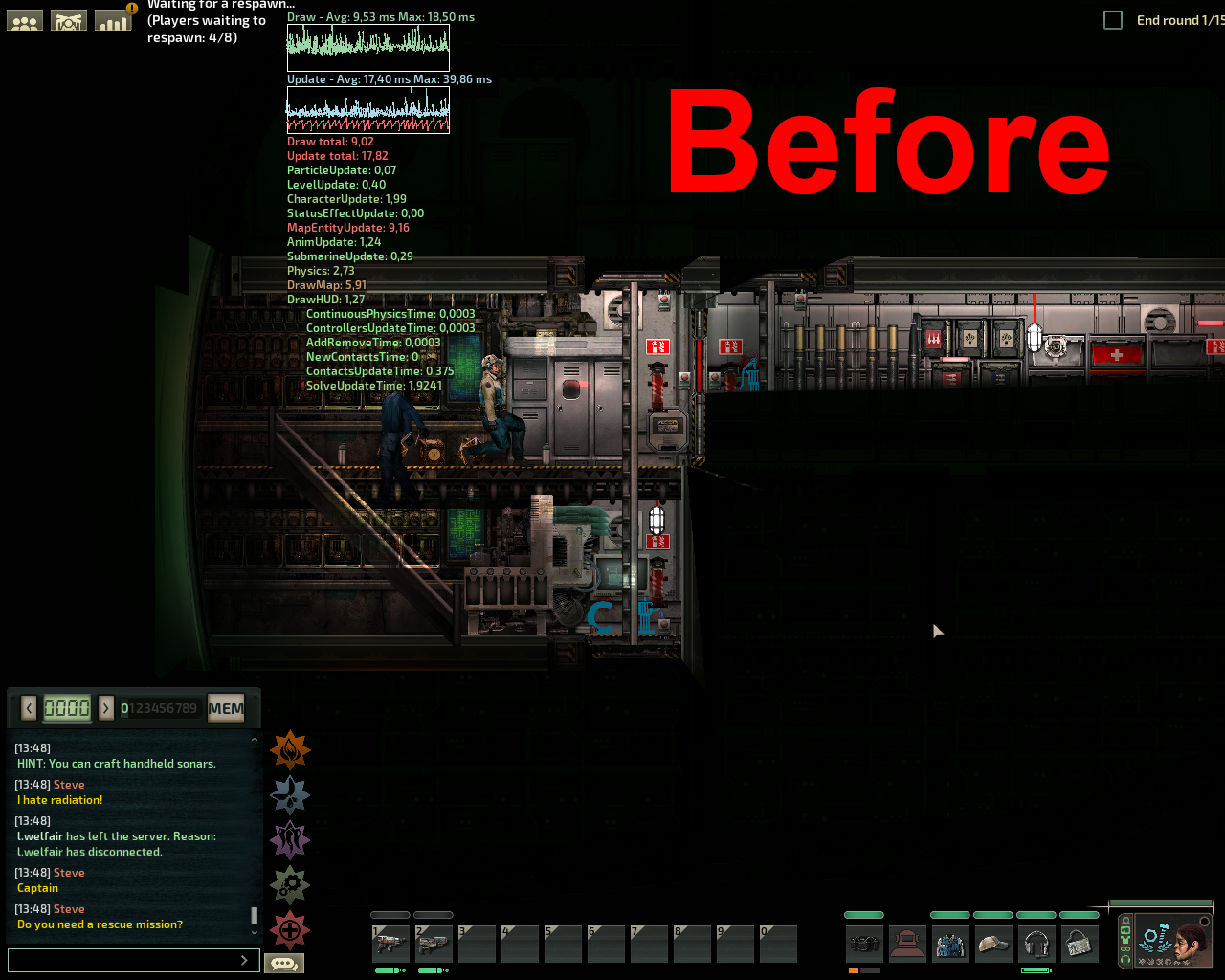
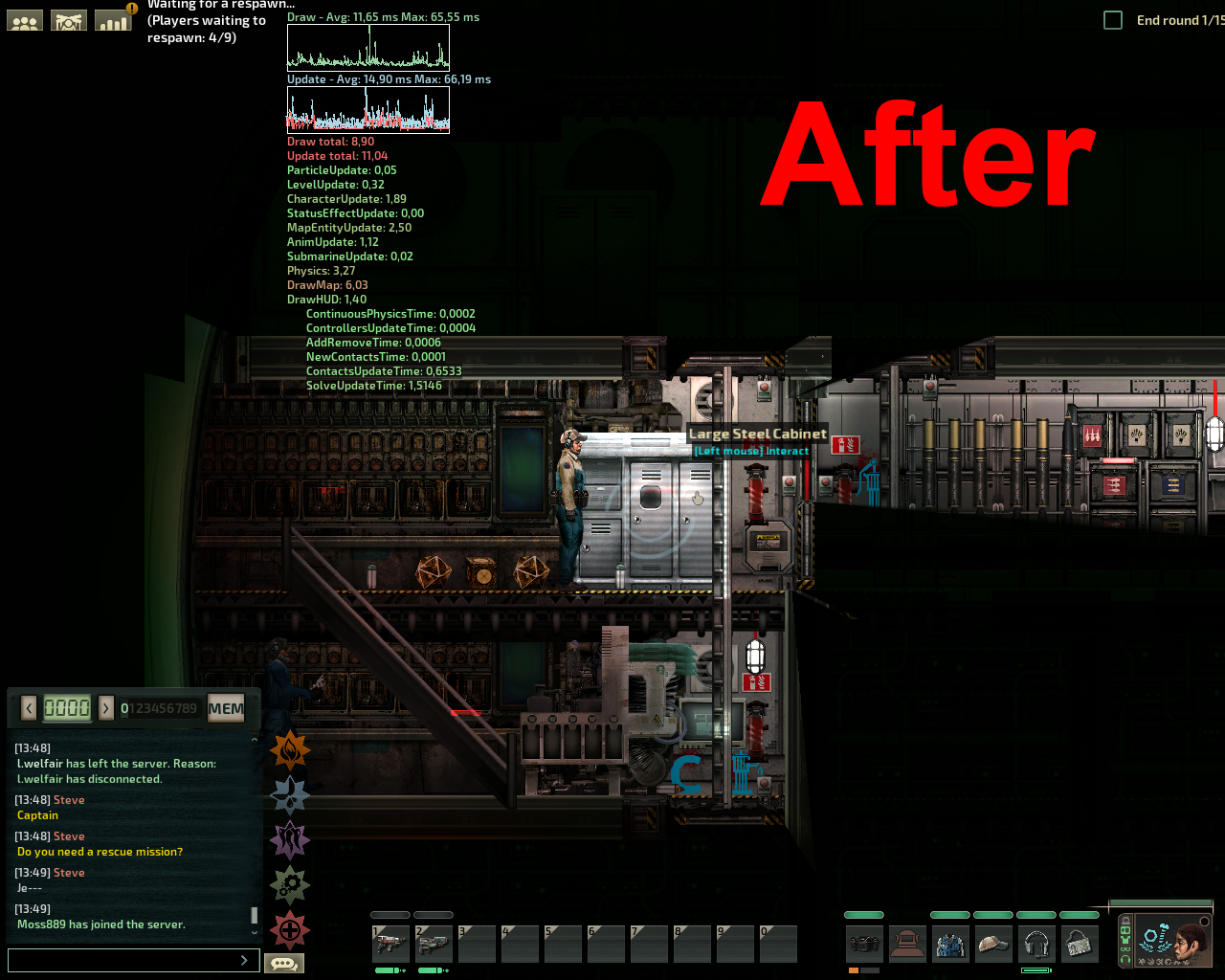
Note: This mod is already quite old, a lot of the performance issues in the base game have been addressed, so the performance improvements you get with this mod probably wont be very noticeable
This mod will work in any vanilla or modded server that you join, regardless the server having the mod on or off
What is this
This is a very experimental Lua mod, so expect that things may break.
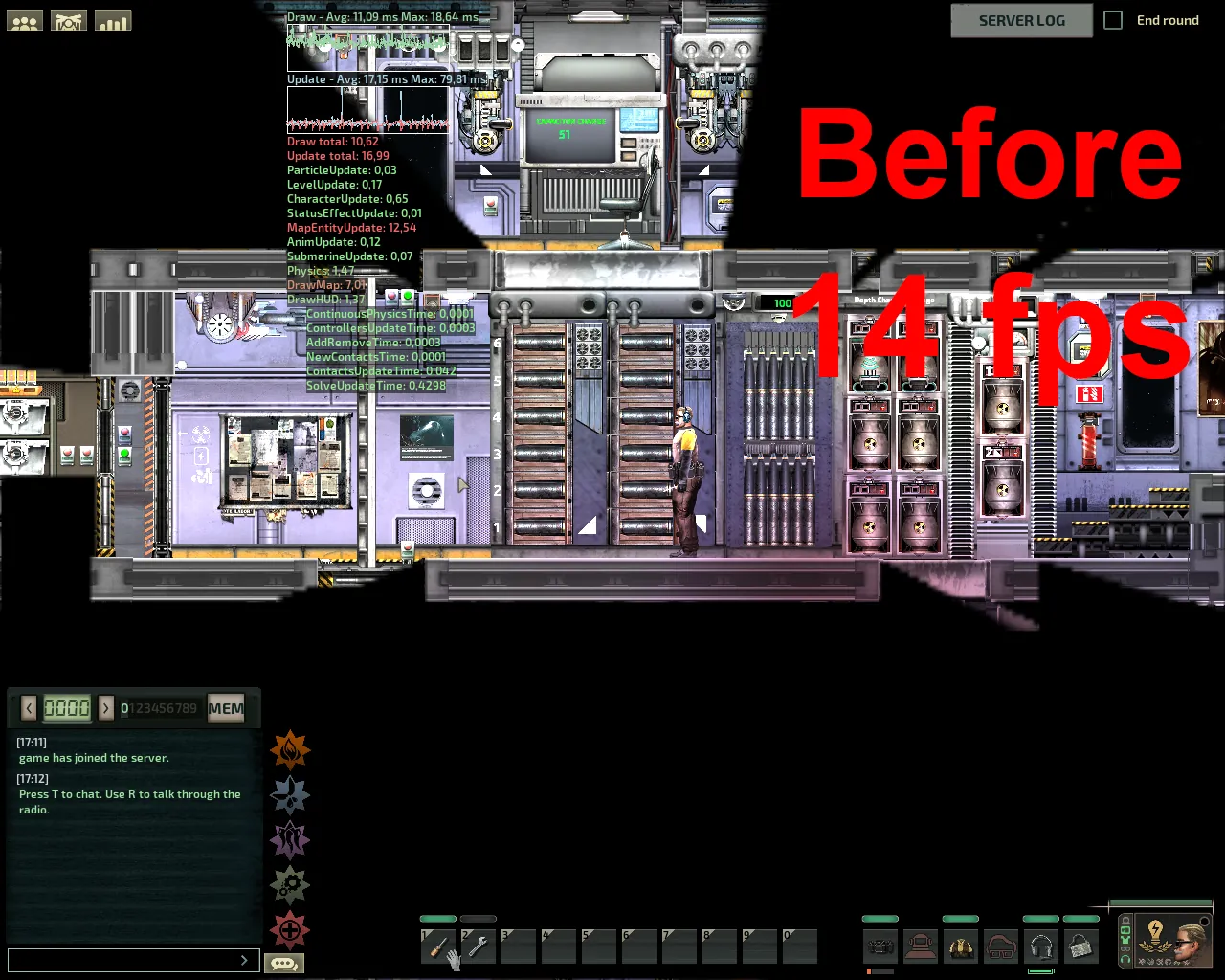
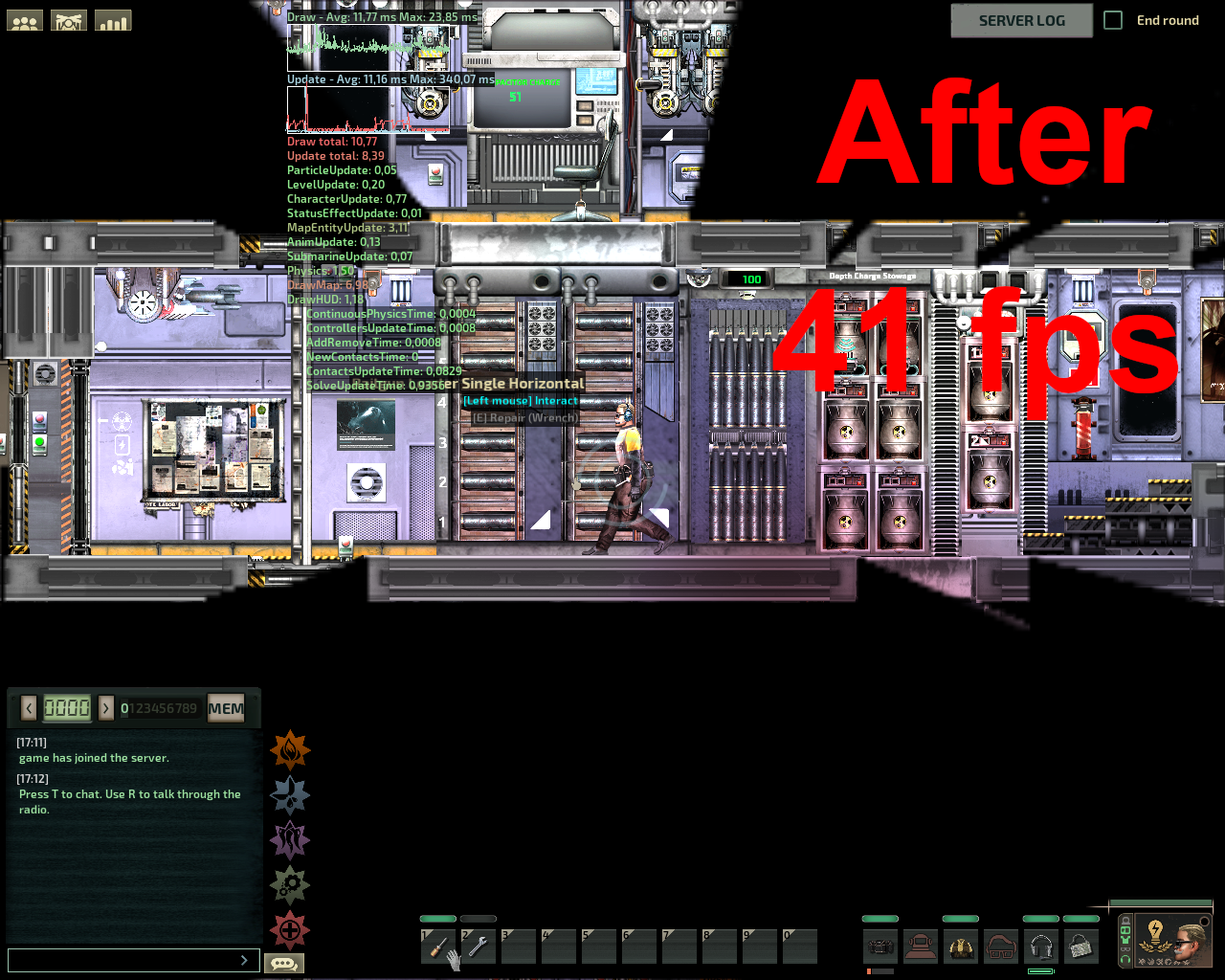
This is mod can greatly improve performance, it works by decreasing the amount of map entity updates, which can greatly improve performance. In my computer, i noticed that my fps nearly doubled after decreasing the updates by 4 times.
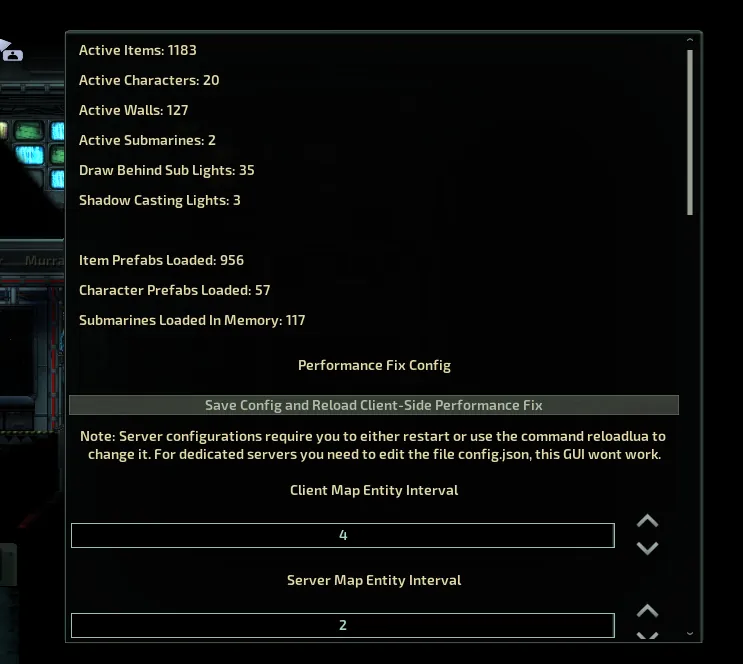
This has the potential side effect of making some items act weird, i made an item update priority system to try combat this, so important items update normally, if you have issues with some items acting weird, you can try putting the item's id in the priority list.
This mod also has a config that disables shadow casting lights globally, so if your computer struggles with lightning, try enabling that config.
How to install
Notice: If you only want to boost server-side performance, you don't have to install client-side Lua, and only requires LuaForBarotrauma to be installed on the server.
If you have client-side LuaForBarotrauma installed and wants to update it, press the "Remove client-side Lua" button in the main menu and then do the installation process again.
Windows installation:
This installation is for both multiplayer and singleplayer!
- Subscribe to Lua For Barotrauma
- In the setting menu enable LuaForBarotrauma.
- Select the ServerExecutable to be equal to the LuaForBarotrauma executable
- Host in-game server
- While hosting, open the console window (most commonly 'F3')
- Type in or copy, then execute the console command:
install_cl_lua - Restart the game
Video if you are not able to understand the instructions above: https://youtu.be/wEeJ70vH1TM
Warning: everytime you verify the integrity of the game files or a new update is released, you will need to do the process again.
Linux/Mac installation:
You will have to manually install LuaForBarotrauma, you can follow this guide[evilfactory.github.io],
warning: mac version isn't tested, so it can be unstable.
If something breaks, just verify the integrity of the game files to undo the process.
Submarine builders: You can tag a button component with "performancefix" and that will make it output the map entity update interval continuously. You can also tag components with "highpriority" which will automatically put them in the priority list.
Configuration
To configure the mod, simply use the console command performancefix to open a GUI menu.
To use the command while in the mainmenu, type cl_reloadlua before using the command
reloadlua - Use this command to reload the script in the server-side, it will reload the script, applying the new configuration.
showperf - Useful command to see what is causing performance issues.
Results
(note: these tests been done a few years ago and haven't been updated, so they are probably inaccurate)
I tested the mod in a few servers and submarines that i know that lag a lot:
My specs for comparison: Ryzen 3200g, AMD Vega 8 gpu, 16gb ram 2667mhz
- ECS Argonaut: with 19 players on: 20-25 fps => 40-55 fps, with map entity divider equal to 4
- Vengeance Mk III: local server with me only: 13-16 fps => 38-43 fps, with map entity update divider equal to 4 and shadow casting lights disabled
- The Red Planet: local server with me only: 17-25 fps => 43-60 fps, with map entity update divider equal to 8
- SMS Olympus: local server with me only: 10-14 fps => 28-34 fps, with map entity update divider equal to 2
- SMS Olympus: local server with me only: 10-14 fps => 40-47 fps, with map entity update divider equal to 4
- SNN Cruiser: with 17 players on: 8-12 fps => 25-33 fps, with map entity divider equal to 8
- Juna: local server with map entity divider equal to 4:
Client-side: 15-19 fps => 41-47 fps
Server-side: CPU usage dropped from 24% to 8-12%
I plan on adding more performance options in case i find more ways to optimize the game.
Discord: https://discord.gg/f9zvNNuxu9