Rim AiVinci - 边缘智绘
拒绝千篇一律的像素小人,赋予你的殖民者独一无二的灵魂与容颜!
与大叔交流反馈吹水神秘代码:一五六八四五五 (企鹅)
本模组利用先进的生成式文生图、图生图功能,能够深度读取游戏内角色的种族、基因、外貌、服装、特性、年龄等数据,一键生成高质量的二次元或写实风格立绘。生成的立绘不仅能作为 UI 界面的一部分无缝展示,更能“具现化”为游戏内的实体摆件,装饰你的基地!
核心功能 (Features)
- 智能一键生图
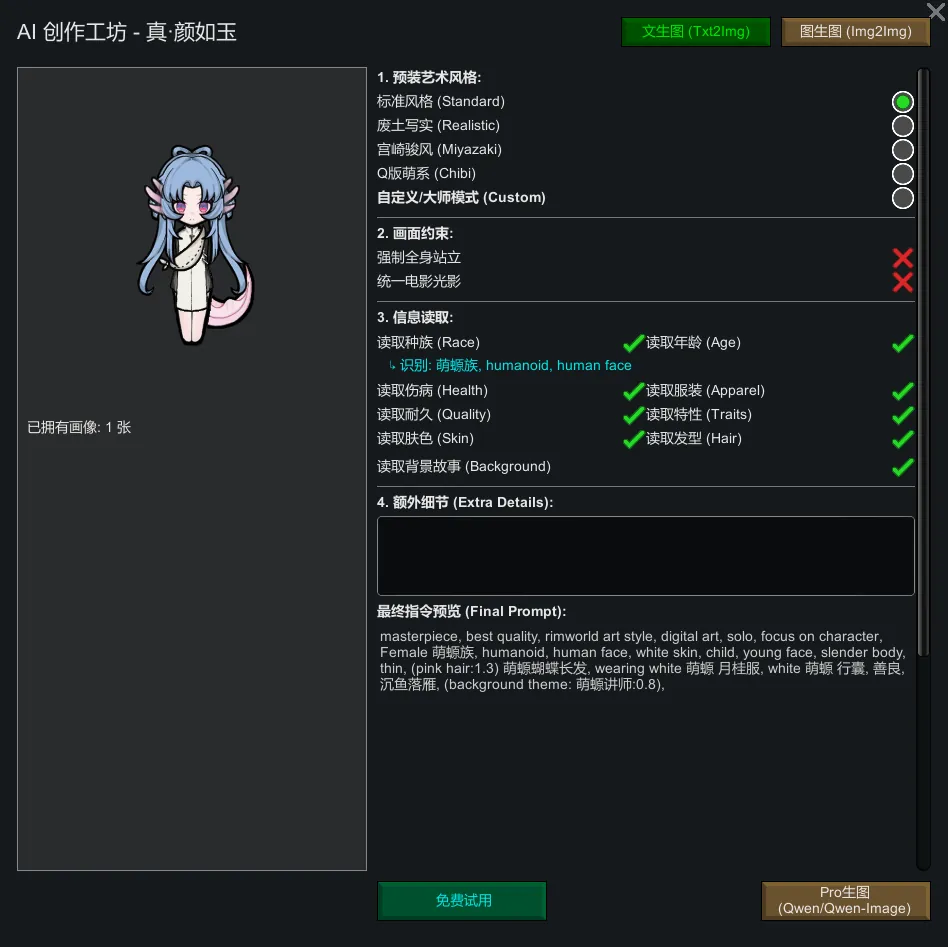
不再需要复杂的提示词!模组会自动分析殖民者的所有特征(包括 Mod 添加的种族和服装),自动生成精准的 AI 绘画指令。
[list]
- 文生图 (Txt2Img):从零创造,根据角色设定生成全新形象。
- 图生图 (Img2Img):基于游戏截图进行“二次元化”或“写实化”重绘,保留神韵。
[*] 沉浸式 UI 立绘
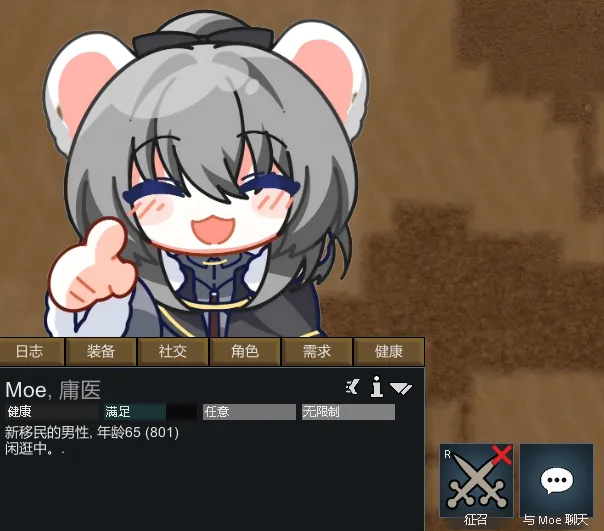
选中角色时,其高清立绘会自动显示在屏幕左下角的信息面板上方。
- 智能避让:立绘位置经过精确计算,完美贴合 UI 边缘,不会遮挡操作按钮。
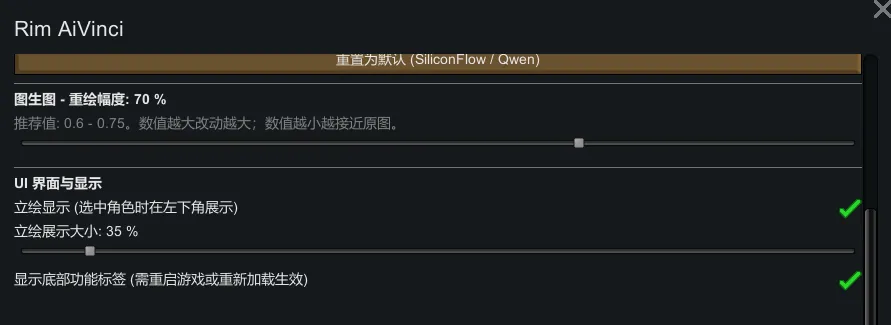
- 自由调节:在 Mod 设置中还可以自由调节显示的缩放比例。
- 动态刷新:角色换装或整容后,重新生成即可实时更新。
[*] 🗿 量子立绘实体化
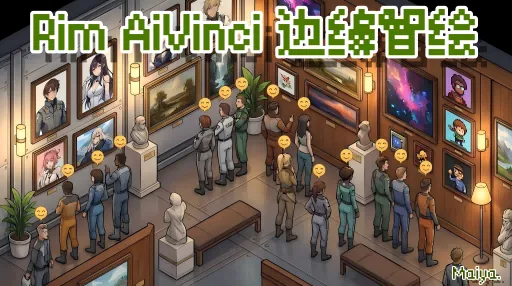
生成的立绘不只是张图片,它能变成游戏内的实体物品——「量子立绘」!
- 自由摆放:可以像雕塑一样装饰在卧室、大厅或广场。
- 无级缩放:支持从 10% 到 1000% 的自由缩放。它既可以是床头温馨的 4 寸相框,也可以是广场上 5 米高的巨型看板!
[*] 情绪与社交互动
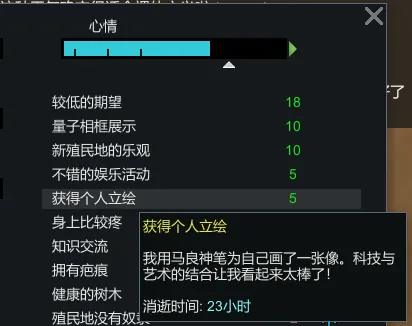
- 拥有个人立绘的殖民者会获得专属心情增益:“科技与艺术的完美结合!我要向所有人炫耀!”
- 这种炫耀欲望会促使他们与其他殖民者发起特殊的闲聊话题(需 RimTalk 等模组支持效果更佳)。
[*] 智绘艺廊
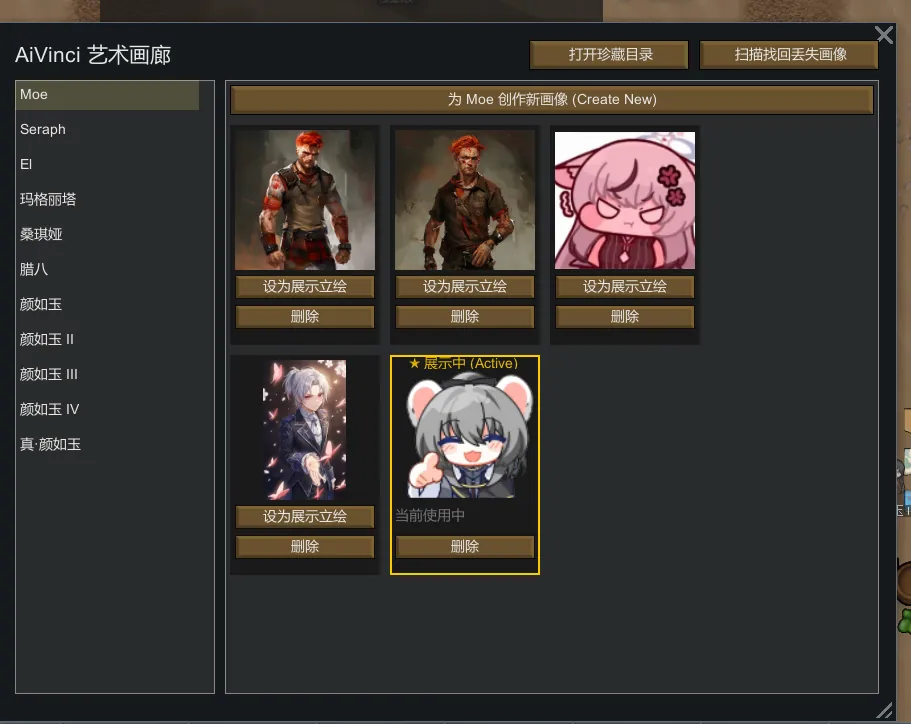
内置画廊管理界面,方便你随时浏览、导出或删除所有的 AI 艺术作品。
[/list]
玩法指南 (How to Play)
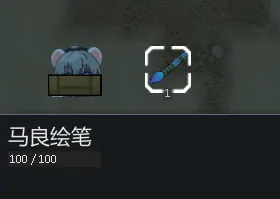
1. 获取神器:通过任务、贸易或在艺术台制作「马良绘笔」 (Ma Liang's Stylus)。
2. 开启创作:选中一名殖民者,右键点击绘笔,选择“具现化肖像”。
3. 调整风格:在弹出的窗口中选择画风(标准/写实/Q版等),点击生成。
4. 保存具现:满意后点击“保存到相册”。
此时,一个「量子立绘」物品会掉落在地上,左下角的信息栏也会同步显示这张立绘。
5. 装饰基地:选中地上的立绘,使用下方的滑动条调整大小,然后安装在你想展示的地方。
API 配置与免费额度 (API Setup)
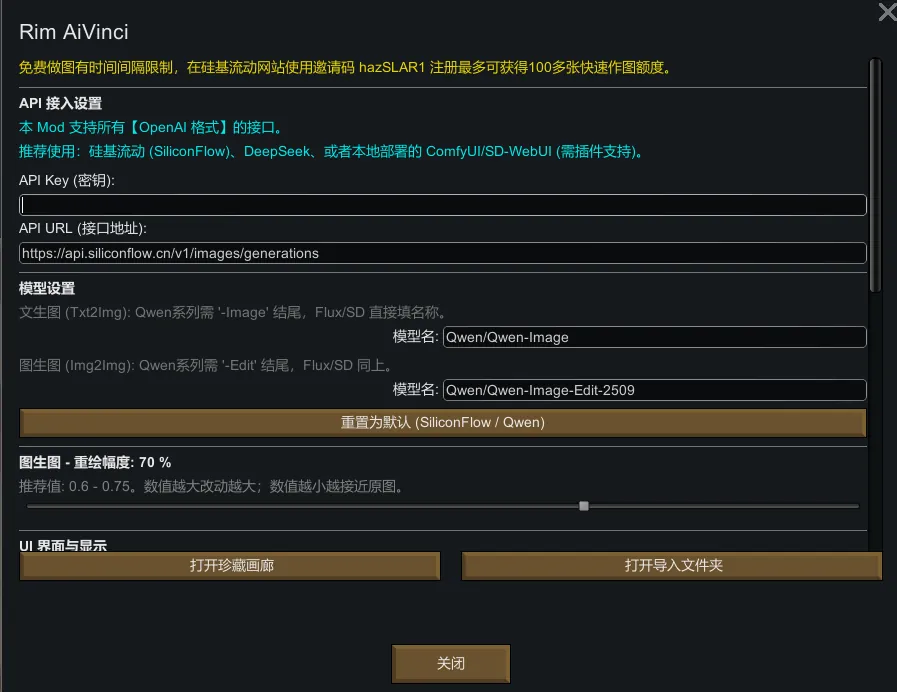
本模组需要连接绘画服务才能工作。支持所有 OpenAI 格式的接口(如 SiliconFlow, Image2, 或本地 ComfyUI)。
配置步骤:
1. 进入 游戏选项 -> Mod 选项 -> Rim AiVinci。
2. 填入你的 API Key 和 URL。
3. 设置模型名称。
常见问题 (FAQ)
Q: 立绘图片保存在哪里?
A: 保存在你的存档文件夹下的 `RimAiVinci/Gallery` 目录中。即使删除游戏,图片也不会丢失。
Q: 我觉得立绘太大了/太小了怎么办?
A: 进入 Mod 设置页面,有一个“立绘展示大小”的滑动条,可以全局调整左下角立绘的显示比例。
Q: 我不想显示底部的“智绘艺廊”图标怎么办?
A: 在 Mod 设置里取消勾选“显示底部功能标签”,重启游戏后即可隐藏图标。
English Description
Say goodbye to generic pixel pawns and give your colonists unique souls and faces!
This mod utilizes advanced Generative AI technology to deeply analyze your colonists' race, genes, appearance, apparel, traits, and age. With one click, it generates high-quality anime or realistic portraits. These portraits seamlessly integrate into the UI and can even be "materialized" into physical furniture to decorate your base!
Core Features
- One-Click AI Generation
No complex prompts needed! The mod automatically analyzes all colonist features (including modded races and apparel) to generate precise AI prompts.
[list]
- Txt2Img: Create brand new images from scratch based on character data.
- Img2Img: Redraw existing game screenshots into "Anime" or "Realistic" styles while preserving the original vibe.
[*] Immersive UI Portrait
When a pawn is selected, their HD portrait automatically appears above the bottom-left info panel.
- Smart Positioning: Perfectly calculated to sit atop the UI edge without blocking any interaction buttons.
- Adjustable Scale: You can freely adjust the display size in Mod Settings.
- Dynamic Refresh: Changed clothes or appearance? Just regenerate to update instantly.
[*] Quantum Portrait Materialization
The generated portrait isn't just a file—it can become a physical item in the game: the "Quantum Portrait"!
- Free Placement: Decorate bedrooms, halls, or plazas like a sculpture.
- Seamless Scaling: Supports scaling from 10% to 1000%. It can be a tiny 4-inch bedside photo frame or a massive 5-meter billboard in the town square!
[*] Mood and Social Interaction
- Colonists with a personal portrait get an exclusive mood buff: "A perfect combination of technology and art! I need to show this off to everyone!"
- This desire to show off triggers special social chat topics with other colonists (works best with mods like RimTalk).
[*] AiVinci Gallery
Built-in gallery UI to browse, export, or manage your AI artwork collection at any time.
[/list]
How to Play
1. Get the Artifact: Obtain "Ma Liang's Stylus" via quests, trading, or crafting at an Art Bench.
2. Start Creating: Select a colonist -> Right-click the Stylus -> Select "Materialize Portrait".
3. Adjust Style: Choose your preferred style (Standard/Realistic/Chibi) in the window and click Generate.
4. Save and Materialize: Click "Save to Album".
A "Quantum Portrait" item will drop on the ground, and the bottom-left UI will update synchronously.
5. Decorate: Select the portrait on the ground, use the slider to adjust its size, and install it wherever you like.
API Setup
This mod requires an AI service connection to work. It supports all OpenAI-compatible APIs (SiliconFlow, image2, or local ComfyUI).
Setup Steps:
1. Go to Options -> Mod Options -> Rim AiVinci.
2. Enter your API Key and URL.
3. Set Model Names (e.g., `Qwen/Qwen-Image` for Txt2Img).
FAQ
Q: Where are the images saved?
A: They are saved in `RimAiVinci/Gallery` inside your save data folder. They persist even if you uninstall the game.
Q: The UI portrait is too big/small?
A: Go to Mod Settings; there is a "Portrait Scale" slider to adjust the global display size.
Q: How do I hide the "Gallery" icon at the bottom?
A: Uncheck "Show Bottom Gallery Tab" in Mod Settings and restart the game.