What does this mod do?
Installed a bunch of mods but don't know how to order them?
This mod can connect to Large Language Models (LLMs) and let AI suggest a more reasonable load order based on your mod list and actual error reports.
To let the AI know which mods might have conflicts, this mod will automatically intercept runtime errors in the background, analyze which mod caused them, and record this information as reference data for the AI sorting.
Therefore, the typical workflow is: Play a game normally first (or at least load a game once) to let the mod collect enough error information, and then use the AI sorting. This will yield better results.
Of course, the error analysis feature itself is also useful. Even if you don't use AI sorting, it can help you figure out exactly whose fault the red text is.
Features
AI-Assisted Sorting (Experimental)
This is the main feature of the mod. It is disabled by default and needs to be manually enabled in the mod settings, along with configuring the LLM API Key.
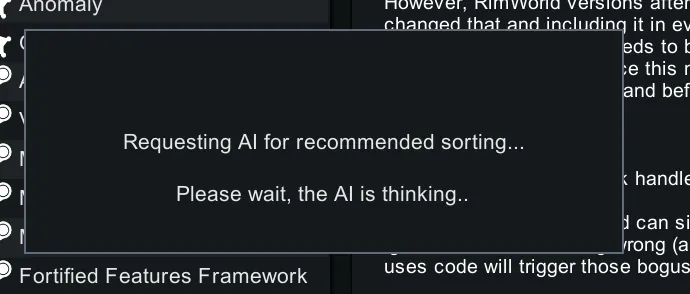
Once enabled, the "Auto-sort" button in the mod list will trigger the AI process:
1. To save Tokens, the engine will not send detailed descriptions of all your mods. It only gathers basic info (Name and vanilla load requirements like `loadBefore` / `loadAfter`).
2. Only for "suspect mods" that were previously recorded in errors, the AI will extract their full descriptions and compress them into short summaries (these are cached locally).
3. Send this optimized info, along with the error records, to the LLM.
4. The LLM returns sorting suggestions, which are then injected into the vanilla topological sorting engine to execute the sort.
So, for the AI to sort accurately, it's best to run the game once with your current mod list to let the error analysis system accumulate some data.
It can still sort the first time you use it when there is no error data at all, but the AI will have less information to reference.
! Note: AI sorting consumes API Tokens. For a list of 300 mods, the Input will consume roughly 10,000 Tokens !
Error Source Analysis
This feature takes effect automatically once installed, requiring no extra actions. It provides data for AI sorting and can also be used independently as a troubleshooting tool.
When red errors occur in the game, the mod deeply analyzes them from the following aspects:
- DLL Stack Trace Mapping — Extracts the assembly corresponding to each frame from the exception's call stack to find out which mod's DLL it is.
- XML Parsing Exception Localization — Intercepts the underlying XML processing routines, directly mapping the exact XML nodes that threw an exception back to their source files, mods, and specific XML NodePaths.
- Def Config Error Analysis — Intercepts Def configuration errors, traces their actual source files, extracts the entire `ParentName` inheritance chain, and identifies all Patch operations applied to that Def and its parent nodes.
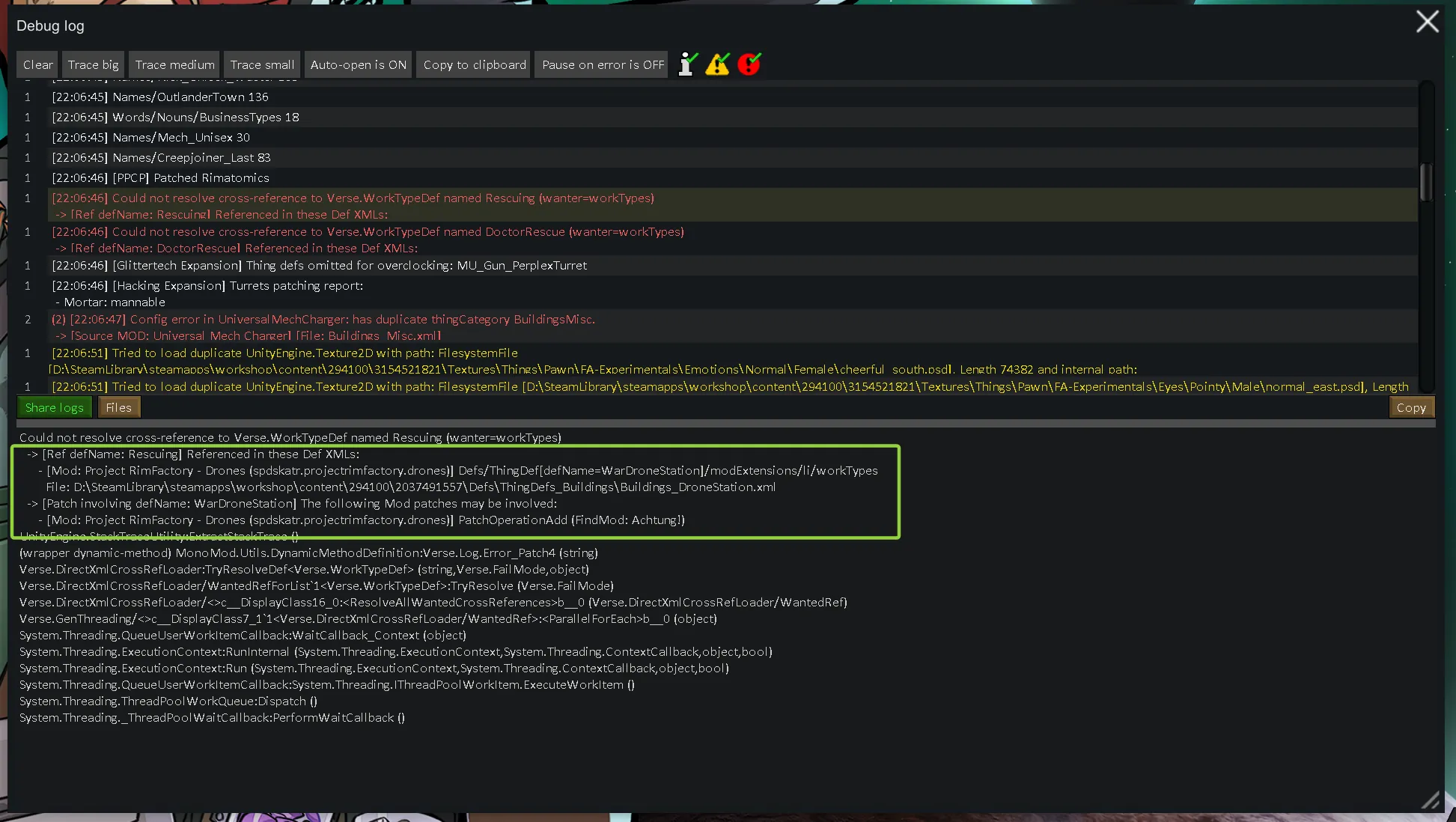
- Cross-Reference Sourcing — Deeply parses errors like `Could not resolve cross-reference` to track down the exact Def, file, and specific XML node that used the missing reference, and lists any involved Patches.
- CE Compatibility Attribution — Resolves `no support for Combat Extended` errors by deeply analyzing stack frame parameters to pinpoint the specific item or race Defs that lack CE compatibility.
- File Path & Workshop ID Extraction — Extracts local path strings from errors like `Cannot load texture` or missing files, matching them to active mod root directories or decoding Steam Workshop IDs to find the mod.
The analysis results will be saved to `BetterModSort.Error.txt` in your save directory, and the previous results will be backed up as `BetterModSort.Error.prev.txt`.
! Note: If you need to report bugs to other mod authors, please make sure to provide the full Player.log file or copy the original red error details from the log window. The BetterModSort.Error.txt generated by this mod only contains an analysis summary for AI sorting and quick reference, and may lack the critical technical details required by authors to fix bugs.
(XML related)
```
Could not resolve cross-reference to Verse.WorkTypeDef named DoctorRescue (wanter=workTypes)
-> [Cross-ref used in: DoctorRescue]
- [Mod: Project RimFactory - Drones (spdskatr.projectrimfactory.drones)] Defs/ThingDef[defName=WarDroneStation]/modExtensions/li/workTypes
File: D:\SteamLibrary\steamapps\workshop\content\294100\2037491557\Defs\ThingDefs_Buildings\Buildings_DroneStation.xml
-> [Patch might be involved: WarDroneStation]
- [Mod: Project RimFactory - Drones (spdskatr.projectrimfactory.drones)] PatchOperationAdd (FindMod: Achtung!)
```
(DLL related)
```
[BetterModSort] ========== Error Analysis ==========
Time: 10:10:20
Error: Trying to get stat MeleeDamageAverage from TM_GloryMaul which has no support for Combat Extended.
Related MODs (3):
- [ceteam.combatextended] Combat Extended
DLL: CombatExtended
Location: CombatExtended.StatWorker_MeleeDamageAverage.GetValueUnfinalized
- [andromeda.nicebilltab] Nice Bill Tab
DLL: NiceBillTab
Location: NiceBillTab.StatRequestWorker.GetDPS
- [ilyvion.loadingprogress] Loading Progress
DLL: ilyvion.LoadingProgress
Location: ilyvion.LoadingProgress.StaticConstructorOnStartupUtilityReplacement+d__2.MoveNext
=====================================
```
Compatibility & External Tools
- Fully compatible with Mod Manager and Prestarter. Once you enable AI sorting in this mod's settings, clicking their native "Auto-sort" button will seamlessly trigger this mod's AI sorting process instead!
- RimSort Export: Supports automatically saving the current active mod list to a RimSort-compatible XML file after AI sorting completes (can be enabled in experimental settings).
Language Support
Supports English, Simplified Chinese, and Russian.
Thanks to Dmitry6 for the Russian translation!
Translation contributions for other languages are always welcome.
Github Repo: https://github.com/Yan-Zero/BetterModSort