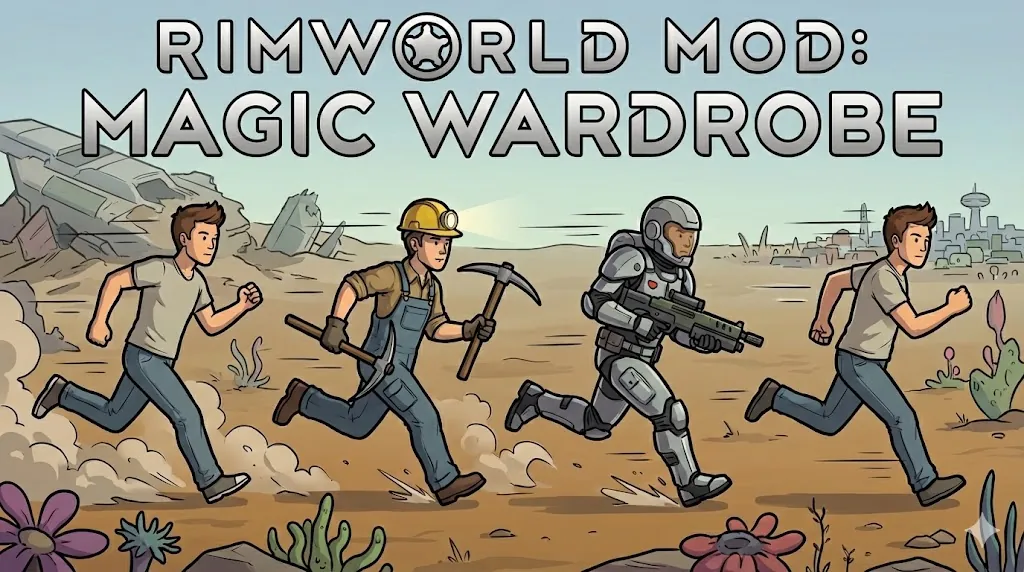
= Why I created this mod =
In Korea, RimWorld is often affectionately called a "Cyber Fishbowl."
The core fun of the game lies in watching your pawns live their lives autonomously, much like watching fish in an aquarium.
However, there's one major hassle: the tedious task of manually making them change outfits for every different situation.
This mod was created to solve that annoyance and make your "Fishbowl" experience even more seamless and perfect.
= How it Works =
1. Register Owner: Assign a pawn as the owner of the added "Mod Wardrobe." (Works just like assigning a bed.)
2. Assign Outfits: Set up the appropriate clothing for various situations in the wardrobe.
3. Virtual Storage: Assigned clothes are stored in a virtual space inside the wardrobe. (Prevents item duplication and unauthorized access by other pawns.)
4. Auto-Teleport: When the owner pawn encounters a specific situation (like starting a job), the wardrobe "teleports" the clothes to them.
5. Instant Equip: The pawn wears the clothes immediately without any additional "changing" action or delay.
= The Significance of this Mod =
This mod responds to every action and job, sending the preset outfits to your pawns for a more immersive experience.
- Example: Construction helmet and overalls assigned for construction work.
- Workflow: Pawn starts construction -> Auto-equip -> Job finished -> Auto-change back to casual wear.
By seeing these dynamic changes, you can manage a much more realistic Cyber Fishbowl. The days of wearing heavy armor 24/7 just to be ready for raids—despite having so many stylish clothes—are now over.
== Detailed Guide ==
 ▲ Wardrobe Appearance
Can be found under the Furniture tab.
 ▲ Gizmo (Icon) Explanation
1. Wardrobe Settings: Open the detailed configuration menu.
2. Eject All: Immediately expels all clothes stored in the wardrobe.
(Useful for retrieving items at once if the owner pawn dies or goes missing.)
 ▲ Wardrobe Settings Screen
- Owner: Assign the owner of the wardrobe.
- Name: Profile name for the current setup.
- Work Triggers: Toggle which jobs will trigger this specific outfit.
- Show Advanced: Settings for non-work-related behaviors (e.g., recreation).
- Auto Maintenance: Toggles the automatic gear repair/replacement system described below.
 ▲ Global Rules
Set durability and quality thresholds applied to all clothes in the profile. (Individual settings are also available.)
 ▲ Individual Item Registration
(Note: All Korean text in screenshots will be fully translated in the released version.)
- 1st (Lock): Excludes this specific item from Auto-Maintenance.
- 2nd (Rules): Set individual durability/quality rules for this item.
- 3rd (Unassign): Removes the item from the profile.
- 4th (Eject): Expels only this specific item from the wardrobe.
 ▲ Group Registration
Wardrobes can be assigned to groups as well as individuals. You can now force a unified, professional look on your workers or slaves.
 ▲ Interaction
Once assigned, the pawn will manually carry the clothes and put them into the wardrobe. This is a deliberate design choice to prevent mod conflicts.
 ▲ Full Profile List
Clicking the 'Full List' button opens this screen, where you can view and manage all profiles, assigned clothes, and rules at a single glance.
= Auto-Maintenance System =
 If you set a durability threshold (e.g., 60-100%), the mod will constantly check the condition of the pawn's current outfit.
 Oh no, this pawn's pants durability has dropped to 8.5%!
 When an item falls outside the set threshold, the pawn will automatically unequip it and find a replacement of the same type in your stockpiles.
(The sudden "nudity" during the change is a technical limitation for maximum compatibility, but it is the most stable method.)
= Practical Example =
 In this example, a "Mining" profile is set up with a Flak Helmet and Flak Vest.
 When the pawn performs a mining task for a specific cumulative time, they automatically switch to the designated gear and start working.
 ▲ Mod Options
In the Mod Settings menu, you can adjust the 'Detection Time' to customize how quickly the mod responds to job changes.
= Closing Note =
If RimWorld 1.7 is released in the future, I would appreciate it if anyone in the community could pick up and continue updating this mod.
=Update (Hotfix + QoL) =
2026/03/04
1) Improved draft on/off equip stability
2) Hardened maintenance queue target validation
3) Added 4 key alert toggles in settings
4) Reduced carry-related false alerts and spam
 5)Added wardrobe profile copy feature
(Just add the name of your wardrobe.)
(It will only copy one profile at a time within your wardrobe settings, not the entire wardrobe information.)
6) Added scrolling to mod settings UI
2026/02/28
Apparel in those containers now appears in Wardrobe Settings → Add Apparel
Those items are also included in profile slot rebind candidate search
Improved compatibility across vanilla and modded storage styles
2026 / 02/ 25
1. Fixed outfit thrashing during frequent profile switching (work/draft/maintenance overlap).
2. Improved profile-switch stability with transition lock, cooldown, and pending-slot retry flow.
3. Fixed profile editor issue where selected profile could be forced back during active work.
4. Added right-click slot → clone to another profile (rule-only copy, duplicate-safe).
5. Localization cleanup and additional UI/message consistency improvements.
- Required Mod: Harmony
- Recommended Version: 1.6