Bus Display System & Announcement Controller
A comprehensive Bus Route Destination Display system featuring an operator touch interface, automated "Next Stop" announcements based on GPS, and a fully adaptive passenger display.
🌟 Key Features
- Adaptive Display: The passenger monitor adjusts automatically based on size (Wide, Medium, or Small).
- GPS Automation: Automatic "NEXT STOP" alert when entering a stop's radius.
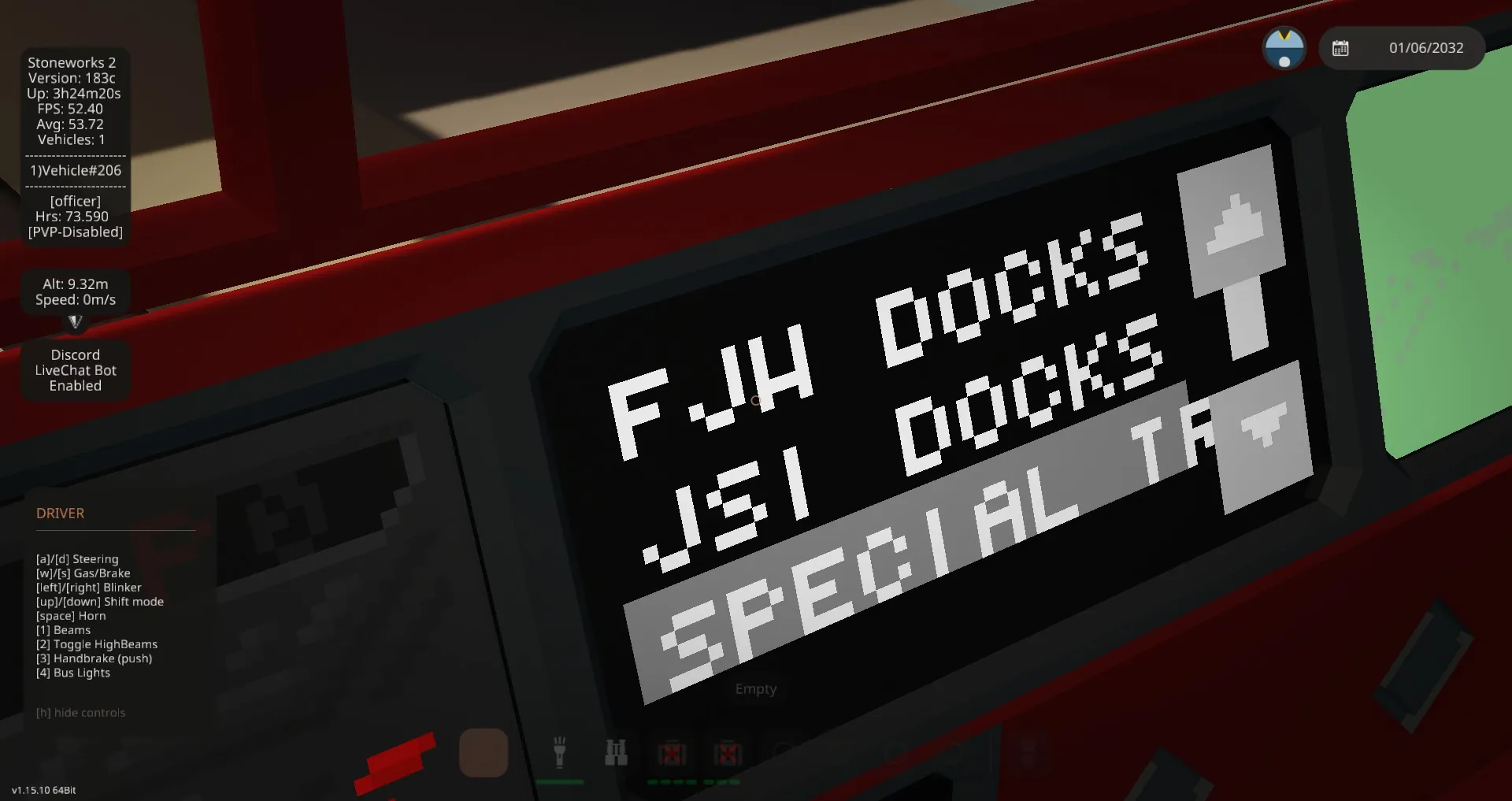
- Touch Interface: 1x2 Operator screen to scroll and select destinations.
- Stop Request System: Integrated STOP button logic with visual overlays.
- Special Modes: Includes presets for "Out of Service", "Coffee Break", and "Special Transport".
📺 Monitor Behavior
Wide Screens (>65px width):
- Activation: Red "NEXT STOP" text scrolls once when entering the stop zone.
- Standard: Destination text pans left/right (Stop Request overlay blinks red when active).
Medium Screens (33–65px width):
- Shows Route Number + Status Square (Red/Yellow/Cyan for special modes).
Small Screens (<33px width):
- Compact Route Number only (Stop overlay hidden to save space).
⚙️ Configuration & Properties
1. General Settings
- HEX: The UI text color (e.g., #FF9900).
- Route number: The bus line number (e.g., 42). It automatically pads to two digits.
2. Defining Stops
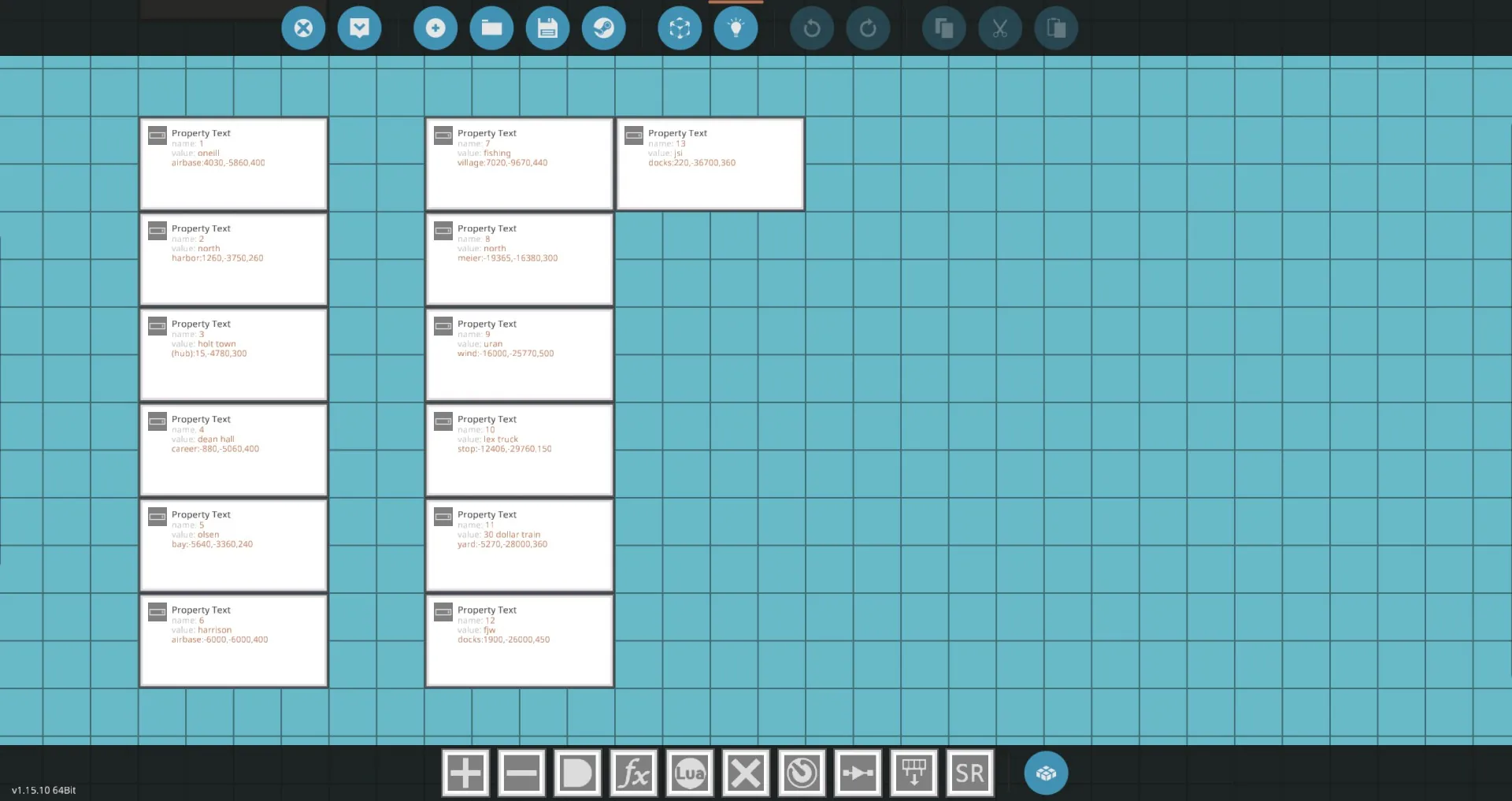
Add a Text Property for each stop. Name the property with the stop number (e.g., "1", "2", "3").
Value Format:
Stop Name:x,y,radius
- Stop Name: The text shown on the screen.
- x, y: GPS Coordinates of the stop.
- radius: Distance in meters to trigger the announcement.
Examples:
North Harbor:1260,-3750,260
Holt Town (hub):15,-4780,300
Central Station
(Note: If you omit coordinates, it will display the name but won't trigger the "Next Stop" alert).
🛠️ Wiring Guide
Microcontroller Inputs:
- Composite 1: Operator Touch Display (1x2 Monitor).
- Composite 2: Physics Sensor (Required for GPS/Stop triggering).
- Bool 1: STOP Request Button.
- Bool 2: DOOR OPEN Button (Resets the Stop Request).
Microcontroller Outputs:
- Video 1: Operator Display (Must be 1x2).
- Video 2: Passenger Displays (Connect as many as you want).
- Bool 1: "Next Stop" Pulse (Triggers once when entering radius).
- Bool 2: Stop Signal Output (Pass-through).
- Bool 3: In-Zone Flag (True when inside activation radius).
🎮 Operator Panel Guide
- Touch Input: Connect Composite Video 1 to a 1x2 Monitor.
- Controls: Scroll through the list and tap a row to select the destination.
- Special Codes:
[list] - -1: OUT OF SERVICE
- 0: COFFEE BREAK
- >Max: SPECIAL TRANSPORT
[/list]
📝 Credits
Credit to Tigrrer for permission to use parts of the display code.
(If you are the original creator of the base script, please message me and I will add you to the credits!)