Version: 1
Description:
This is a Directional Sonar that allows the operator to detect sound sources in a particular direction. It can be configured for different setups, Passive only "Hydrophone" or Active/Passive combined. Unlike many other sonar microcontrollers this one works without a display yet it can output all data for a separate microcontroller to process it and render it. The sonar offers a auto sweep mode that automatically rotates it around until it detects a contact and you also have a signature strength output that can help the operator know when they are getting closer to the soundsource bearing. The sonar can ping with single pings or continuous and the interval between is determine if it detects a contact or if it runs out of range.
Features:
- Active sonar "ASDIC", single ping or continuous
- Passive sonar "Hydrophone"
- Active mode allows to determine range and depth of contact
- A value of the "strength" of contact can be presented to the operator to allow for precise bearings
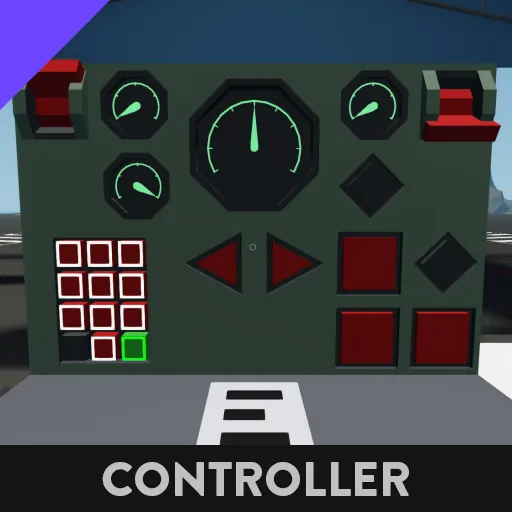
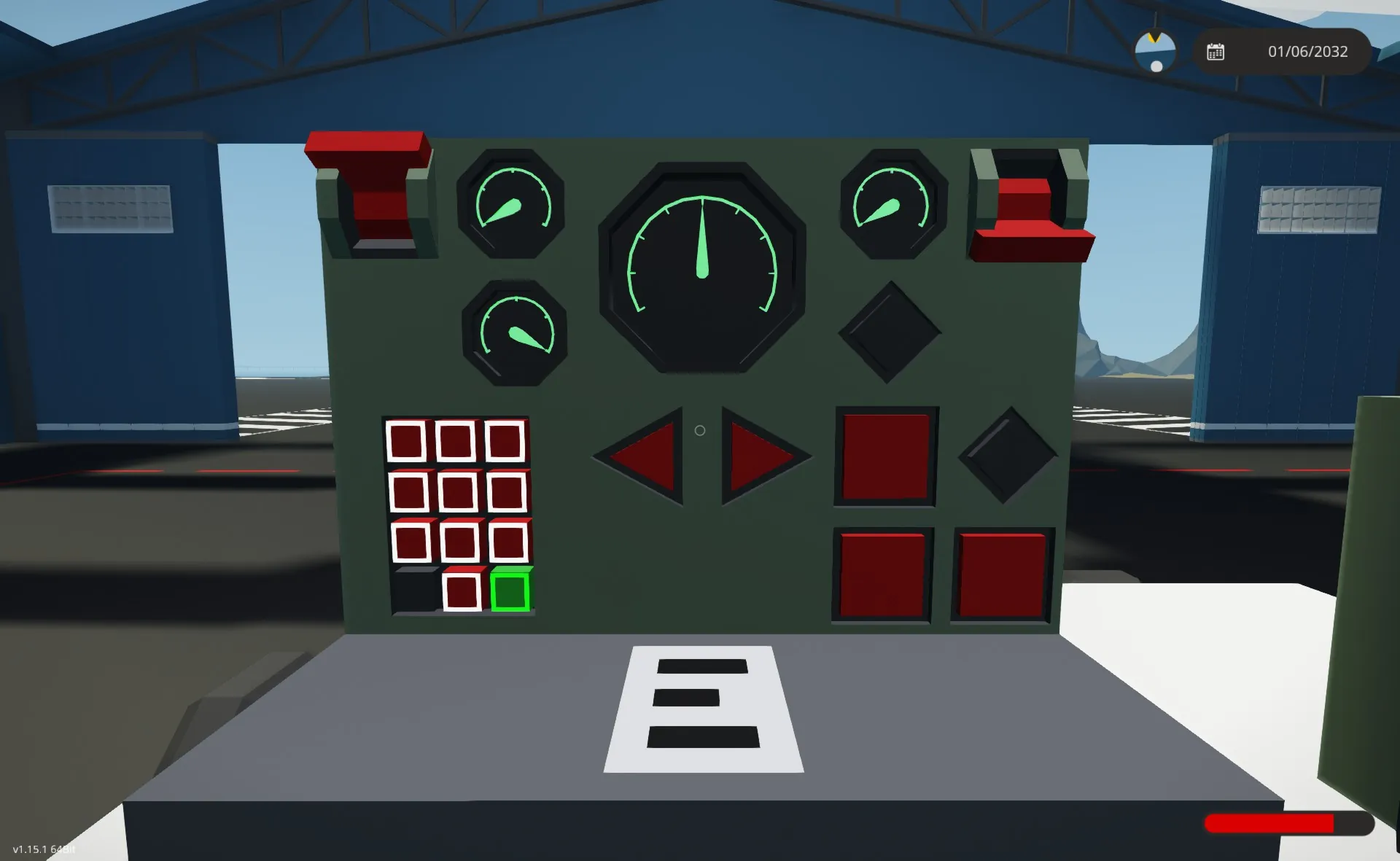
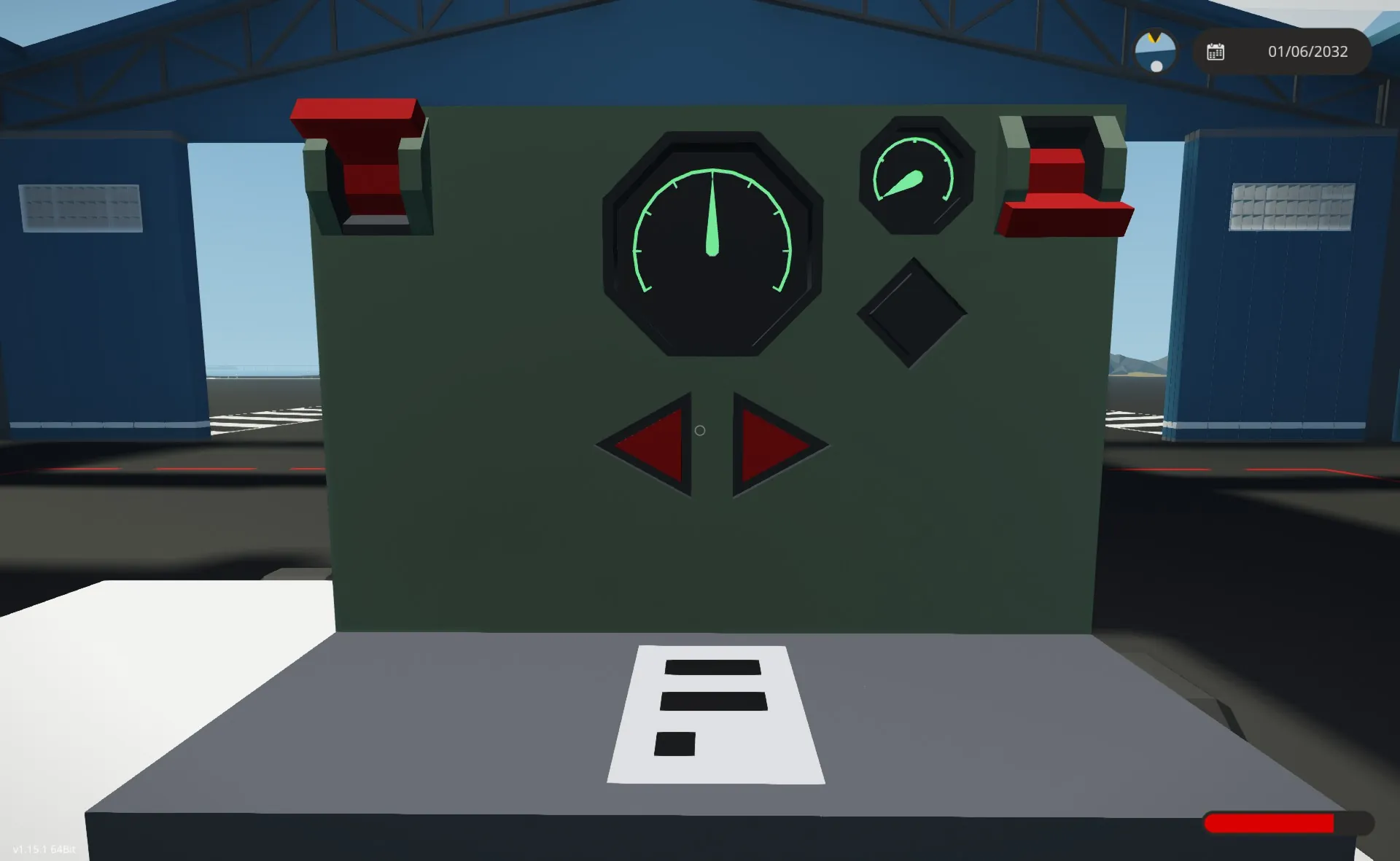
- Works with composite instrument panels and on/off & Number data in/outputs
- Customization panel to tailor it to your needs
- Wide and narrow listening mode
- Auto sweeping and automatic shutoff when detection is made
- Supports a buzzer output on contact found
- custom settable ping range
Input Output Nodes Legend:
Required
- Sonar Data - Connects to the sonars "Sonar Data"
- Sonar - Connects to the sonars "Activate"
- Sonar Bearing - (Or Instruments) Displays the relative bearing you are listening towards
- Toggle Sonar - (Or Instruments) Turns the sonar on or off.
- Search Left - (Or Instruments) Turns the sonar left
- Search Right - (Or Instruments) Turns the sonar right
Optional
- Sonar Ping - Connects to the sonars "Ping" but only if you want to have the abillitie to use it in active mode.
- Single Ping - (Or Instruments) only needed if you want to send a single ping manually in active mode
- Toggle Continuous Ping - (Or Instruments) if you want the sonar to ping on its own, interval of pings are determine by the range setting or if it finds a contact.
- Toggle Auto Sweep - (Or Instruments) Toggles Auto Sweep mode which searches left or right in a circle until it finds a contact. Works in both passive or active mode. If you activate Search Left or Right it can change rotational direction.
- Contact Found - (Or Instruments) Indicates when a contact is within the wide or narrow field of view "FOV"
- Range - (Or Instruments) Presents the range to contact from last ping
- Depth - (Or Instruments) Presents the depth of contact from last ping, depth is depending on the depth the sonar is placed in relation of the waterline. A offset value can be provided in the microcontroller config panel
- Toggle Wide FOV - (Or Instruments) Switches the listening directions field of view "FOV" to a wider set, predetermined in the microcontroller config panel
- Signal Strength - (Or Instruments) Displays a value between 0-1 (0=nothing and 1=strong probability of bearing) that can help the operator asses the exact bearing to a contact.
- Set Custom Max Ping Range - Allows the operator to customize the range the continuous pinging will wait until it sends a new ping. A default value can be set in the microcontroller config panel
- Auto Sweeping Status - (Or Instruments) It indicates if the auto sweeper mode is on.
- Buzzer - Unlike the "Contact Found" node, this only remains active for (default) 0.5 seconds (you can customize if you edit the microcontroller) and then it turns off to allow a buzzer to only play a sound for a short time and then get reset to play again.
Instrument Composite Channel Legend:
Reserved channel spectrum can be set in the microcontroller config panel
I/O Input
- Left
- Right
- Toggle Sonar
- Single Ping
- Toggle Continuous Ping
- Toggle Wide FOV
- Toggle Auto Sweep
I/O Output
- Contact Found
- Auto Sweep Status
# Output
- Bearing
- Signal
- Range
- Depth
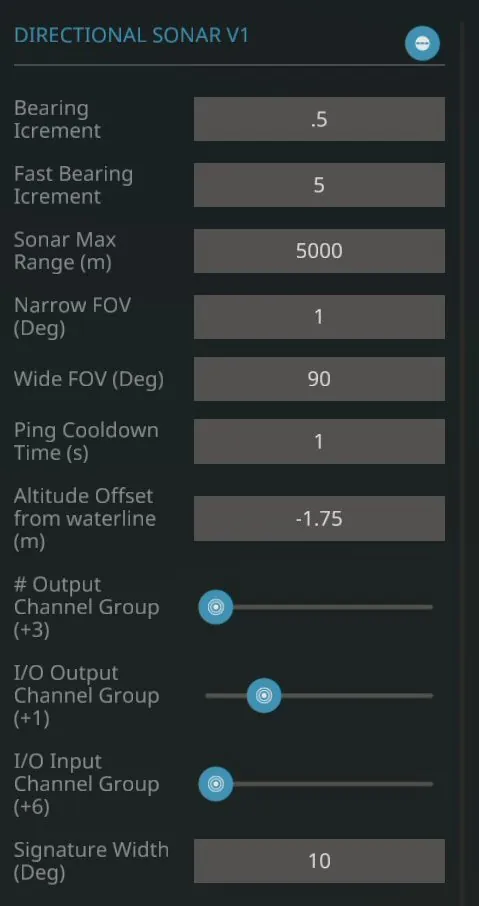
Microcontroller Configuration Panel Legend:
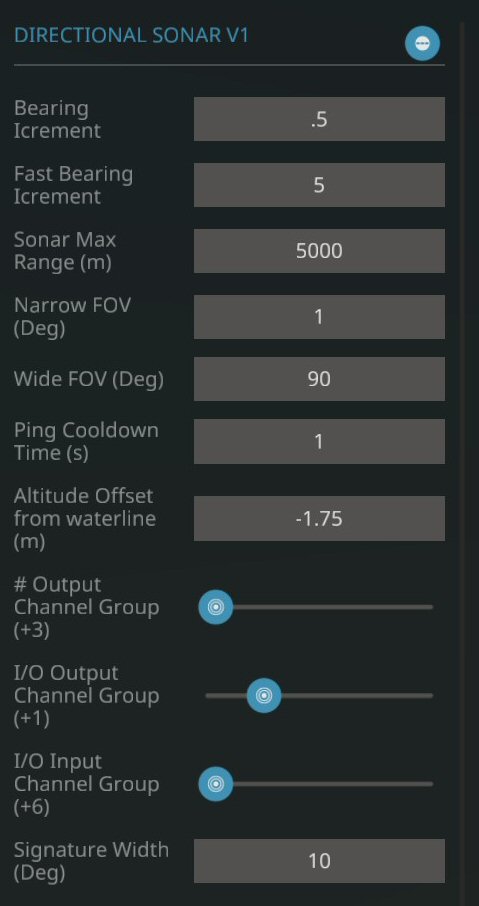
- Bearing Increments - if you tap your left or right search buttons it will move by this amount
- Fast Bearing Increments - If you hold in your left or right search buttons for 3s then the sonar will move much faster until the buttons are released for 1s.
- Sonar Default Range - Is the default range that the continuous pinging will wait for a ping to reach before pinging again. Can be overridden by providing a value greater than 0 via the "Set Custom Max Ping Range"
- Narrow FOV - Is the default angular zone a sonar contact must be in to be considered detected
- Wide FOV - Is the wide angular zone a sonar contact must be in to be considered detected when wide FOV is toggled on.
- Ping Cooldown Time - Is a forced time that needs to have been passed for the next ping to be possible to be sent.
- Altitude offset from waterline - From your vehicles waterline measured down to where the sonar is, is this value. This will be a negative value as it is measured from the perspective of "altitude" and not from "depth"
- # Output Channel Group - Move the slider to reserve composite channels for outputs of numerical data over the instrument node
- I/O Output Channel Group - Move the slider to reserve composite channels for outputs of on/off data over the instrument node
- I/O Input Channel Group - Move the slider to reserve composite channels for inputs of on/off data over the instrument node
- Signature width - is the amount of degrees that will be considered the furthest you can be away from a target before it start registering it with a signature value above zero.
Installation:
- Place the microcontroller on your build
- Edit the micro controller
- Move the nodes out of the Micro Controller white box that you do not need for your build and resize it to only contain the nodes you want.
Important questions to think about:[list] - Do you want it to be working as a hydrophone in passive mode only or do you want it to work with both active and passive?
- Which on/off & number nodes do I need? will I be using instrument panels, if so I do not need all other nodes.
[*] Update the micro controller with its new dimension and node changes
[*] Adjust the MC configuration panel to your preference. Especially remember to set the altitude offset based on the waterline if you intend to use the active mode to determine depth of contact.
[*] Connect all the nodes
[/list]
Here is an example workshop download that features one passive sonar only and one with combined active and passive mode.
https://steamcommunity.com/sharedfiles/filedetails/?id=3537441010
Known Issues:
- If the sonar hears a contacts own produced sounds, it will not be able to range or determine depth with its pings. This is due to how the developers of Stormworks made the sonar to work