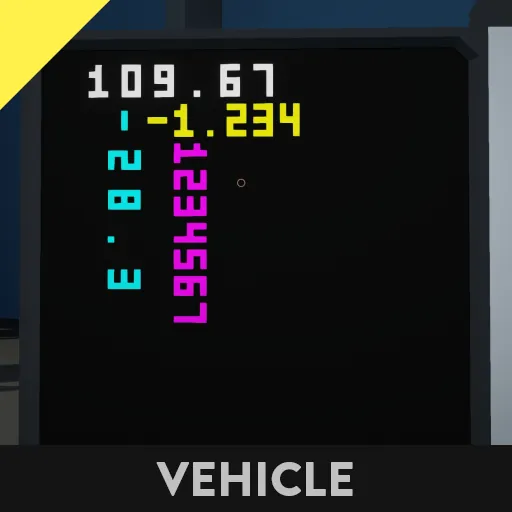
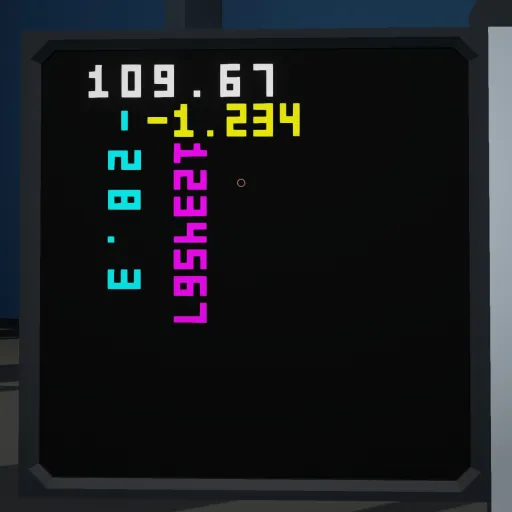
This command allows you to draw a 5x3 number on the monitor.
You can draw vertically or horizontally, and specify a color for each character.
You can specify the number of digits to display and the number of decimal places to display.
You can also specify the spacing between each digit.
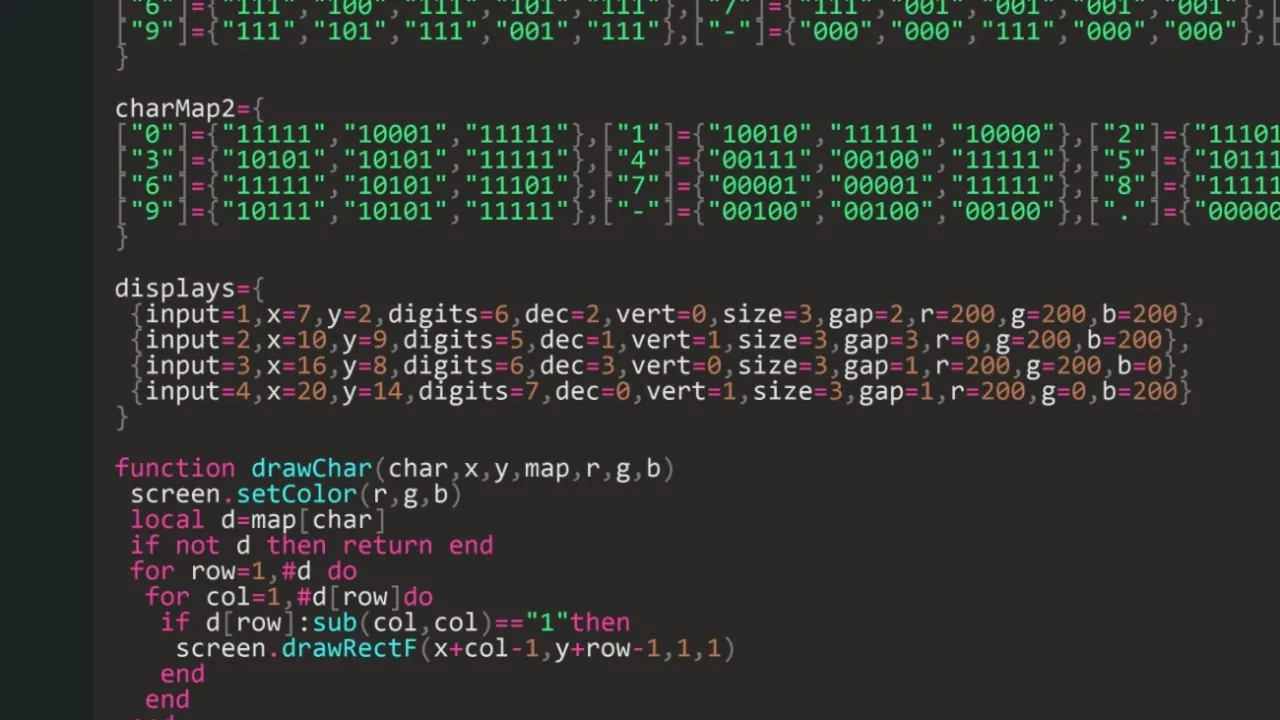
You can draw as many as you like by adding values from { to } as shown below.
<Explanation of the values in displays>
input=1: The input number referenced by this display (the value of input.getNumber(1) is drawn).
x=7: The X coordinate of the display start position (the reference point for drawing).
y=2: The Y coordinate of the display start position (the reference point for drawing).
digits=6: The maximum number of characters (digits) to display. If this number is exceeded, the leading characters will be truncated.
dec=2: The number of decimal places (e.g., 12.34 is dec=2).
Setting this to 0 will hide the decimal point.
vert=0: Display direction:
0 = Horizontal (left → right)
1 = Vertical (top → bottom)
size=3: A measure of the character's **size (number of dots)**. Generally, do not change this.
gap=1: Space between characters. Used both vertically and horizontally.
r=0 g=200 b=255: Color of displayed characters (RGB). In this example, it is a light blue.
The middle LUA block pads with 0 when there are extra digits, and the bottom LUA block pads with spaces. The top LUA block is an older version, so do not use it.