I created [url=https://steamcommunity.com/sharedfiles/filedetails/?id=3584529483][u]a new HMD[/u][/url]!
Changes from HMD V2
[list]
[*] Changed ID input format (SRD2)
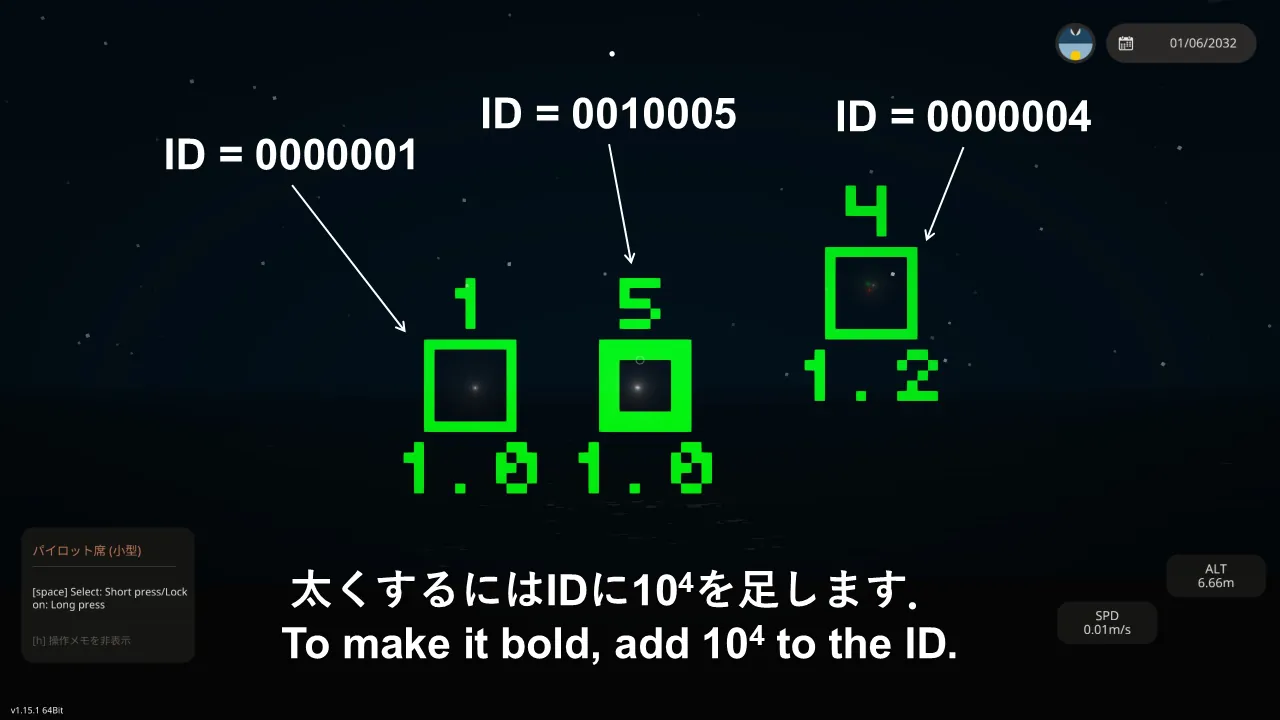
[*] Added thick target markers
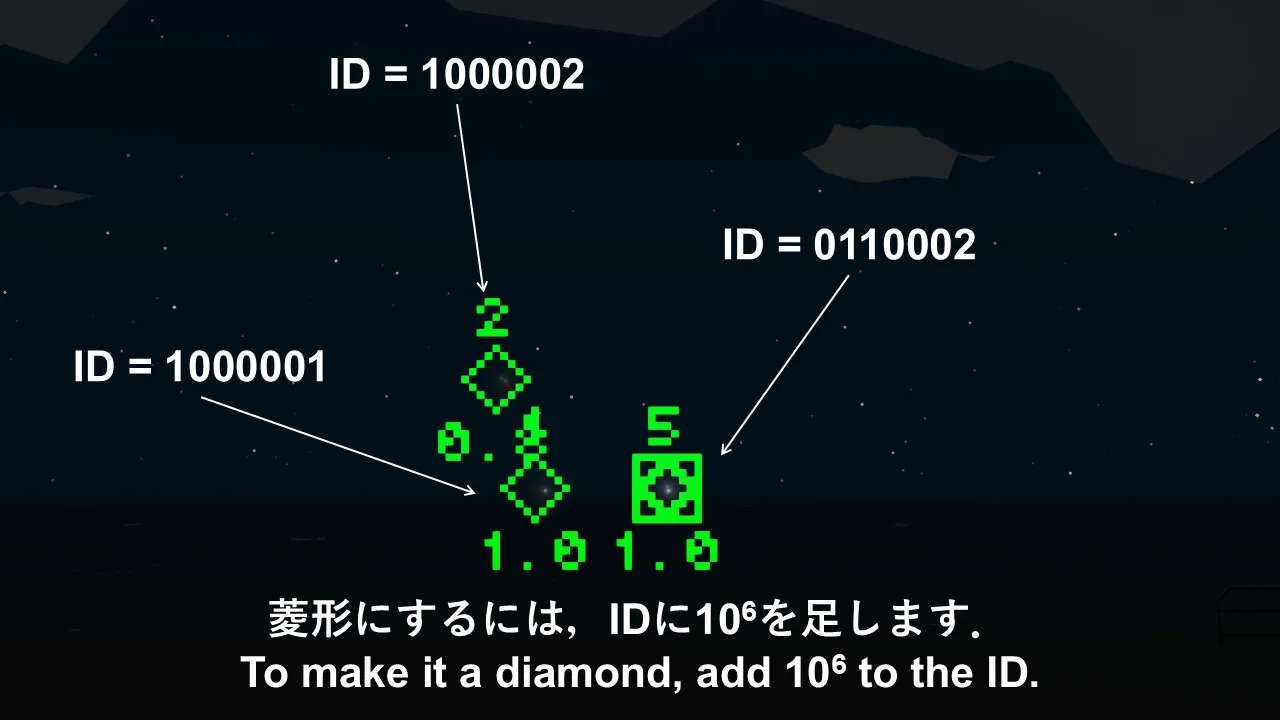
[*] Added diamond-shaped target markers
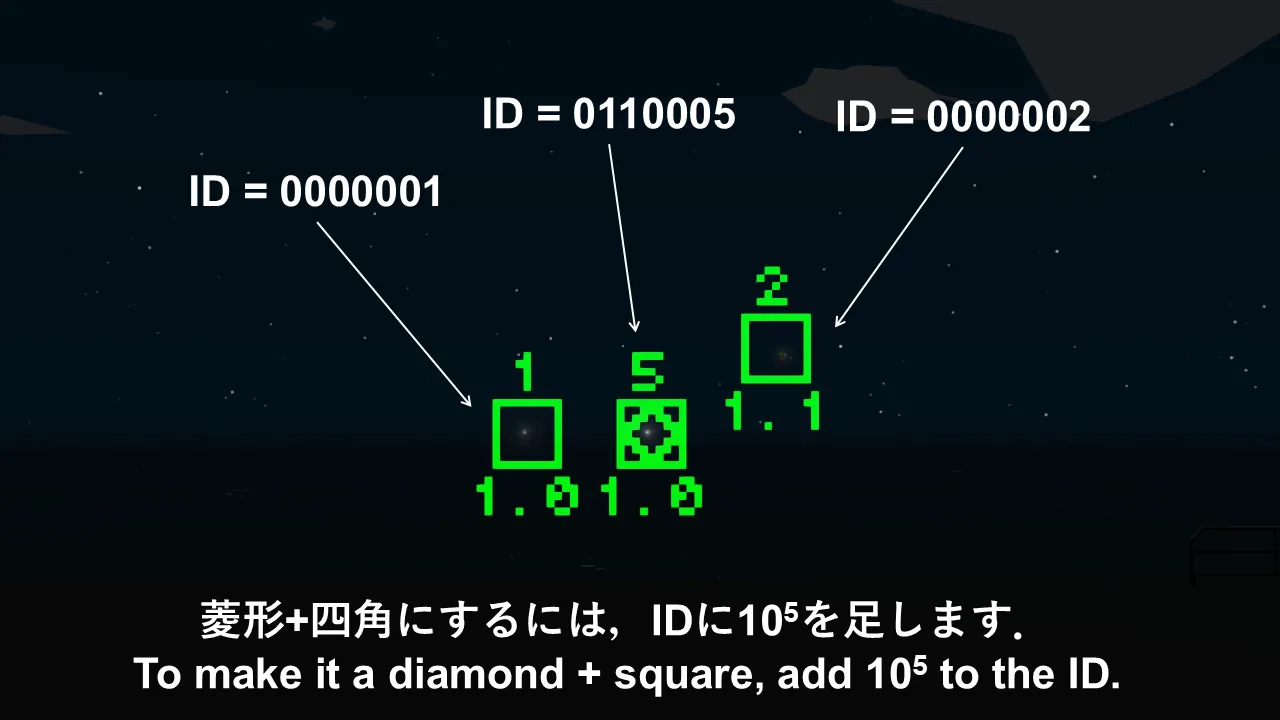
[*] Added square and diamond-shaped target markers
[*] Changed the display so that the target marker is also drawn in the center when only the horizon is displayed
[/list]
Features
[list]
[*] Seat-mounted HMD
[*] Three-dimensional
[*] No display errors
[*] Freely customizable
[*] Easy setup
[*] Laser rangefinder direction correction
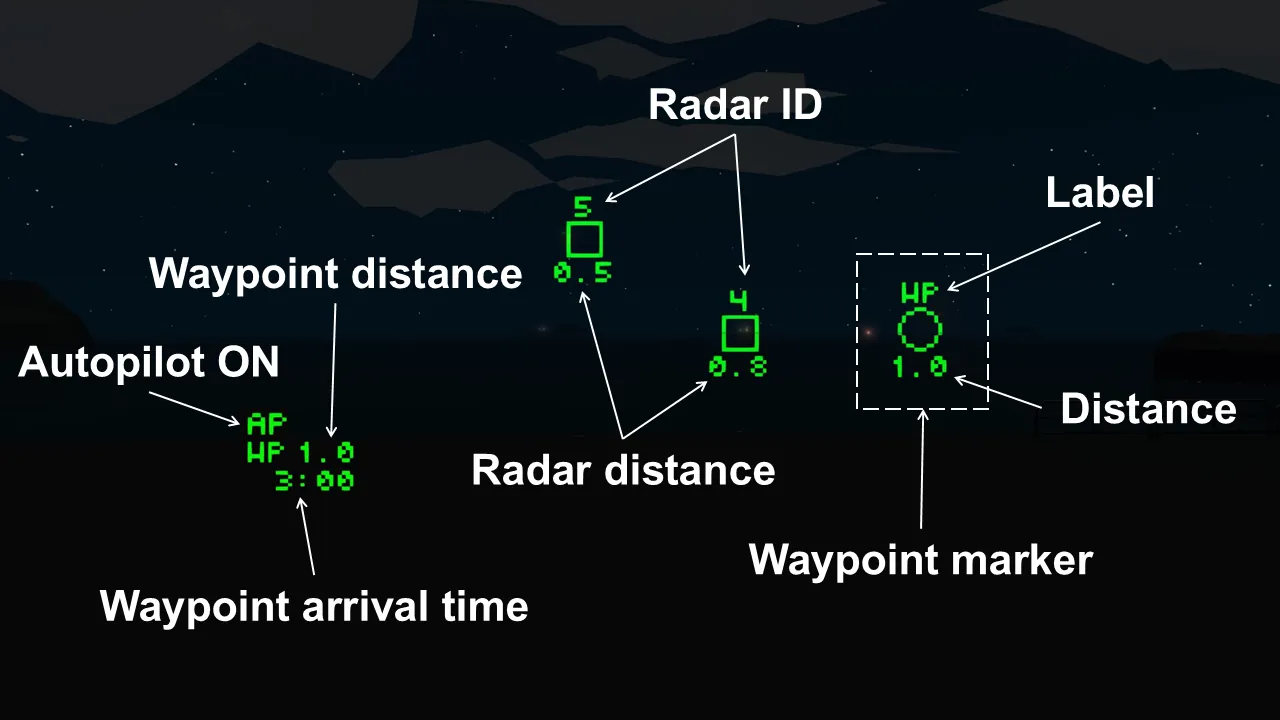
[*] Waypoint display available (WPD1 input)
[*] Radar response display available (SRD2 input)
[*] Radar response symbol customization available
[*] Map V3, [url=https://steamcommunity.com/sharedfiles/filedetails/?id=3456576042]SR V3[/url], [url=https://steamcommunity.com/sharedfiles/filedetails/?id=3535639513]FCS Type 6[/url], VLS Mk. 10, SM Type 3 included
[/list]
Description
We've improved the HMD V2 so that you can change the type of radar response.
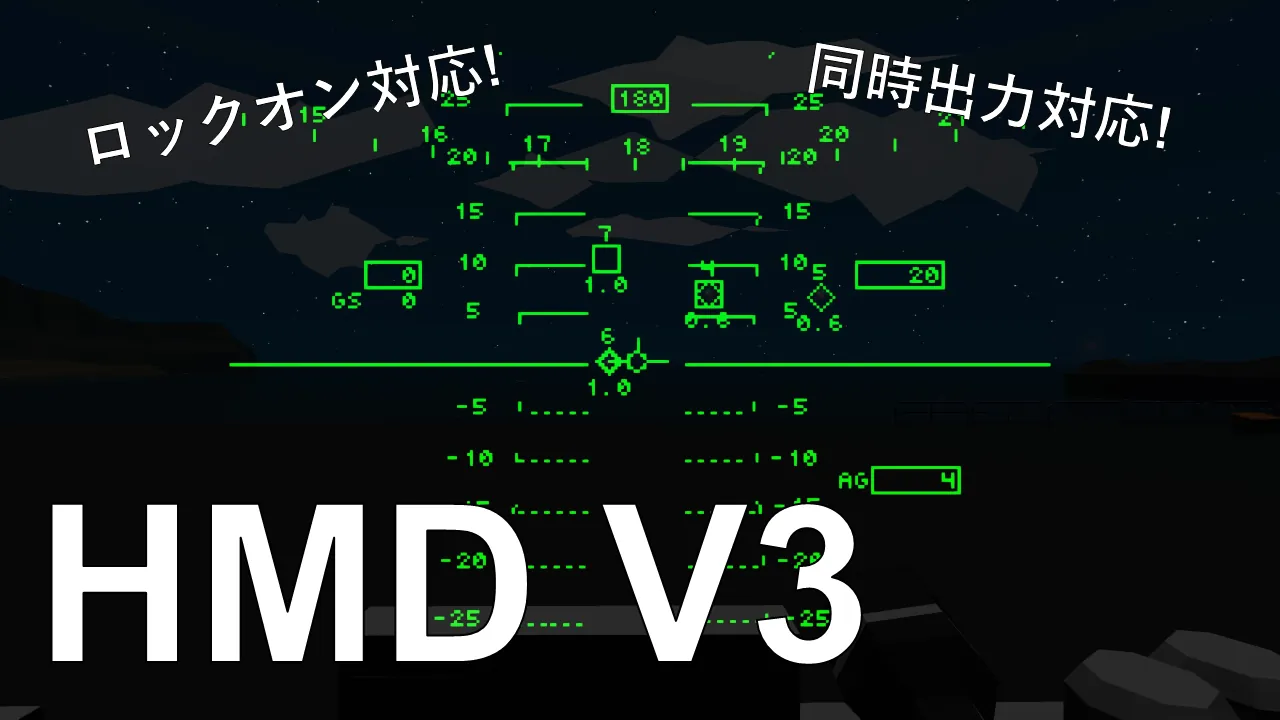
A total of six different symbols can be drawn: (square, square + diamond, or diamond) x (normal or thick).
This uses the SRD2 input terminal, and will display correctly if the input is in the correct format.
Terminal Description
WPD1 Input Terminal
Number
Content
1
Waypoint X Coordinate
2
Waypoint Y Coordinate
3
Waypoint Z Coordinate
4~6
None
7
Waypoint distance [m]
8
Waypoint arrival time [s]
Boolean
Content
1
ON if waypoint exists
2
Autopilot ON, OFF state
SRD2 input terminal
Number
content
1
X coordinate
2
Y coordinate
3
Z coordinate
4
Target ID (0<ID<10000)
5~24
Repeat
4: Regarding ID,
When no target is being output: ID = 0
Identification ID for each target (value displayed on the HMD): 1-9999
Bold symbol: ID = ID + 10^4
Diamond + square symbol: ID = ID + 10^5
Diamond only symbol: ID = ID + 10^6
Example: Display a bold diamond + square symbol for a target with identification ID = 3.
SRD2 ID = 3 + 10^4 + 10^5 = 0110003
The SRD2 input terminal supports SRD1 output.
The SRD1 input terminal does not support SRD2 output.
Property Supplement
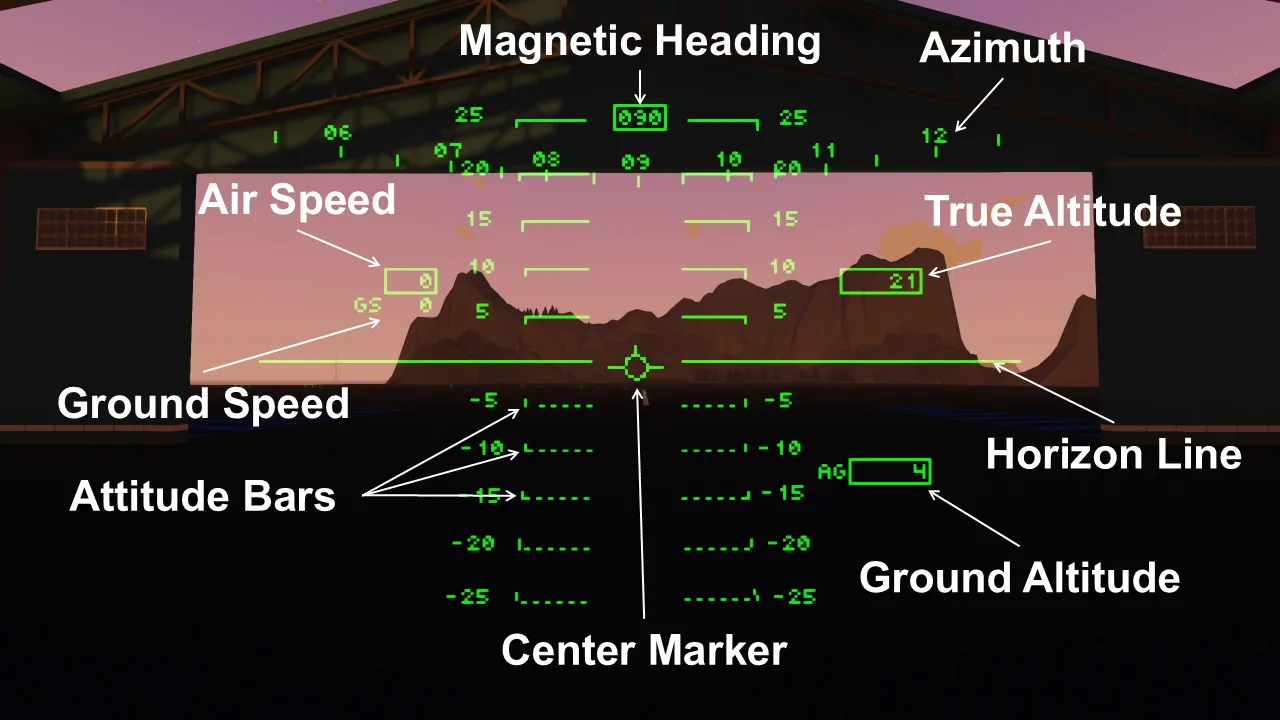
Main Speed: Select the speed displayed within the rectangular frame. If "Ground Speed" is selected, ground speed is displayed within the frame and atmospheric altitude is displayed below it.
Radar Delete Tick: The amount of time target information is retained since the last target output to the SRD2. SR V3 only outputs a target the moment it is detected, so it requires about 100 ticks, but FCS Type 6 outputs a predicted value almost every tick, so about 10 ticks is sufficient.