Custom Schedules - updated to 1.5 and 1.6
Description
Create custom schedules for your pawns, and automatically assign pawns to specific areas depending on their schedule.
Features:
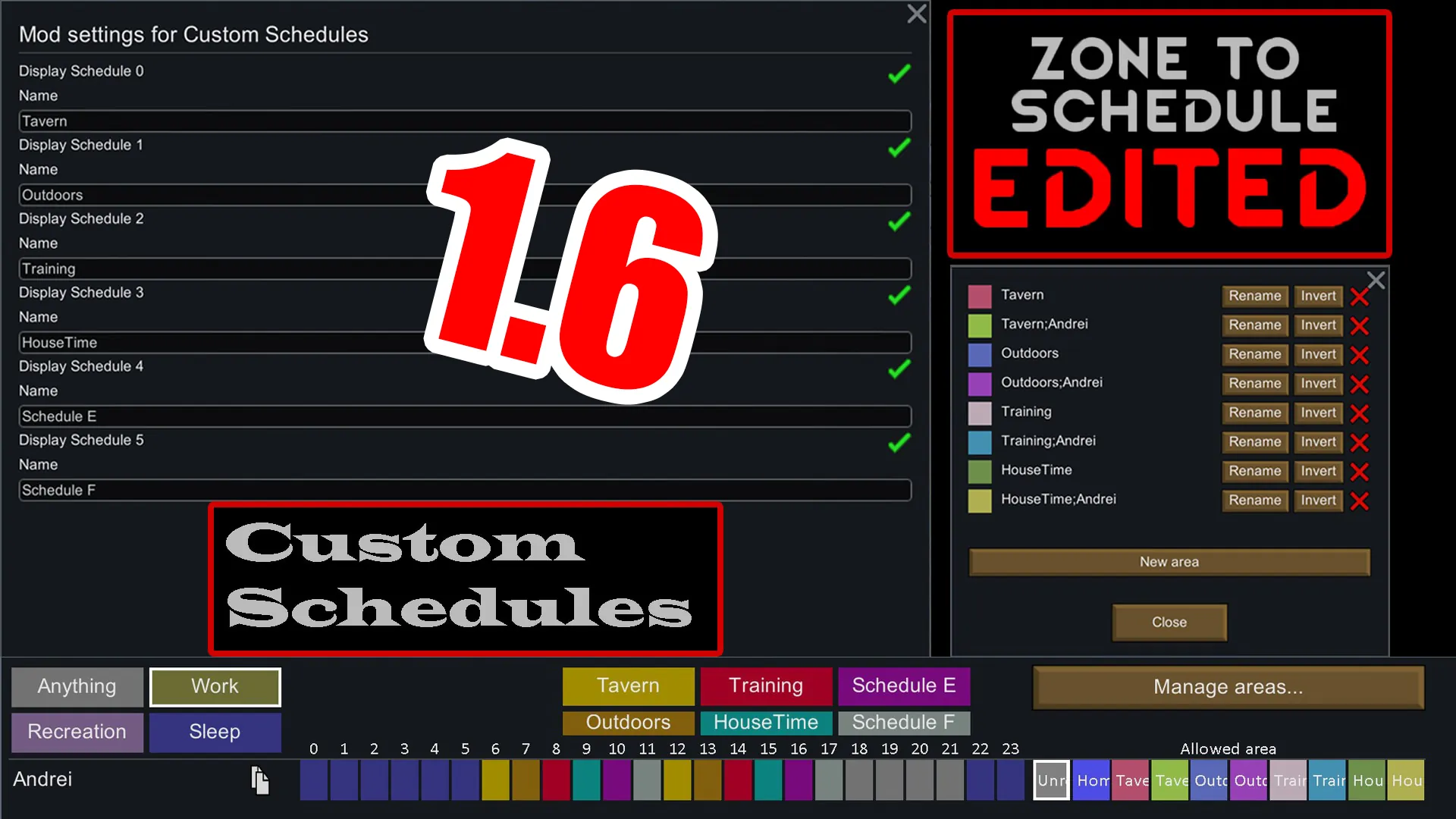
- 6 new customizable schedules, on top of the vanilla 5. These new schedules can be renamed in the mod settings.
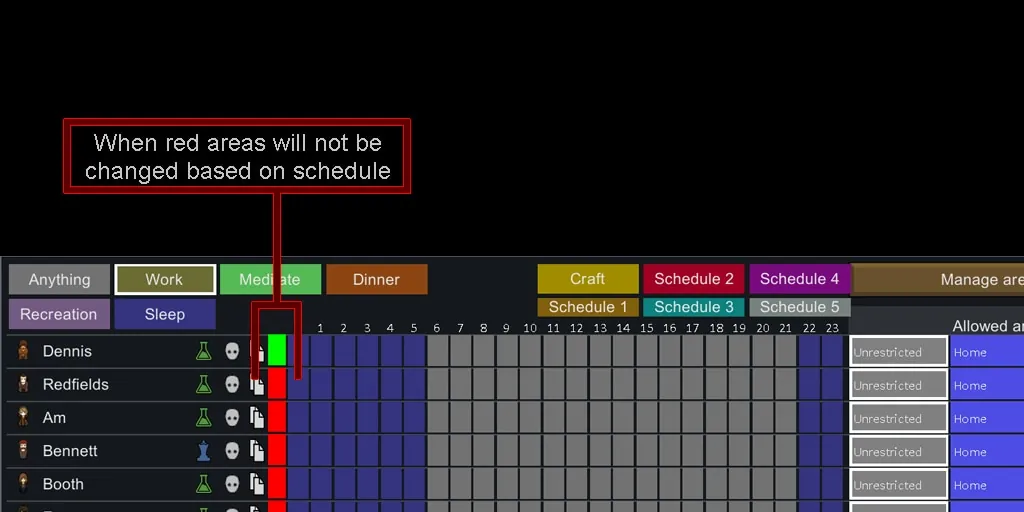
- Enable and disable automatic area assignment directly from the Schedule tab, with the ability to drag and select to mass-toggle the option.
When enabled, if there is an area whose name matches a pawn current schedule-type, they will automatically be assigned to that area. - If you select an area manually before toggling automatic assignment, it is saved as this pawn's default area. The pawn will default to that area when no auto areas are found, or when auto assignment is disabled.
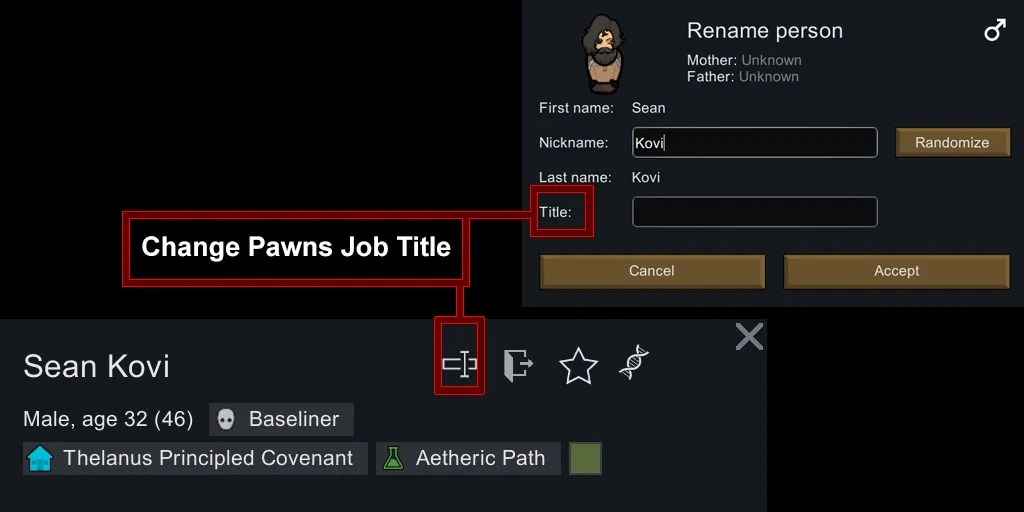
- Ability to automatically filter which pawns are affected using names or job titles (see formatting below).
- Drafted or uncontrollable pawns will not change their area (not tested in 1.5).
Formatting principles:
The mod works by reading the name of an area and looking for keywords inside it. The first keyword is always the name of the schedule that you want to link to this area (Work, Recreation etc. or any of the customizable ones). For example, name an area "Work", and all pawns that are in their work schedule will be automatically assigned to it.
Each consecutive keyword can be the name of a pawn or a job title.
For example, if you name an area "Work;Susan;Cook", then all pawns that are named "Susan" or "Cook", AND all pawns that have "Susan" or "Cook" as their job title will be assigned to this area during their Work schedule.
The mod doesn't differentiate between names or job titles, so be careful when naming pawns and jobs as it could lead to confusion (for example, if a pawn is named Cook it could be assigned to the area you set up just for your cooks as a job).
To use multiple keywords, separate them by a semicolon (;). Don't forget that the first keyword must ALWAYS be a schedule name.
The mod doesn't differentiate between lowercase and uppercase, so naming an area Recreation or recreation should work exactly the same.
Examples
Assign all pawns that have the Work schedule to a specific area
-> create an area named Work. Every pawn with the work schedule will automatically go to this area, then return to their default area when the Work period is finished.
Filter by name
-> create an area named Work;Susan. Only pawns named "Susan" will go to this area when their schedule is set to Work.
Filter by job Title
-> create an area named Work;Cook. Only pawns with the job title set as "Cook" will go to this area when their schedule is set to Work.
Multiple filters
-> An area named Recreation;Cook;Soldier will make all pawns that have Cook or Soldier as their job title (or their name) go to this area during their recreation time.
If more than one matching area exists, the ones using pawn name, then pawn title takes precedence. (untested, but that's how it is in the code)
Known incompatibilities
Incompatible with Mlie's Zone to Schedule (Custom Schedules is a direct replacement for this mod)
Credits and update notes
Original mod by Icepickgma (Link)
Itself based on Zone To Schedule by Mlie (link).
All credits go to Mlie and Icepickgma.
Recompiled the mod to make it compatible with Rimworld 1.5 and 1.6.
I also fixed the bug that caused areas to not be automatically selected if they had uppercase in their name.
The mod will not work with earlier versions of Rimworld, use the original mod for this.
The mod replaces Mlie's Zone To Schedule. Don't use them together.
As far as I know, everything works as expected. Please report bugs in comments.