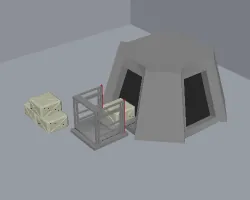
It is used to stock cargo that is to be loaded in advance, and to create a temporary storage area for unloading cargo.
Features
◆Basic information
・CargoLoadingManager itself functions like a locker.
・There are two types, which can be loaded one space away and two spaces away.
・Requires power equivalent to that of a light bulb.
・Found in the Other section.
・Unlocked by researching transport pods.
◆Transfer specifications
・You can specify the items you want to load or unload in the storage filter settings.
・Storage filters are always enforced when accepting.
・You can limit the target number of items when loading and the number to leave when withdrawing in the list settings.
(Items will not appear on the list unless they are put in the manager first)
◆Supported storage
・Transport pods
(※Internally, it is for those who have CompTransporter)
If the list is ignored, the maximum weight limit of the transport pod will be loaded.
When loading, it will automatically enter a launch standby state.
・VehicleFramework
Since it is treated as a caravan, you can pack more than the limit, but of course you will not be able to move.
・MapPortal
(※Map transfer portals such as Pit Gate, SimplePortal, etc.)
Portals only recognize buildings.
A Manager is required adjacent to the Portal.
There must be at least one Manager on each side, and they must be paired for Load & Unload mode.
Only two pairs are recognized, one for each mode.
UpdateLog
#build 0.1.2 Now correctly supports portals, especially elevators, in ancient urban ruins.
Unlike MaterialElevator, it has the advantages of being power-saving, space-saving, and number-management possible.
However, it must be placed next to a portal.