Space Trajectory Calculator
Tired of futzing around in space, feeling like you are accomplishing nothing? Here's the solution! This micro controller displays the actual path you will take through space! No more guesswork!
Absolutely humongous thanks to [b]u/TaxPotential8245[/b] on Reddit, this project would not have been possible with ought her help on reverse engineering the physics system, as well as her implementation of the Kalman matrices in use.
Also thanks to [b]nameouschangey[/b] who develops the LifeBoat API, which was used extensively during development for debugging, and compilation.
How to use:
The microcontroller just requires a screen to output to, and an astronomy sensor put in any orientation (we only use the position data).
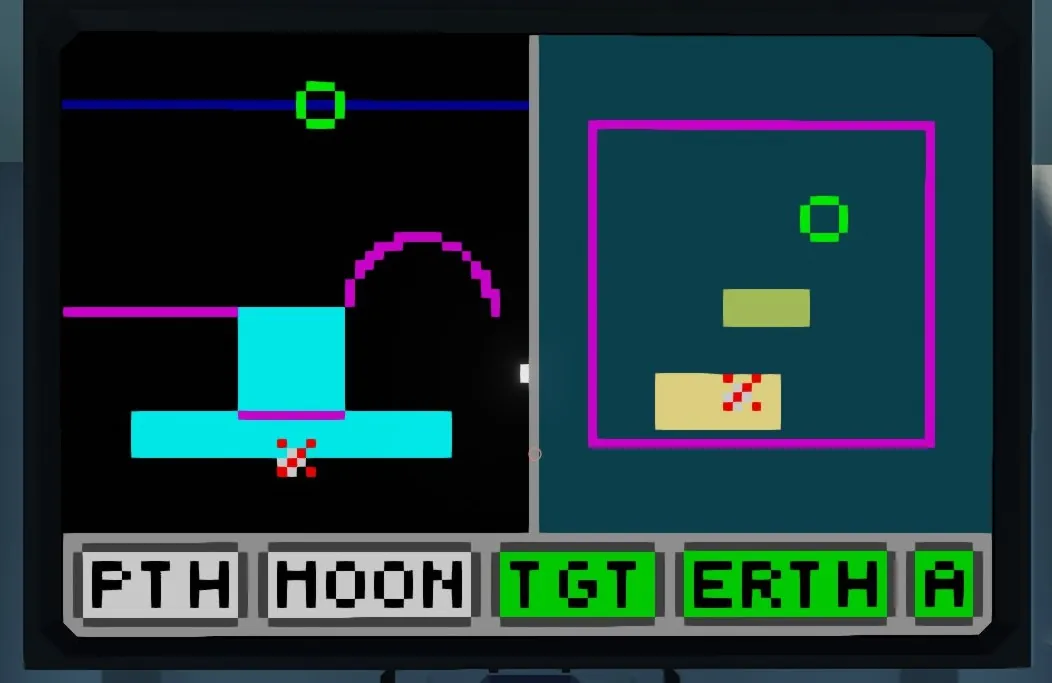
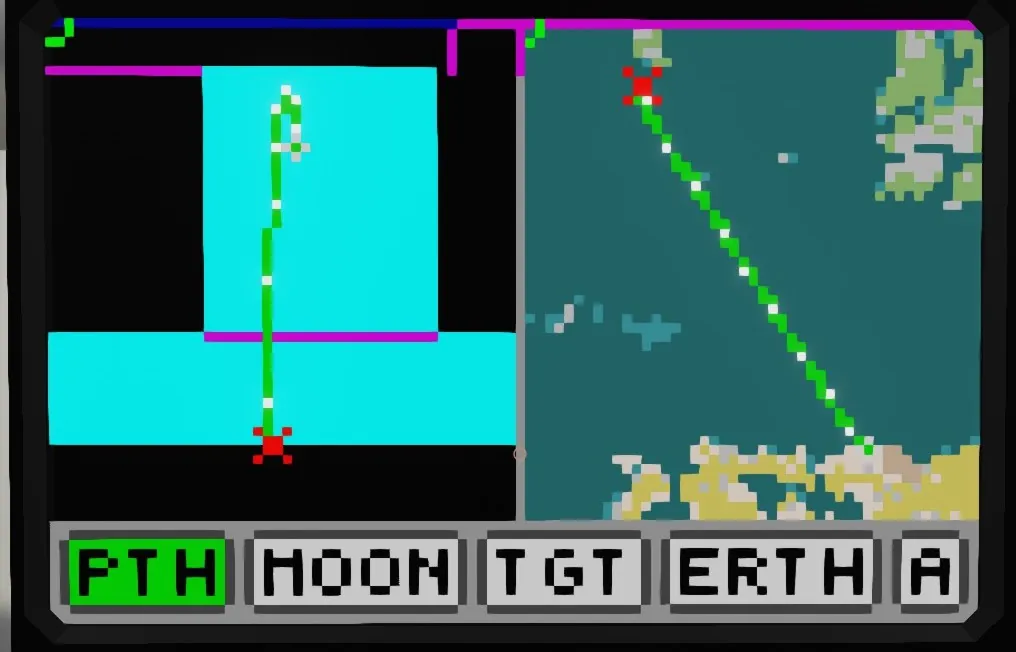
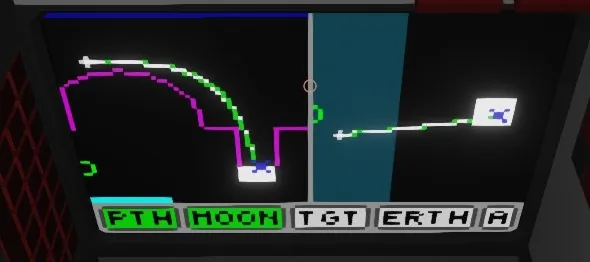
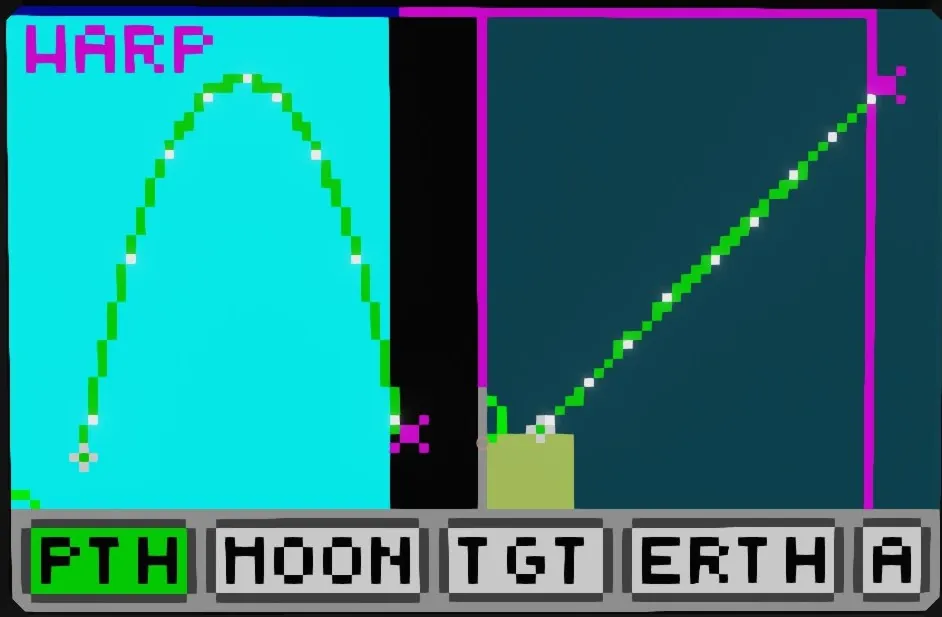
The area on the left graphs X vs Y. (X position vs Altitude), it is essentially a "side view" of your trajectory. The area on the right graphs X vs Z, which is a typical top down map that you might be more familiar with. The options on the bottom control what to keep framed in these areas, as well as toggles if the target coordinates are being fed in as astronomy coordinates or not.
Features:
Automatically view framing
The framing for the map views is determined automatically, to fit any objects desired by the user. These are the objects which can be toggled to have the view focus on those objects.
Trajectory (PTH)
Moon (MOON)
Target (TGT)
Earth (ERTH)
The target is specified via number inputs to the micro controller, and can be given out in either real, or astronomy coordinates. (To specify astronomy coordinates, press the "A" button to turn on astronomy mode)
Note that you don't need to have one object focused at a time, or any object for that matter! When no objects are selected, the viewbox is frozen in place. When multiple objects are selected, the view is adjusted to keep all desired objects in frame.
Automatic warp detection
By "Warp Zone" here I mean the points at which the map will teleport you if you cross that boundary. There are a lot of these on the map. The one you probably have the most experience with is the warp zone at the map boundary, which teleports you to the other side of the map. The micro controller will detect if your path will cross a warp zone, and display approximately where you will hit the warp.
Minute markers
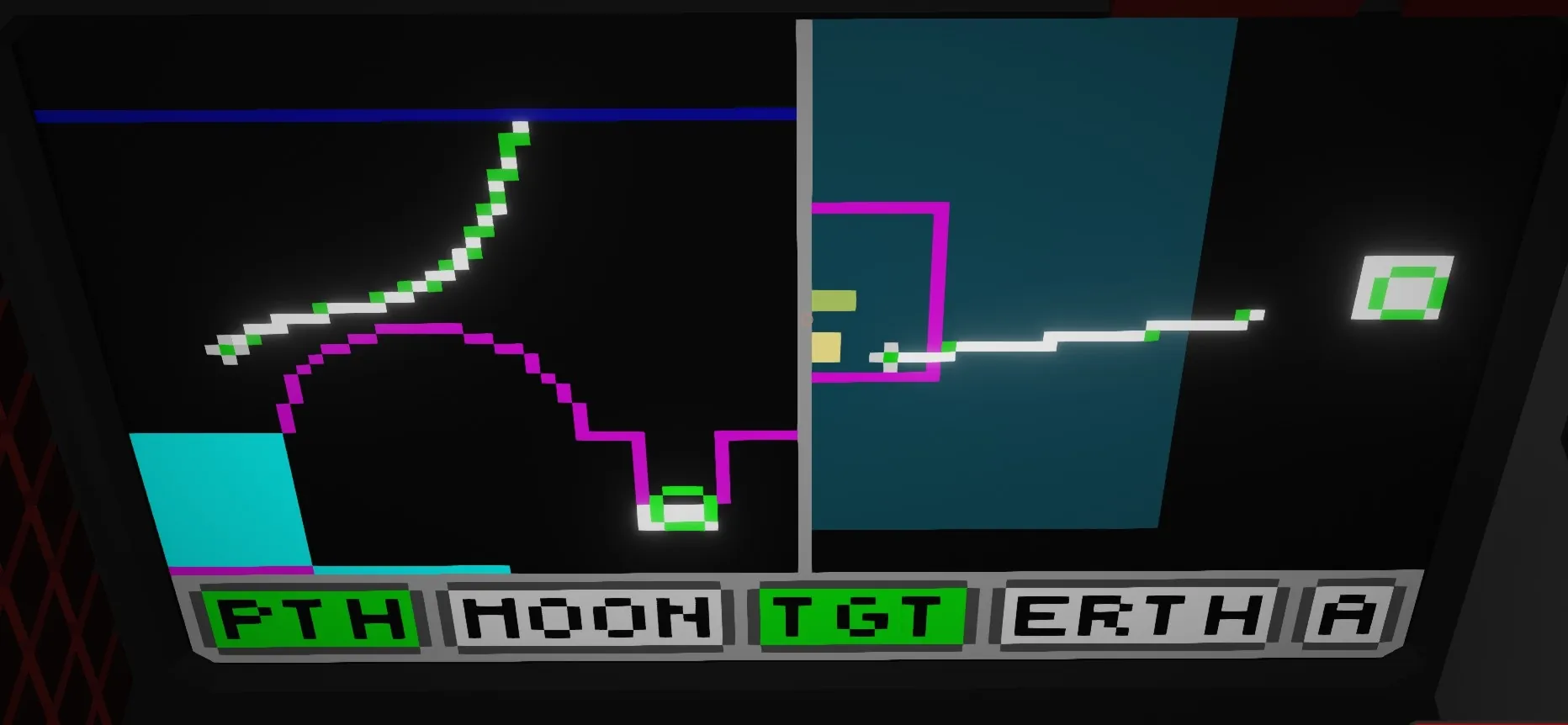
Across the rendered paths, white dots are placed to indicate minutes. These are useful to create a rough estimate of path timing, as each segment between the marks will take 1 minute to cross. These are rendered out based on the physics simulation, and are surprisingly accurate.
Impact point prediction
When an impact on either the moon, or the earth is found, the microcontroller will do some interpolation to try and find a more accurate impact point. This is useful for if you want to hit a very specific point on the earth / moon surface.
Runaway orbit highlighting
If you ever reach an altitude higher than 300km, that is a "runaway orbit" which requires manually burning out of, or you will fly off into the infinite void of space. To help prevent this, the micro controller will highlight that you are about to enter a runaway orbit.