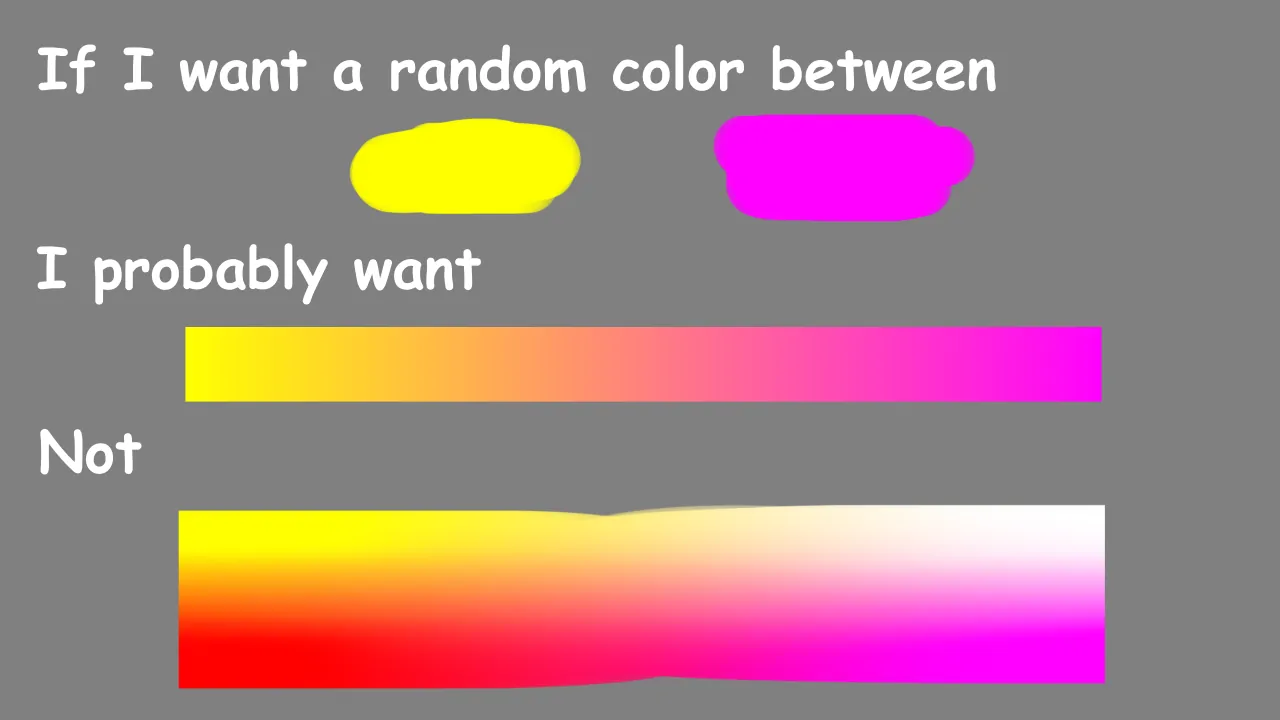
Github: https://github.com/AnonUserGuy/ColorGenerator_OptionsInterpolated
RimWorld mod adding a new color generator, "_OptionsInterpolated", for use in XML modding. Functions similarly to the vanilla color generator "_Options", but is able to generate a random color interpolated between a pair of other colors.
Doesn't add any new gameplay features outside of those realized by other mods using it.
Tags
The color generator is supplied a list of color options under it's "<options>" tag. Each color option can contain the following tags:
Tag
Type
Default
Description
<weight>
float
1
Probability this color option will be picked.
<only>
Color
(-1,-1,-1,-1)
If supplied, option will return only this color, disregarding all below fields.
<min>
Color
(0,0,0,0)
If a/b aren't supplied, option will return a color randomly between min/max randomized per channel. If a/b are supplied, acts as a random offset for color interpolated between a/b calculated in the same manner.
<max>
Color
(0,0,0,0)
If a/b aren't supplied, option will return a color randomly between min/max randomized per channel. If a/b are supplied, acts as a random offset for color interpolated between a/b calculated in the same manner.
<a>
Color
(0,0,0,0)
If supplied, option will return random color interpolated between a/b. Otherwise, min/max will be used alone.
<b>
Color
(0,0,0,0)
If supplied, option will return random color interpolated between a/b. Otherwise, min/max will be used alone.
<interpolation>
Linear or SquareRoot
Linear
How to interpolate random color between a/b. Linear interpolates linearly, while SquareRoot applies a square root operation as a rudimentary means of gamma correction.
<squareRootAlpha>
bool
false
If true and using SquareRoot interpolation, will also apply square root operation to alpha channel.
Examples
Here's an example of basic usage:
<first Class="CGOI.ColorGenerator_OptionsInterpolated">
<options>
<li>
<!-- black to blue -->
<weight>10</weight>
<a>(0.078, 0.078, 0.078,1)</a>
<b>(0.475, 0.478, 0.478,1)</b>
</li>
<li>
<!-- brown to lilac -->
<weight>6</weight>
<a>(0.263, 0.165, 0.071,1)</a>
<b>(0.690, 0.635, 0.608,1)</b>
<min>(-0.02, -0.02, -0.02, 0)</min>
<max>(0.02, 0.02, 0.02, 0)</max>
</li>
<li>
<!-- light brown to fawn -->
<weight>6</weight>
<a>(0.494, 0.318, 0.227,1)</a>
<b>(0.831, 0.753, 0.706,1)</b>
<min>(-0.02, -0.02, -0.02, 0)</min>
<max>(0.02, 0.02, 0.02, 0)</max>
</li>
<li>
<!-- orange to cream -->
<weight>12</weight>
<a>(0.753, 0.427, 0.078,1)</a>
<b>(0.804, 0.639, 0.494,1)</b>
<min>(-0.02, -0.02, -0.02, 0)</min>
<max>(0.02, 0.02, 0.02, 0)</max>
</li>
</options>
</first>
A more indepth example can be found at ./Example/ExampleDef.xml.
( https://github.com/AnonUserGuy/ColorGenerator_OptionsInterpolated/blob/main/Example/ExampleDef.xml )