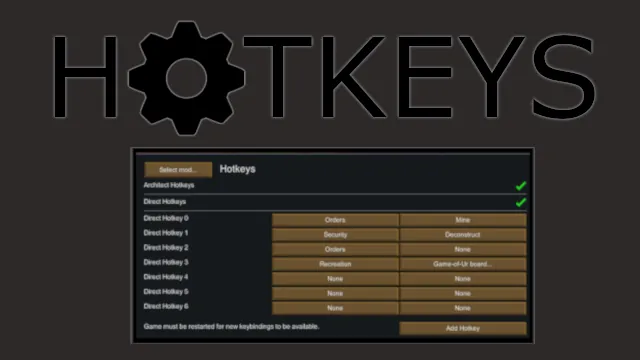
This mod adds fully user configurable keybindings for a variety of purposes
GitHub[github.com]
To assign a hotkey, hold the Gizmos key and right-click on the command.
Hotkey will be automatically assigned; it can be then modified in Keyboard configuration menu.
Default Gizmos key is <RightShift>
Credits:
- Aze
- Lewiss
- basics
- Vogt
This is 1.6 re-assembly of 1.5 re-upload https://steamcommunity.com/sharedfiles/filedetails/?id=3271264818 which was 1.4 re-upload https://steamcommunity.com/sharedfiles/filedetails/?id=2903148673 of re-upload for 1.3 https://steamcommunity.com/sharedfiles/filedetails/?id=2553333919 based on original 1.0-1.2 https://steamcommunity.com/sharedfiles/filedetails/?id=1546677282
========= Original Description =========
Tired of moving your mouse all over the screen while your other hand sits idly by? Hotkeys fixes that, making UI navigation much faster (and sometimes completely skippable)!
This mod adds fully user configurable keybindings for a variety of purposes.
Currently Implemented:
- Multi-Keybindings: Bind multiple keys to a single item, allowing things like "Ctrl + X" to go straight to deconstructing.
- Architect Hotkeys: Open any subtab in the architect menu with a single keypress.
- Command Hotkeys: Set any command in the bottom left to a hotkey. Using a Direct Hotkey to go from the world to any designator, or a Gizmo Hotkey to override the default binding provided by the "misc" keys.
- Shift-Keybinding: Bind shift to any key you want. (Workaround for a Unity issue that prevents shift being detected in the vanilla binding menu.)
Configuration:
- Portions of the mod can be enabled/disabled in the mod settings menu.
- An "Assign Gizmos" key is generated. This can be assigned like any other keybinding - I recommend Alt+Shift+Ctrl.
- In game, while holding the Assign Gizmos key, right click on any Command (such as Forbid in the Orders menu).
- Changing or removing keys is also done by holding the Assign Gizmos key and right clicking on the relevant Command.
- The default behavior is sufficient for 90% of cases. If keys overlap and you want to edit them, the "key Specificity" can be edited, which is explained in game.
Compatibility:
- Hotkeys can be added or removed at any time. Nothing should ever break a save file.
- At worst, an error should pop up - if this occurs please let me know so I can fix it.
- Errors will likely be thrown if hotkeys are set for nonstandard designators implemented by mods. If that happens...don't do it. This won't break anything, it will just throw an error and not behave as expected. So far I've only seen this with Designator Shapes.
- Architect Hotkeys do not work if Architect Icons is installed, this is because Architect Icons rewrites the entire Architect Window instead of just modifying it.