Custom draw field PFD
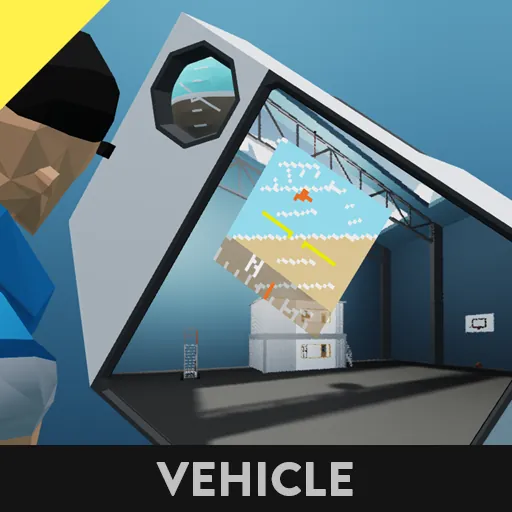
This is a Primary Flight Display (PFD) with a freely configurable drawing area.
Its main feature is that it can be placed at any position and size on a monitor, and it will not draw outside the specified area.
It is designed for sizes from about 32x32px minimum to 96x96px maximum, but it is possible to exceed these limits.
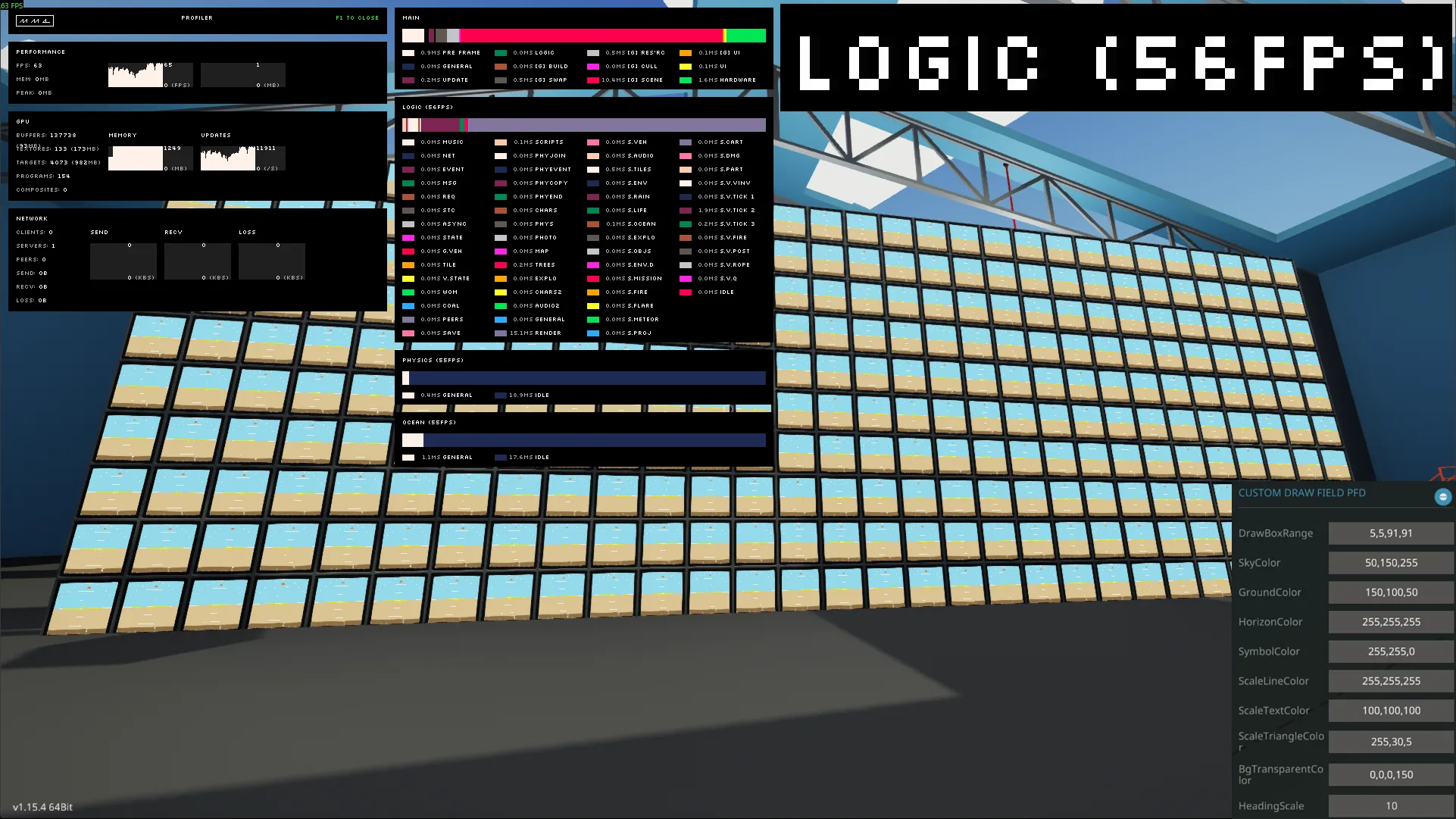
[b]It is extremely lightweight due to many optimizations.[/b] (Test: 300 units with DrawBoxRange=`5,5,91,91` on a Ryzen 5 7500F runs at 56 TPS).
Main Features
[list]
[*] [b]Attitude Indicator (Horizon Indicator):[/b] Visually displays the vehicle's pitch and roll. It moves up and down according to the pitch angle and tilts according to the roll angle. A pitch ladder is displayed at 15 and 30-degree intervals.
[*] [b]Bank Angle Scale:[/b] A roll angle (bank angle) scale is displayed at the top. A triangular pointer indicates the current angle.
[*] [b]Heading Indicator:[/b] The current heading is displayed at the bottom. Tick marks are displayed at intervals set in the properties, with labels for the 8 cardinal and intercardinal directions (N, NE, E, etc.).
[*] [b]Flight Path Vector:[/b] A circle indicates the vehicle's actual direction of travel. This allows you to visually grasp the difference between your heading and your actual track (e.g., due to drift).
[*] [b]Highly Customizable:[/b] You can freely change the drawing area and the color of each element from the properties.
[/list]
Properties
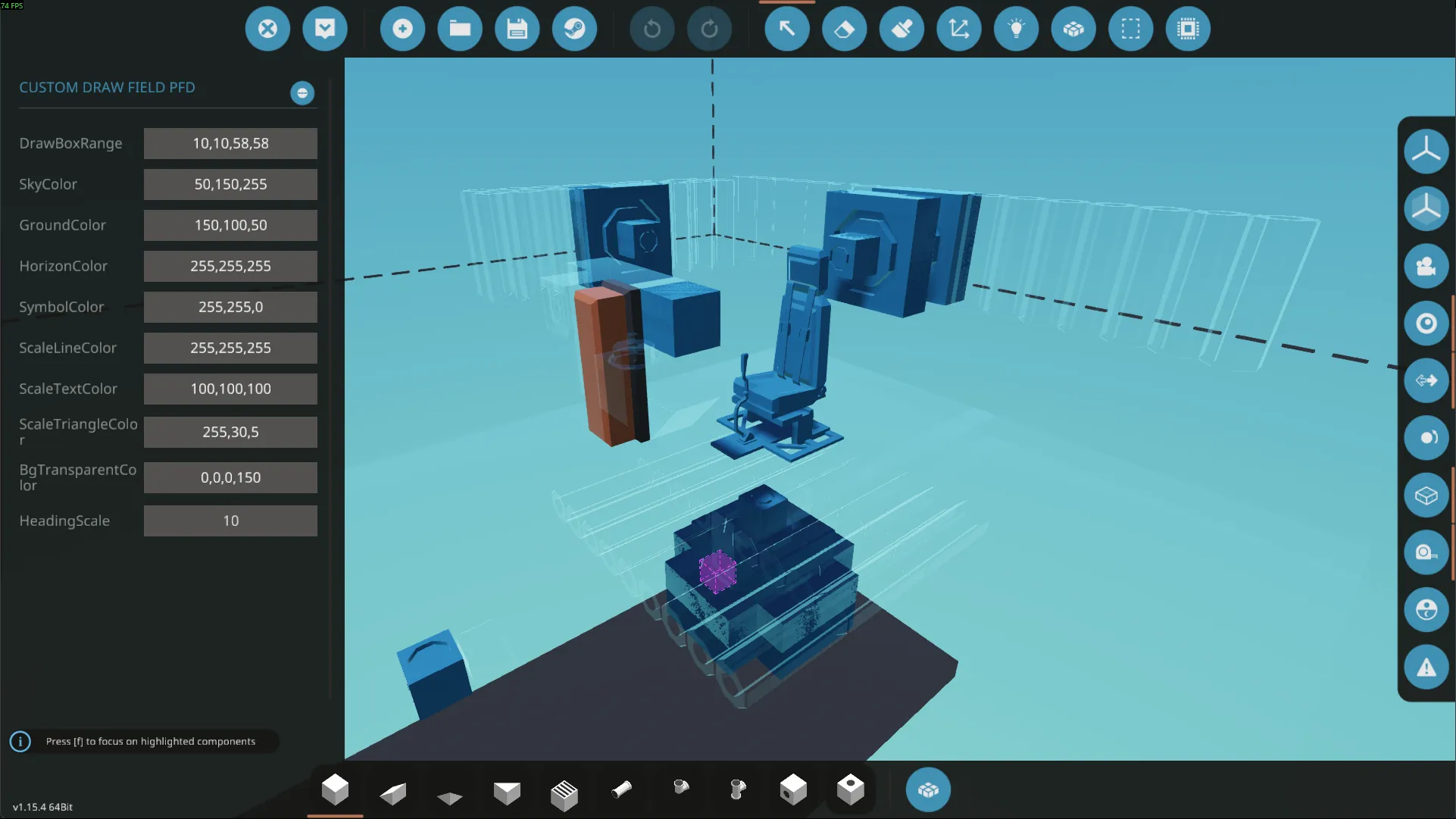
You can customize the display by selecting the microcontroller and editing its properties.
All colors are specified in R,G,B,A (Red, Green, Blue, Alpha) format. Enter numbers from 0 to 255, separated by commas. Omitting Alpha (A) will result in a fully opaque color.
[list]
[*] [b]DrawBoxRange:[/b] Specifies the area to draw the PFD in the format `Top-Left X, Top-Left Y, Bottom-Right X, Bottom-Right Y`. For example, to display it on a full 3x3 monitor (96x96px), use `0,0,96,96`.
[*] [b]SkyColor:[/b] Specifies the color of the sky.
[*] [b]GroundColor:[/b] Specifies the color of the ground.
[*] [b]HorizonColor:[/b] Specifies the color of the horizon line.
[*] [b]SymbolColor:[/b] Specifies the color of the central aircraft symbol and the flight path vector.
[*] [b]ScaleLineColor:[/b] Specifies the color of the pitch ladder and bank angle scale lines.
[*] [b]ScaleTextColor:[/b] Specifies the color of the heading indicator text.
[*] [b]ScaleTriangleColor:[/b] Specifies the color of the triangular pointers on the bank angle scale and heading indicator.
[*] [b]BgTransparentColor:[/b] Specifies the background color for the heading indicator. You can make it semi-transparent by adjusting the fourth value (alpha).
[*] [b]HeadingScale:[/b] Specifies the interval in degrees for the tick marks on the heading indicator (e.g., 10).
[/list]
Nodes
[list]
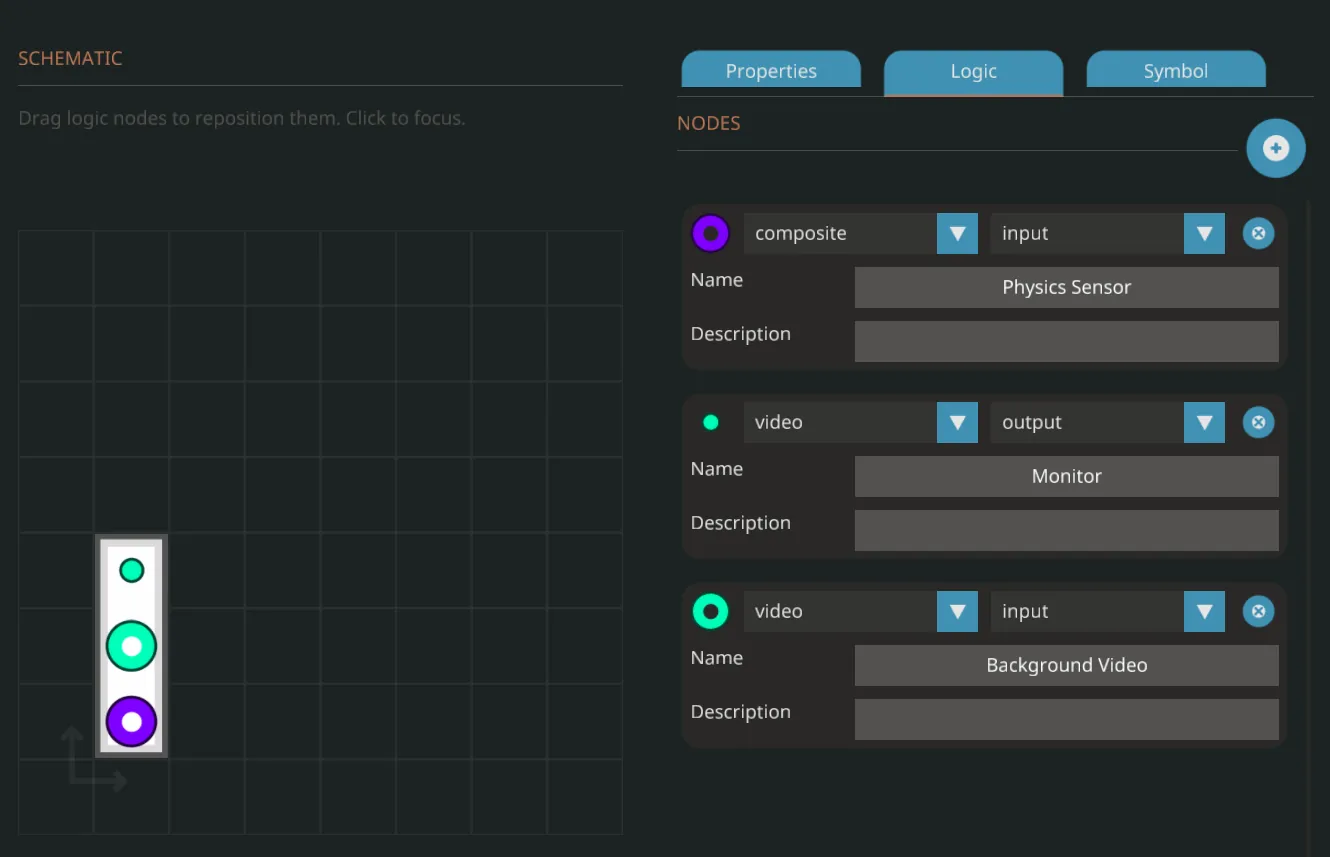
[*] [b]Composite (Input):[/b] Connect the composite signal from a [b]Physics Sensor[/b]. The following channels are used:
[list]
[*] ch 4: Euler Rotation X
[*] ch 5: Euler Rotation Y
[*] ch 6: Euler Rotation Z
[*] ch 7: Linear Speed X
[*] ch 8: Linear Speed Y
[*] ch 9: Linear Speed Z
[*] ch 15: Local Z Tilt (Pitch)
[*] ch 16: Local X Tilt (Roll)
[*] ch 17: Compass (Heading)
[/list]
[*] [b]Video (Output):[/b] Connect to a video output destination such as a [b]Monitor[/b].
[*] [b]Video (Input):[/b] Video input for a background. You can use this for camera feeds or video from other scripts if you want a background.
[/list]
License and Source Code
The source code is available at the following [url=https%3A%2F%2Fgithub.com%2Fmakkiilikecat%2FSW-Custom_draw_field_PFD]GitHub repository.[/url][github.com]
You are completely free to **modify, redistribute, and incorporate this into your own creations**. I would appreciate it if you could provide credit.
---
If you have any feedback or bug reports, please let me know in the comments.