Dual Antenna Radio Transceiver DA-RTRX
[b]Version: 1[/b]
Description:
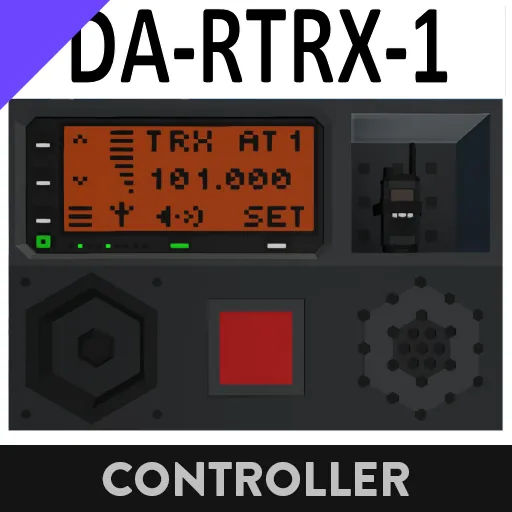
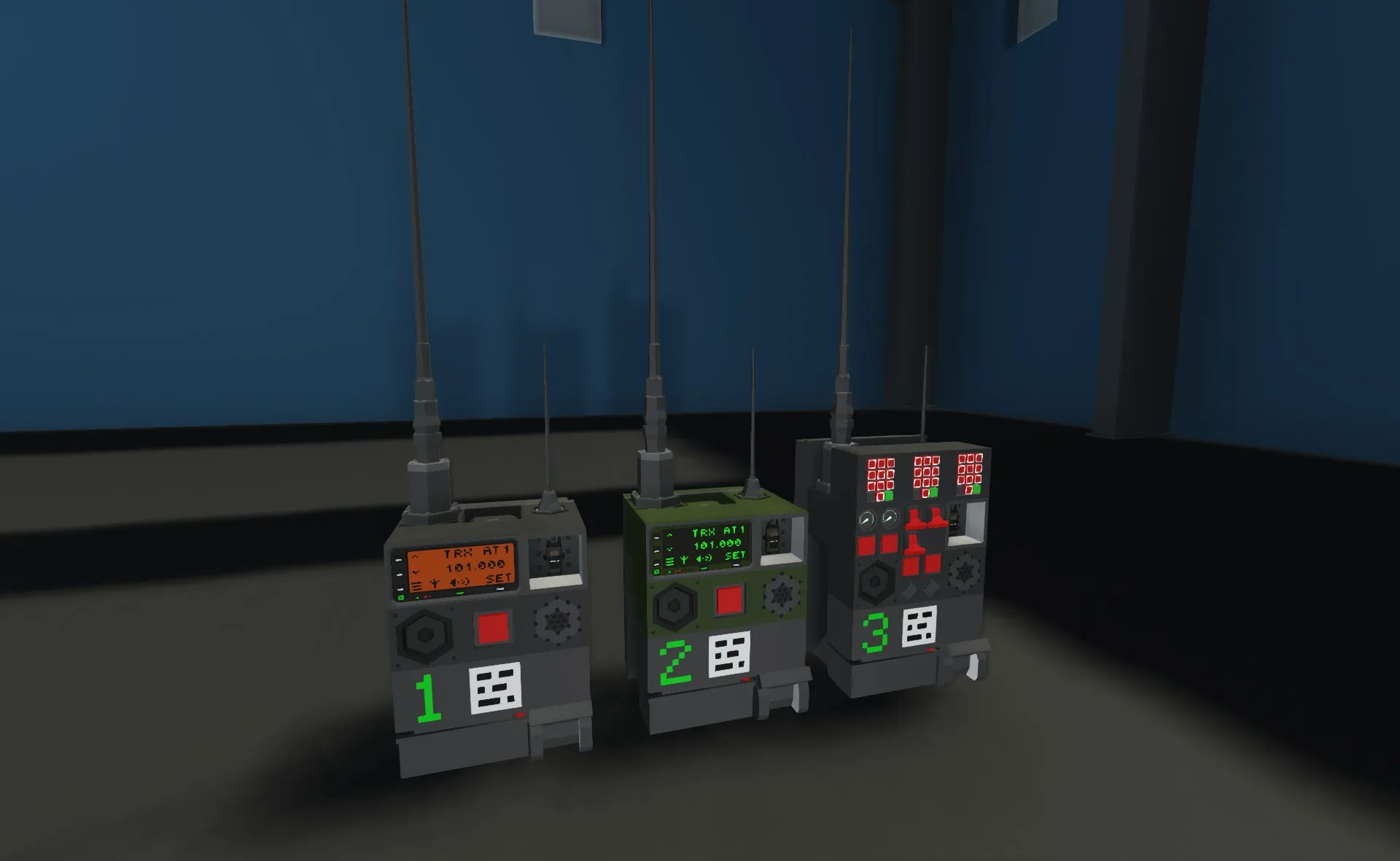
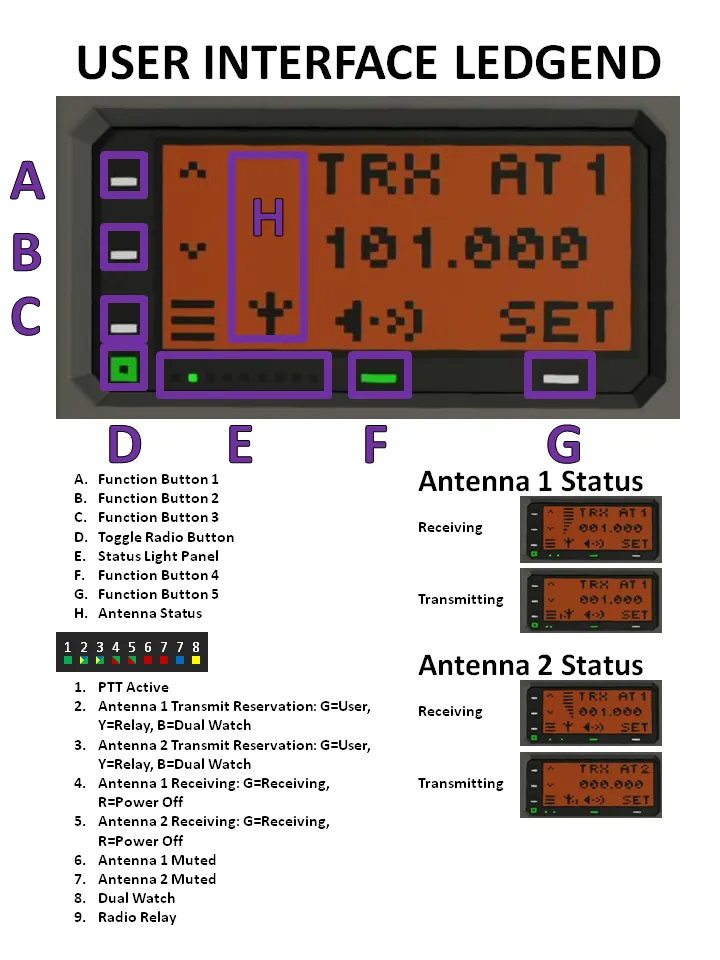
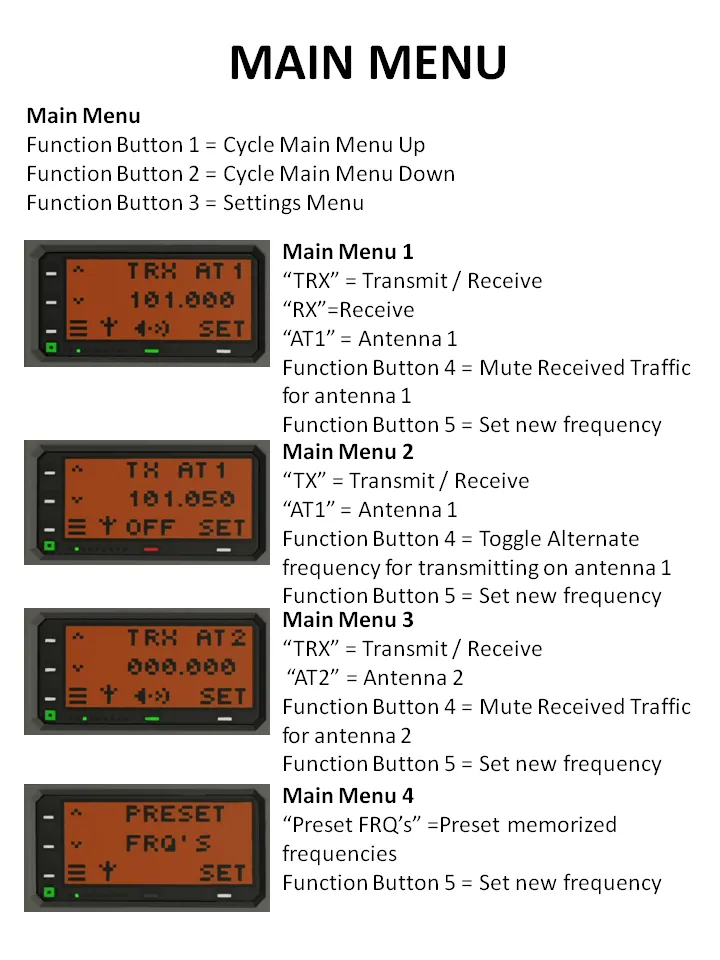
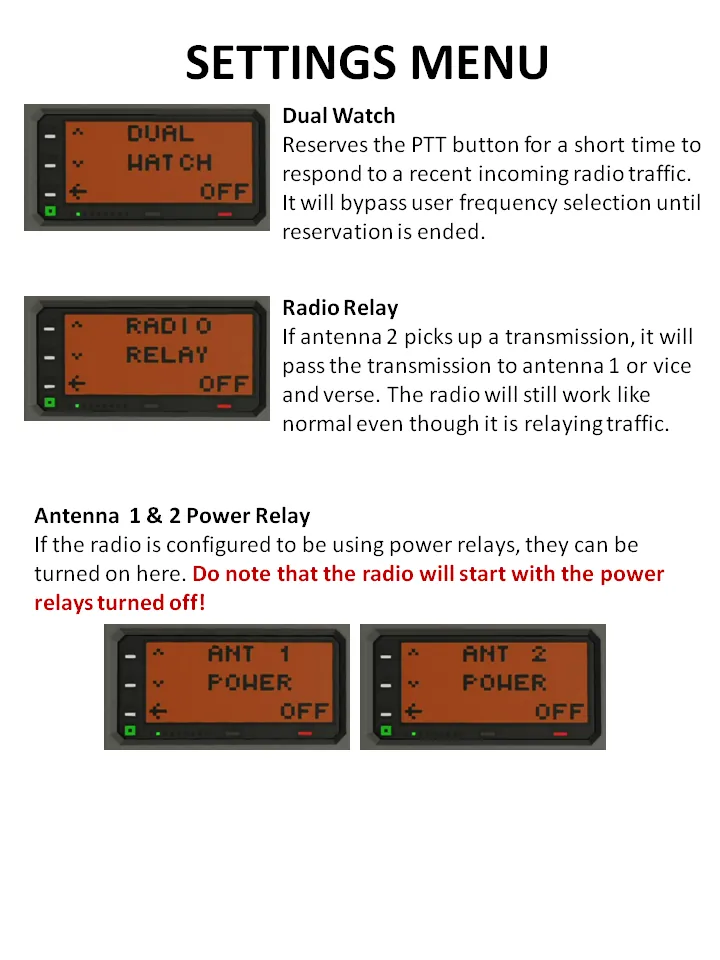
This is a radio transceiver that supports two antennas. It can use its two antennas to listen to two different frequencies the same time. It can relay traffic from one antenna to the other. This can allow you to hook up a walkie-talkie to your radio and have the radio work as an range extender.
Features:
[list]
[*] Can listen to traffic from two antennas
[*] Can send on one frequency while listening on another
[*] Can relay radio traffic coming from one antenna to another antenna
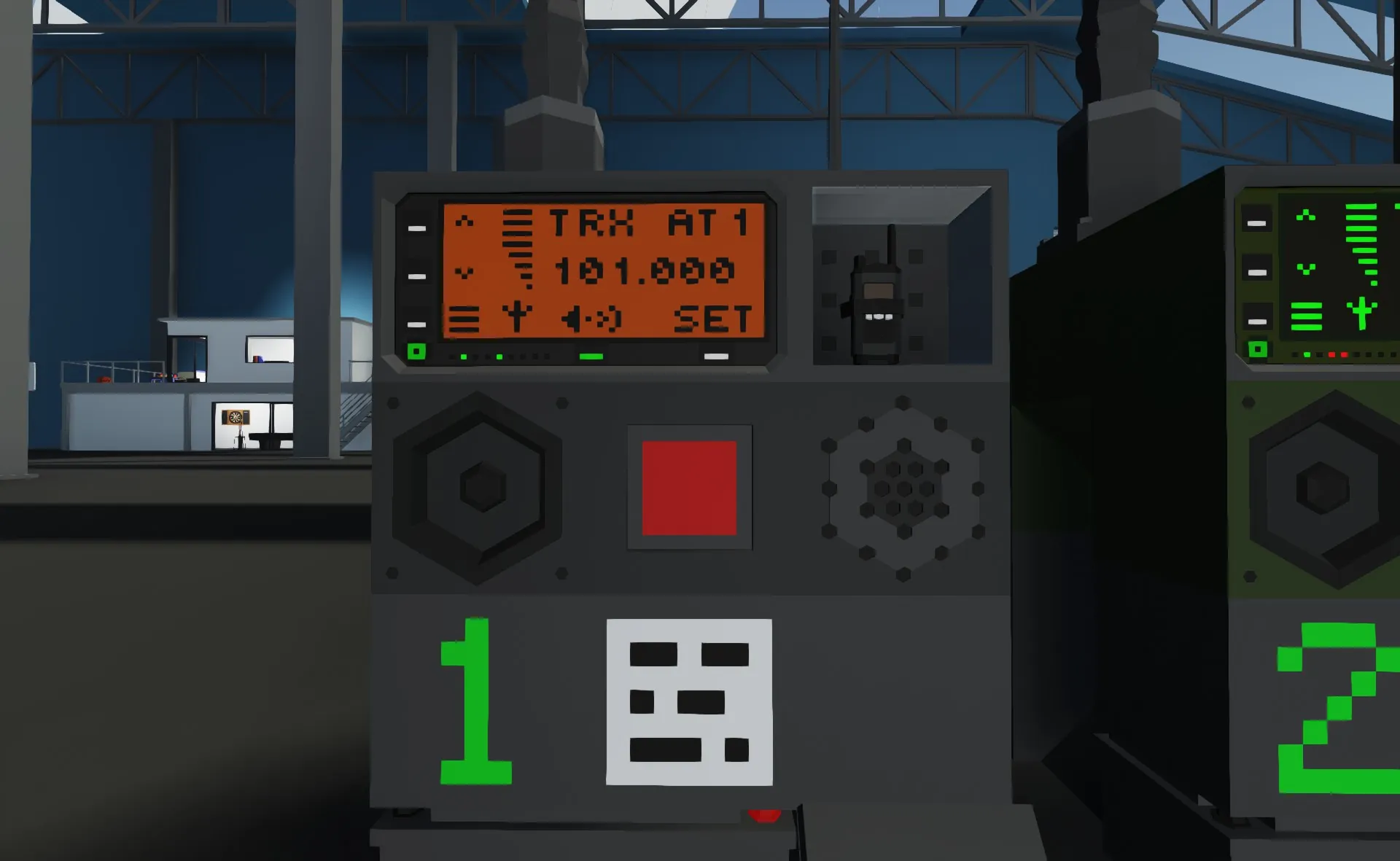
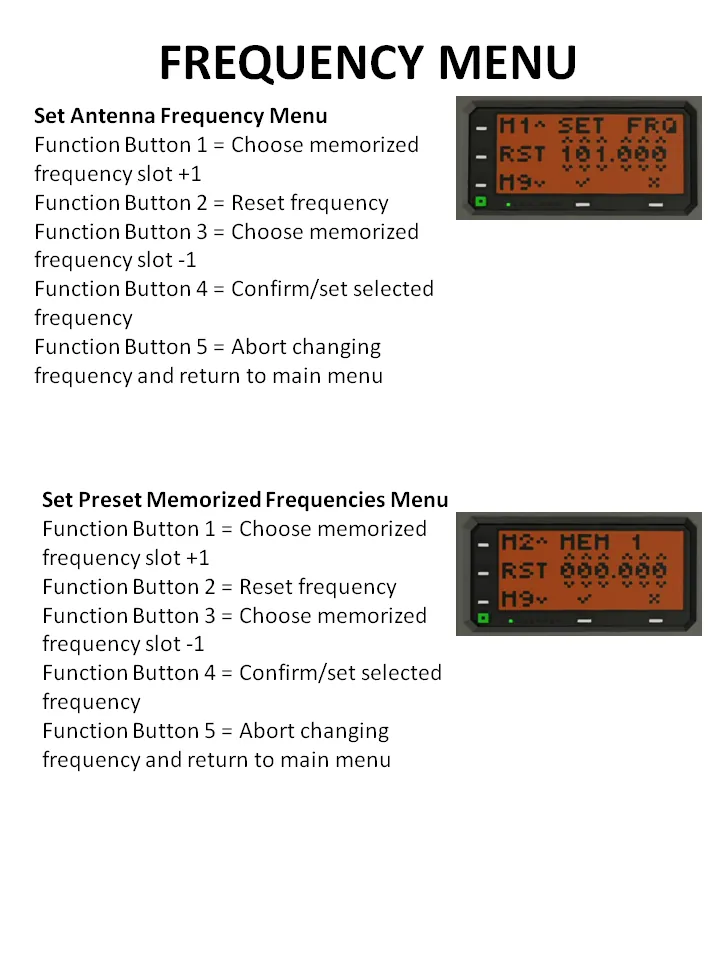
[*] Offers a Display UI to control its features
[*] Offers a control functionality via composite signals and some on/off
[*] Display compatibility: (Recommended)1x2, 1x3, 2x2, 2x3, 3x3, 5x3 & 9x5
[/list]
Input Output Nodes Legend:
[b]Required[/b]
[list]
[*] # Primary Antenna Frequency - Controls antenna frequency
[*] I/O Primary Antenna Transmit - Switch antenna to transmit
[*] # Primary Antenna Signal Strength - Required for radio relay and dual watch to work!
[*] Audio Primary Antenna Audio - In and Out for sound management and radio relay management
[*] # Secondary Antenna Frequency - Controls antenna frequency
[*] I/O Secondary Antenna Transmit - Switch antenna to transmit
[*] # Secondary Antenna Signal Strength - Required for radio relay and dual watch to work!
[*] Audio Secondary Antenna Audio - In and Out for sound management and radio relay management
[*] I/O Microphone - Turns on the microphones recording mode
[*] Audio Microphone - Records mic audio
[*] Audio Speaker - Plays incoming radio traffic
[list]
[*] Radio Controls
[list]
[*] Composite Display - Touch display controls
[*] Video Display - Displays the GUI for the radio controls
[/list]
Or
[list]
[*] # Set Primary Transmitt Frequency - Sets frequency if no display (Can be used paralleled with display too)
[*] # Set Primary Receive Frequency - Sets frequency if no display (Can be used paralleled with display too)
[*] # Set Secondary Antenna Frequency - Sets frequency if no display (Can be used paralleled with display too)
[*] Composite Instruments - Controls functions of the radio. (Can be used in conjunction with display or without)
[/list]
[/list]
[*] PTT (There is no way to control PTT with the display)
[list]
[*] I/O PTT (1) - Controls PTT
[*] Composite Instruments - Controls PTT
[/list]
[/list]
[b]Optional[/b]
[list]
[*] I/O Microphone - Is connected to the composite output for instrument
[*] I/O Speaker - Is connected to the composite output for instrument
[*] Antenna 1 & 2 Power Relay - Controls power relays for the separate antennas, should you want the display or instruments to control them.
[/list]
Microcontroller Configuration Panel Legend:
[list]
[*] Antenna 1 & 2 Power Relay Display Controls - Toggle on if you want the display have controls for power relays for the antennas in the settings menu
[*] Dual Watch Wait Time - The time the dual watch system will reserve the PTT button to respond to last incoming radio traffic
[*] Frame Color - Color for the frame holding the UI buttons
[*] Display Color - Background color for the LCD display
[*] Button Color - Color for the frame buttons
[*] Frame Details Color - Color for the frame around the LCD and the on/off button
[*] Text Color - Color for the LCD text
[*] Radio Start State - Can make the radio spawn with the LCD already started
[*] Input Operation - When using composite instrument signals. It controls if the system require a constant on signal or a push signal
[*] Input Channel Group - Sets the composite channel reservations for incoming data
[*] Output Channel Group - Sets the composite channel reservations for outgoing data
[/list]
Installation:
[list]
[*] Place the microcontroller on your build
[*] Edit the micro controller
[*] Move the nodes out of the Micro Controller white box that you do not need for your build and resize it to only contain the nodes you want.
[*] Update the micro controller with its new dimension and node changes
[*] Adjust the MC configuration panel to your preference.
[*] Connect all the nodes you chose to include (* are mandatory)
[*] Place down two antennas (for full functionality). Does not support "Radio RX Small"
[*] Make sure your display have power and is turned on.
[/list]
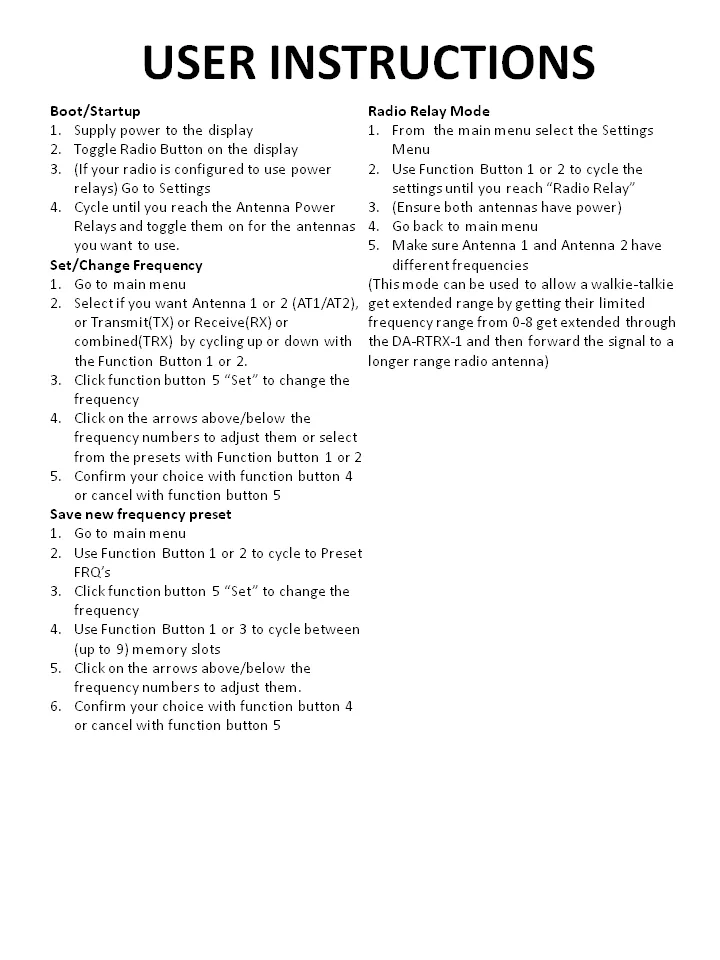
Manual:
[img]https://images.steamusercontent.com/ugc/11386600511335358064/171CD43BB892074B6CC9ACBAB4DF282436F06EB8/?imw=5000&imh=5000&ima=fit&impolicy=Letterbox&imcolor=%23000000&letterbox=false[/img]
[img]https://images.steamusercontent.com/ugc/10213191668642369203/222FED59965C2710C6DAE965A53C1041AF02AAE3/?imw=5000&imh=5000&ima=fit&impolicy=Letterbox&imcolor=%23000000&letterbox=false[/img]
[img]https://images.steamusercontent.com/ugc/14094088150194445308/1CE7CD3DFD520A72E7533C800946739AD92522DB/?imw=5000&imh=5000&ima=fit&impolicy=Letterbox&imcolor=%23000000&letterbox=false[/img]
[img]https://images.steamusercontent.com/ugc/17629298638174102775/988CD18CAF29DD008B83CEBF8E2E4D799B4F5518/?imw=5000&imh=5000&ima=fit&impolicy=Letterbox&imcolor=%23000000&letterbox=false[/img]
[img]https://images.steamusercontent.com/ugc/12285028415492229631/76FC598CC9C376B47FF9859F155103B2CBB7E0CB/?imw=5000&imh=5000&ima=fit&impolicy=Letterbox&imcolor=%23000000&letterbox=false[/img]
[img]https://images.steamusercontent.com/ugc/9346705448939003021/B3A0B9DFB9E4D556D1BB1A4EAA62B8B524C5BA56/?imw=5000&imh=5000&ima=fit&impolicy=Letterbox&imcolor=%23000000&letterbox=false[/img]
Planned Features:
[list]
[*]
[/list]
Known Issues:
[list]
[*]
[/list]