Jelly's Better Map Sizes [OCD Edition]
Updated + customized continuation of Madara Uchiha’s “Custom Map Sizes,” rebuilt for RimWorld 1.6 with quality-of-life polish and OCD-friendly presets.
What this mod does
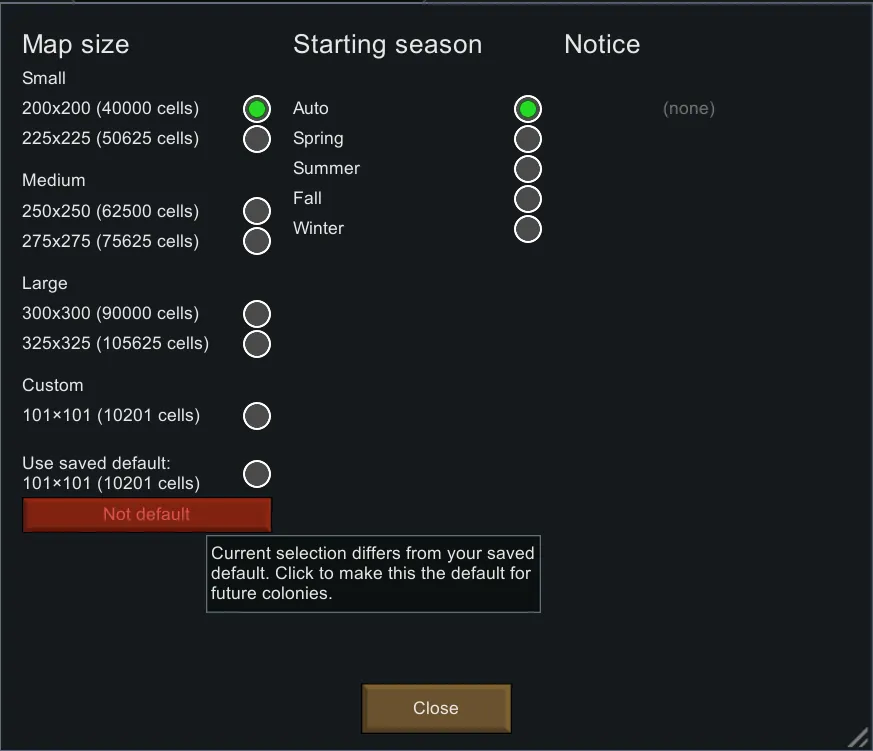
- Adds a clean, integrated Map size picker to the world’s Advanced menu (during “Create World”).
- Lets you set a Saved Default size once, then reuse it for new colonies with one click.
- Supports a true Custom size (separate width/height) with numeric inputs.
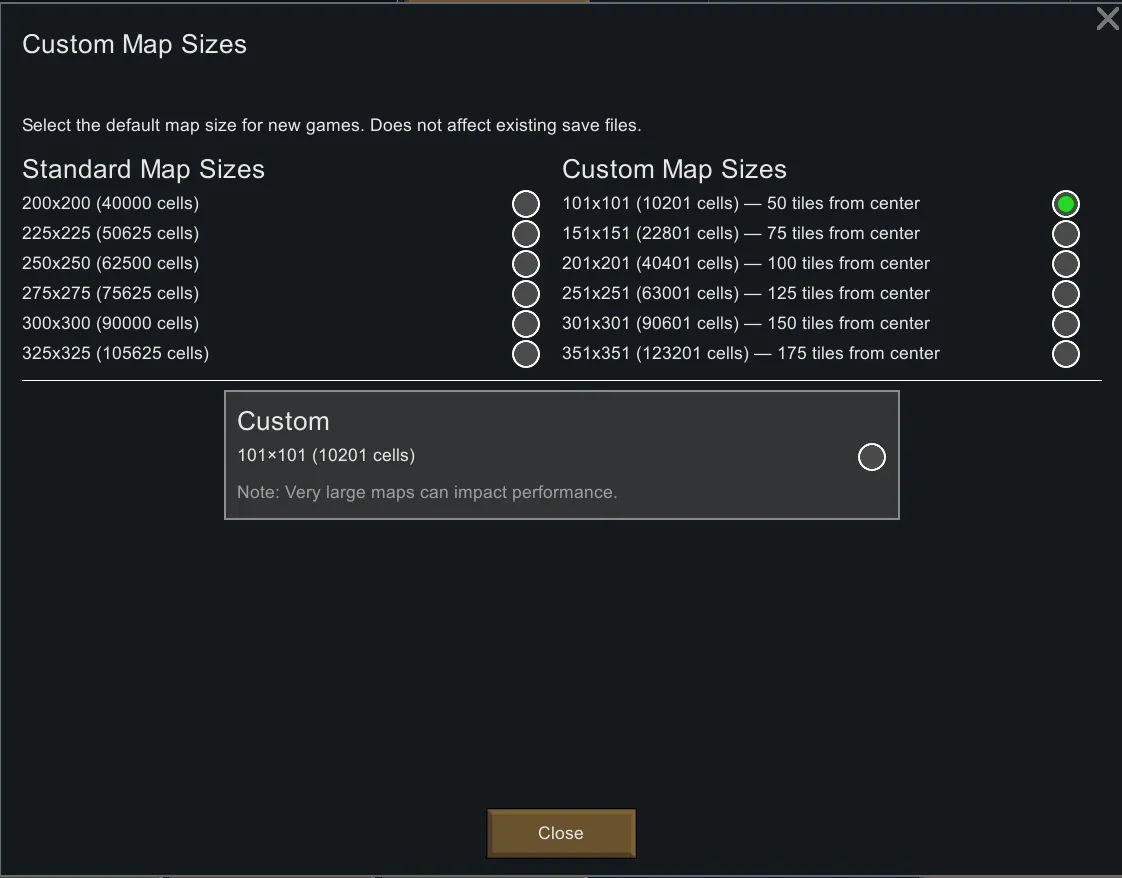
- Includes extra “OCD” presets: odd dimensions that are an even number of tiles from the center crosshair (e.g. 101×101 = 50 tiles, 151×151 = 75, 201×201 = 100, etc.).
- Smart UI polish: wrapped labels, a “Use saved default” radio, and a “Make default” button that turns red when your current choice isn’t saved yet (with tooltip).
How to use
- On the world screen, click Advanced → pick any preset, or select Custom and enter Width/Height.
- Click Use saved default to revert to your preferred size for this run.
- Click Make default to save your current selection for future colonies (no more forgetting to open Advanced).
- In Mod Settings → Custom Map Sizes, adjust your saved default anytime; includes the OCD presets and a centered Custom panel.
Compatibility
- Game version: RimWorld 1.6
- Required: Harmony
- Save-safe: Affects new map generation only; existing saves are unchanged.
- Incompatible with other map-size injectors:
- Better Map Sizes
- Better Map Sizes (Continued)
- Custom Map Generator Size
- Map Generation Size
- Ray’s Custom Map Sizes
- Real Ruins
Performance note
Bigger maps = more cells = more CPU, RAM, and pathfinding work. If you push beyond vanilla sizes, expect heavier colony ticks. Pick sizes that fit your machine and mod load.
FAQ
Why are some presets “odd” like 101×101?
They’re an even number of tiles from the center (50, 75, 100…), which makes symmetry and base planning feel perfect.
My Custom radio looks unselected—bug?
If your current Custom W×H matches the saved default, the UI highlights “Use saved default” instead (and hides inputs). Change a value and the Custom radio will highlight again.
I picked a size in Mod Settings but the game used another size.
Your choice in the Advanced panel wins for that run. Click Make default to update the saved default for next time.
Credits
- Original concept/inspiration: Madara Uchiha — Custom Map Sizes
- 1.6 update, UI/UX refresh, OCD presets, saved-default workflow: Jellypowered
- Powered by Harmony
Translations
English included. PRs welcome.[github.com]
Bugs & suggestions
Logs!
I've created a Jelly's Mods[discord.gg] Discord server as well.