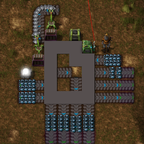
fixed modular storage v1
Guide
It is prefered to create a big stockpile from the tiles first, and later add the controller, since this will scan the stockpile for its connected blocks.
When adding/removing a tile after a stockpile is placed, the whole stockpile will be rechecked for connected tiles, which can be a issue for performance.
You can add an inventory panel to know what is actually stored inside the stockpile and use that in the circuit network.
To set the output items:
Hover over a belt while holding the item you want to output and press ALT + Q to set lane 1 and ALT + E to set lane 2
The lanes can be cleared by pressing the key-bind with an empty cursor
To set the interfaces:
By default the interface will work as an input. To set output items, hover over it while holding the item you want to set and press ALT + W, this will add one stack of that item to the interface when available.
Pressing ALT + W multiple times will add that item again until all slots will have an item set.
Pressing the key-bind with an empty cursor will remove the last item that is set from the interface filter. Note: it will not remove it from the interface itself.
Note keybinds for A/Q and Z/W are swapped by default by factorio when using an AZERTY keyboard.