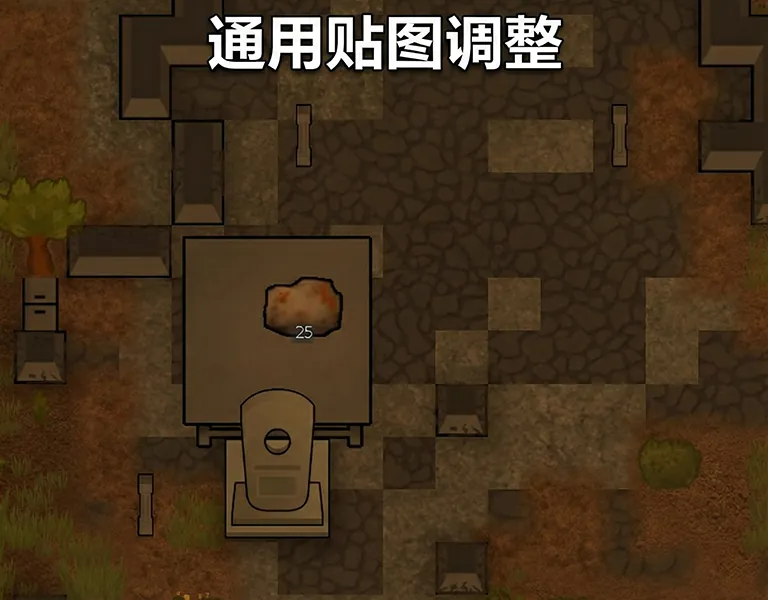
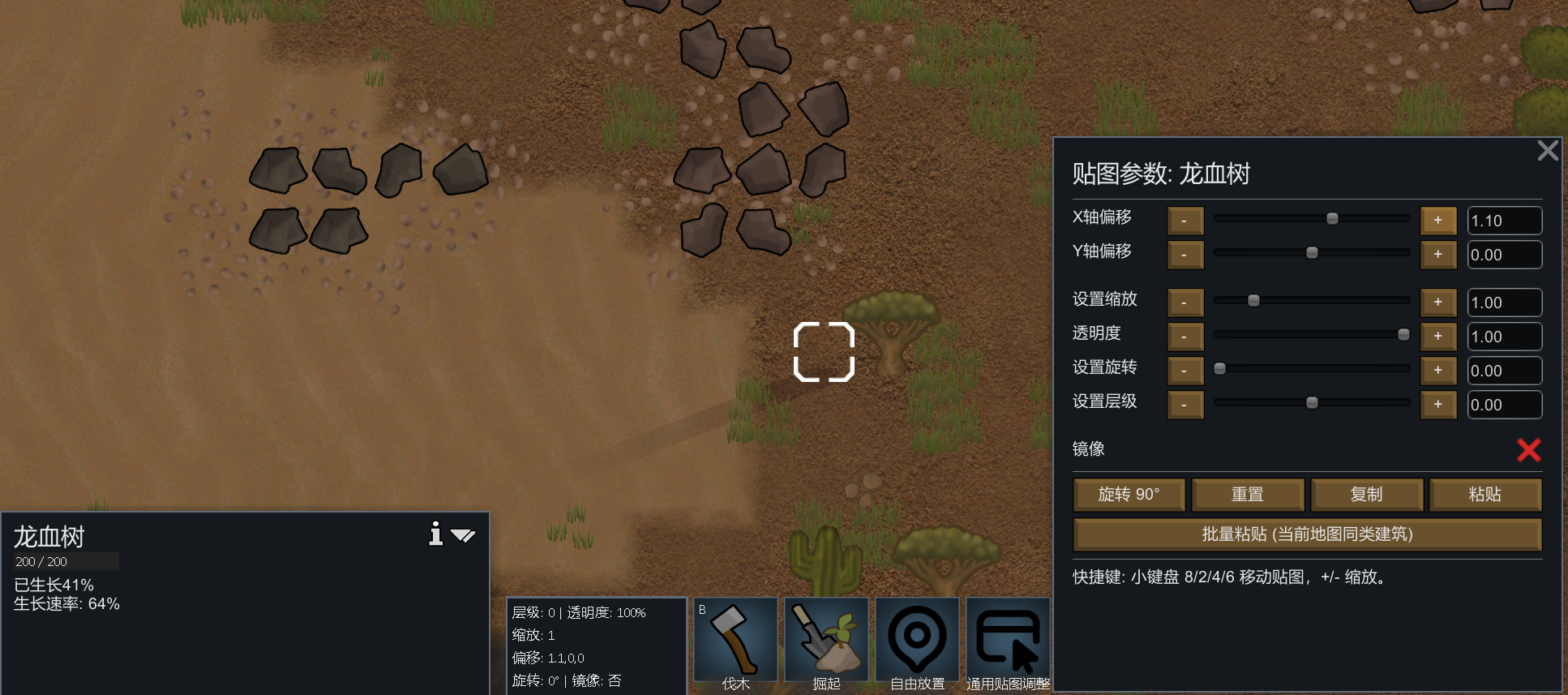
Allows adjusting the texture position and scale of buildings and furniture.
Features:
- Move textures Up/Down/Left/Right
- Scale textures Up/Down
- Per-building persistent settings
- Vanilla Wall excluded by default
Update Log: 2026/2/16
Based on feedback, I have added higher-level option buttons, which can display the current level's UI panel, as well as functions for manually inputting the level and copying/pasting the level.
Update Log: 2026/2/18
Based on feedback, new functions of adjusting transparency, rotating, customizing rotation, and mirroring have been added. Currently, the mirroring function is only applicable to monuments.
Update Log: 2026/2/19
Through continuous efforts, the mirror function has finally been implemented. Moreover, the textures after rotation can also utilize the mirror function, and the UI panel has been optimized.
Update Log: 2026/2/20
Now, the storage boxes under the Adaptive-Storage-Framework framework can also have their textures adjusted!
Update Log: 2026/2/28
Due to the varying needs of different players, this update has added the function of wall offset. In the MOD settings, it is set to be disabled by default.
Update Log: 2026/3/4
Due to the varying needs of different players, this update has added the function of displaying the Gizmo UI permanently. In the MOD settings, it is defaulted to be turned off.
Update Log: 2026/3/8
Due to the varying needs of different players, this time the function of batch pasting has been added to the MOD settings switch.
Update Log: 2026/3/22
Feedback received. The issue where the custom setting offset function only supported the X-axis has been fixed. Now support for XYZ is available.
Update Log: 2026/4/27
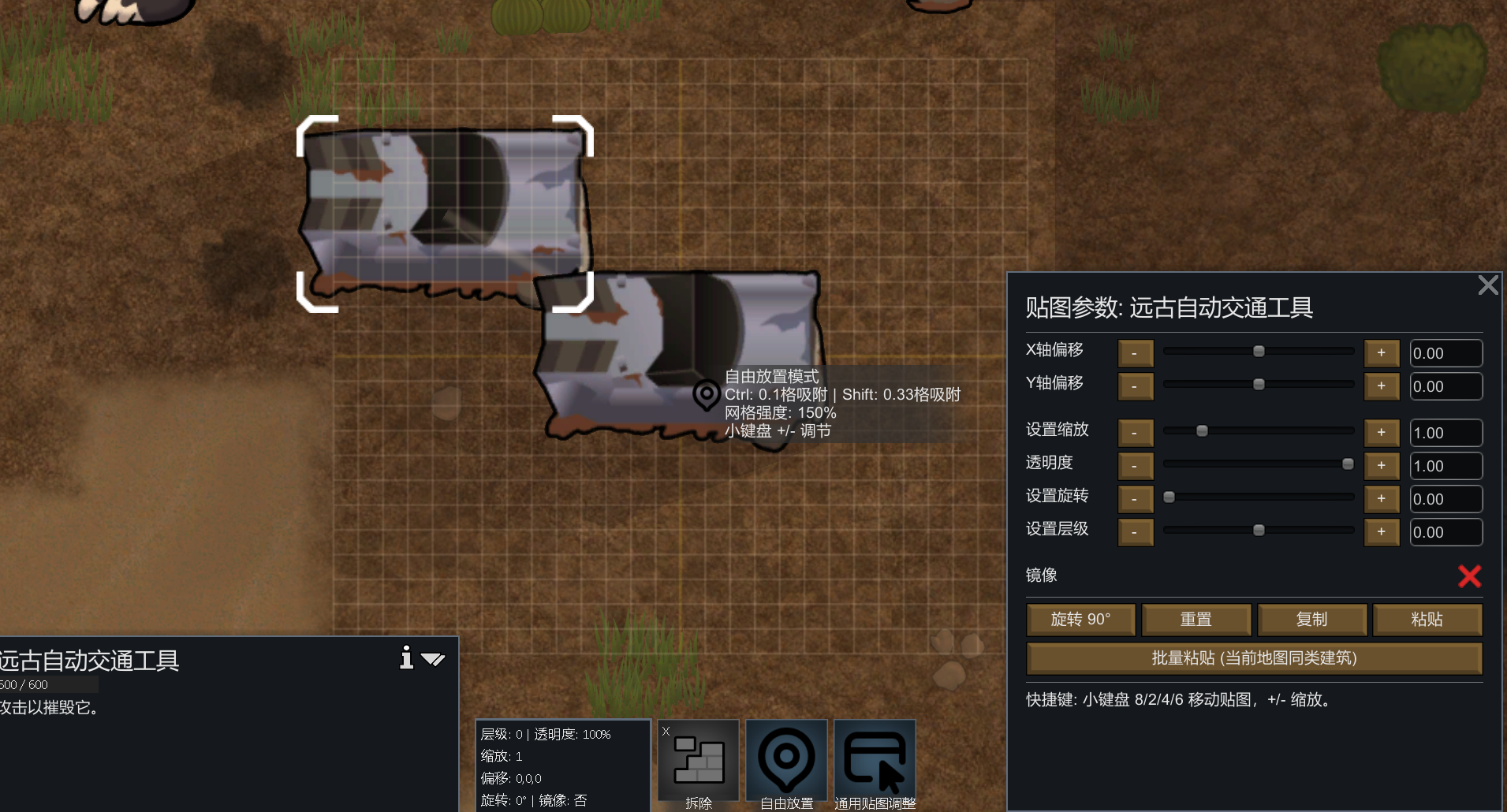
This time, the function of custom placement has been updated! At each building/furniture, you can freely place the textures.
The key-click alignment function makes alignment a breeze: Press the [Ctrl] key: Enable the 0.1 grid fine-tuning mode. The texture will be locked onto 10*10 miniature grid points. Press the [Shift] key: Enable the 0.33 grid quick alignment. Divide the grid into three equal parts, which is suitable for quickly placing furniture at the side or visual center of the grid.
Local update
When the final displacement is applied, only the redrawing of this local area is triggered.
Update Log: 2026/4/30
The buttons have been updated and optimized. Now, clicking on the texture adjustment will open a panel. This makes it convenient for adjustment. In the free placement mode, a transparent grid of 9*9 and 3*3 has been newly displayed. In the free placement mode, the interaction logic has been added: the QE key for zooming in and out, the R key for selection, and the small keyboard for adjusting the transparency of the grid.
Update Log: 2026/5/5
The UI icons have been updated and unified, and the issue of the input number panel not updating properly has been fixed.
The compatibility of Odyssey (new map/switching maps) is still under exploration.
Update Log: 2026/5/5
Based on feedback, adjustments have been made to the compatibility of Odyssey (new map/switch map):
1. Automatic save: After taking off from the Odyssey ship to a new map, the offset will be completely retained after this update.
2. Manual: I have also added a button for manually saving cross-map configurations, which is located in the general texture adjustment panel. The MOD settings can also be toggled. By default, it is turned off to prevent accidental activation. If you are a city-building player, you can use it as a regular save/load function.
Principle: Before taking off from the ship, I will first generate a JSON configuration file and read it upon landing.
Update Log: 2026/5/13
Based on feedback, a total switch has been added to the MOD settings. It is set to be enabled by default. The button for adjusting the textures will only be displayed after this switch is turned on.
Update Log: 2026/5/19
Based on feedback, the issue where the scaffold still had a black background after moving within The Dead Man's Switch - Exosuit Framework has been fixed.
Update Log: 2026/5/22
Based on feedback, the performance has been further optimized.
We are extremely grateful to Teacher Zhi for providing the code guidance!
Is it compatible with CE?
Compatible with Character Editor and Core, and also compatible with Celetech.
Uniform response:
Performance aspect: Mainly uses local updates
When the final application of displacement occurs, only the redrawing of this local area is triggered, and the entire map will not be redrew and rendered.
Compatibility: Follows the common rendering chain of the original RimWorld. Most of the buildings, plants, and walls that are normally drawn in the original version can be adjusted; if a certain mod has rewritten an entire private drawing process by itself, it may not be compatible.
The code principle is actually two steps. The first step is that the mod will attach a patch at the common drawing entry of the original version, and first determine whether this object has saved the texture adjustment data. The second step is that if there is, during the actual drawing process, these parameters such as offset, scaling, rotation, and mirroring will be temporarily added to the drawing matrix, allowing the game to directly draw the "adjusted result".
So it doesn't create a new object separately, nor does it maintain a dynamic effect in the background all the time. Instead, "when drawing an object, just draw it according to the adjusted parameters." After modifying one object, only the relevant mesh of that object needs to be redrawn, not the entire image.
This MOD is available in both simplified Chinese and English.