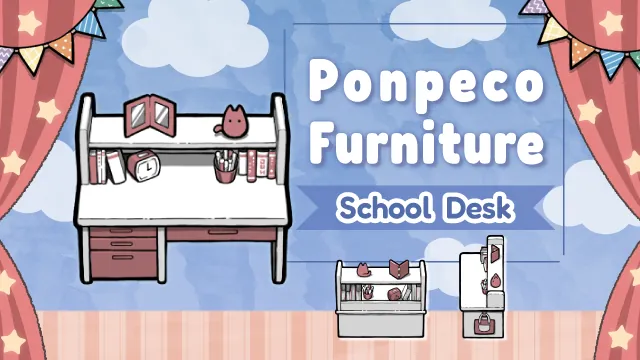
This mod retextures the school desk.
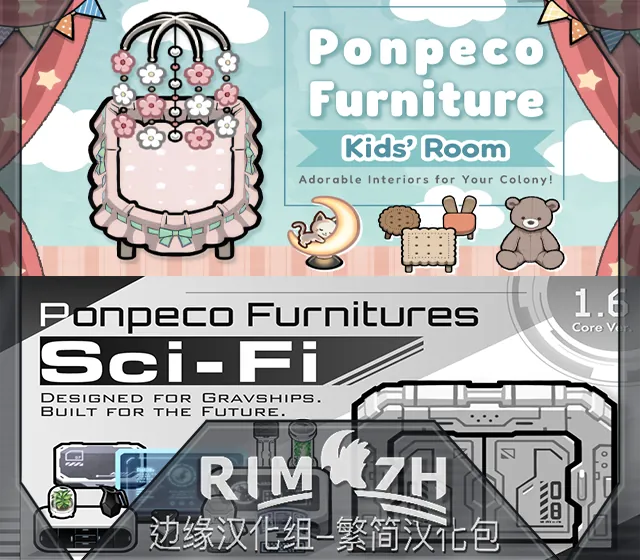
It retextures the school desk in the same whimsical style as Ponpeco Furnitures: Kids' Room.
https://steamcommunity.com/sharedfiles/filedetails/?id=3367310887
[Update Announcement]
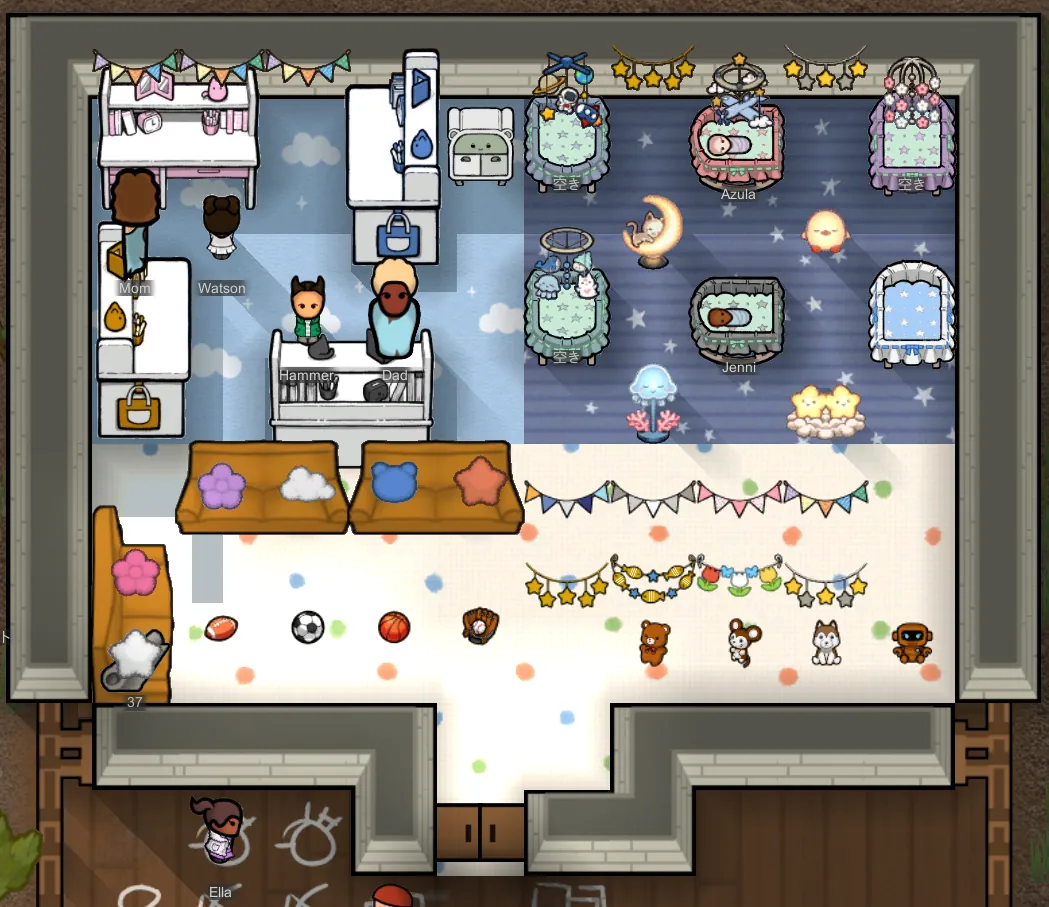
As of the 2025/01/01 update, if you have the Style Change Anytime mod enabled, you can now choose from five different textures for the study desk, including the vanilla version. Additionally, it is possible to place desks with different textures at the same time.

If Style Change Anytime is not enabled, this mod will continue to function as a simple retexture mod, replacing the vanilla study desk texture.
Style Change Anytime
https://steamcommunity.com/sharedfiles/filedetails/?id=2880145066
Note: This feature was implemented with valuable feedback from Furia. Thank you so much!
[Load Order]
Mods that retexture textures prioritize those listed lower in the load order.
If you have other mods that apply textures to multiple items at once, please place this mod lower in the load order than those mods.
Examples of mods that include textures for the school desk:
Vanilla Textures Expanded
AI Upscaled Textures - Core
Ratkin Lifestyle+
To ensure proper display, load this mod below these mods if you have them installed.
(There may be other mods retexturing the school desk that are not listed here.)
【Why is this a retexture instead of a new item?】
Unfortunately, the school desk cannot be added as a new item using XML alone.
Adding it as a separate item requires knowledge of Harmony, a skill I currently don’t possess.
For now, I’ve opted for a retexture format as a temporary solution.
One day, when I’ve learned how to use Harmony, I’d love to integrate the school desk into Ponpeco Furnitures: Kids' Room!
【Why is the school desk in a separate mod?】
I realized that retexturing items with a strong, distinctive design might feel inconvenient for some users.
So, I thought, “Wouldn’t it be better to let users decide whether or not to use it?”
This is the solution I came up with to offer more flexibility!
Usage Guidelines
 This MOD is distributed under the Creative Commons Attribution-NonCommercial-NoDerivatives 4.0 International License (CC BY-NC-ND 4.0)[creativecommons.org].
※ Redistribution, commercial use, or reuse of the MOD or its assets (including for use in other MODs, other games, or AI training) is prohibited unless you have received explicit permission from the author.
※ You are free to use this MOD in screenshots and videos, including monetized content. Credit is not required but always appreciated.
 [ko-fi.com]
============================
The text below is in Japanese before machine translation.
============================
学習机をリテクスチャするMODです。
「Ponpeco Furnitures : Kids' Room」と同じテイストで、学習机のテクスチャを上書きします。
https://steamcommunity.com/sharedfiles/filedetails/?id=3367310887
【お知らせ】
2025/01/01の更新により、Style Change Anytimeさんがオンの環境では、学習机のテクスチャをバニラも含めて5種類から選べるようになりました。
同時に異なるテクスチャを配置可能です。
オフの環境ではこれまで通り、バニラの学習机テクスチャを上書きするシンプルなリテクスチャMODです。
サムネイルに使用しているテクスチャが適応されます。
Style Change Anytime
https://steamcommunity.com/sharedfiles/filedetails/?id=2880145066
※この機能を実装するにあたり、Furiaさんからいただいたご意見を参考にさせていただきました。
誠にありがとうございます!
【MOD読み込み順】
テクスチャを変更するMODは、ロード順で下にあるMODほど優先されます。
複数のアイテムを一括でリテクスチャするMODを導入されている場合は、それらよりもこのMODを下に配置してください。
学習机のテクスチャを含むMODの例として、以下のものが挙げられます
Vanilla Textures Expanded
AI Upscaled Textures - Core
Ratkin Lifestyle+
これらを使用している場合、このMODをそれらよりも下に配置することで正常に表示されるはずです。
(なお、他にも学習机をリテクスチャするMODが存在するかもしれません。もしもご存知の方はコメント欄で教えていただけると嬉しいです!)
【どうして新規アイテム追加ではなくリテクスチャ形式?】
学習机の機能を持った家具を新たに別アイテムとして追加するためには、Harmonyの知識が必要ですが、作者には現在そのスキルがありません。
そのため、バニラ学習机のテクスチャだけを上書きする、リテクスチャ形式をとらせていただきました。
いつかHarmonyの使い方を覚えて、「Ponpeco Furnitures : Kids' Room」に統合したいと考えています!
【なぜ学習机を別MODに分けたの?】
デザインに癖のあるアイテムをリテクスチャしてしまうと、ユーザーさんの中には不便に感じる方がいるかもしれません。
そこで、「ユーザーさんの好みに合わせて選べる形にすればいい!」と考え、この方法を採用しました。
ご利用ガイドライン
このMODは クリエイティブ・コモンズ 表示 - 非営利 - 改変禁止 4.0 国際(CC BY-NC-ND 4.0)[creativecommons.org] のもとで配布されています。
※MOD本体およびアセットの再配布・販売・再利用(他MOD、他ゲーム、AI学習等を含む)は、明示的な許可がない限り禁止です。
※スクリーンショットや動画での利用・収益化は自由です(クレジット表記は任意ですが、記載していただけると嬉しいです)。