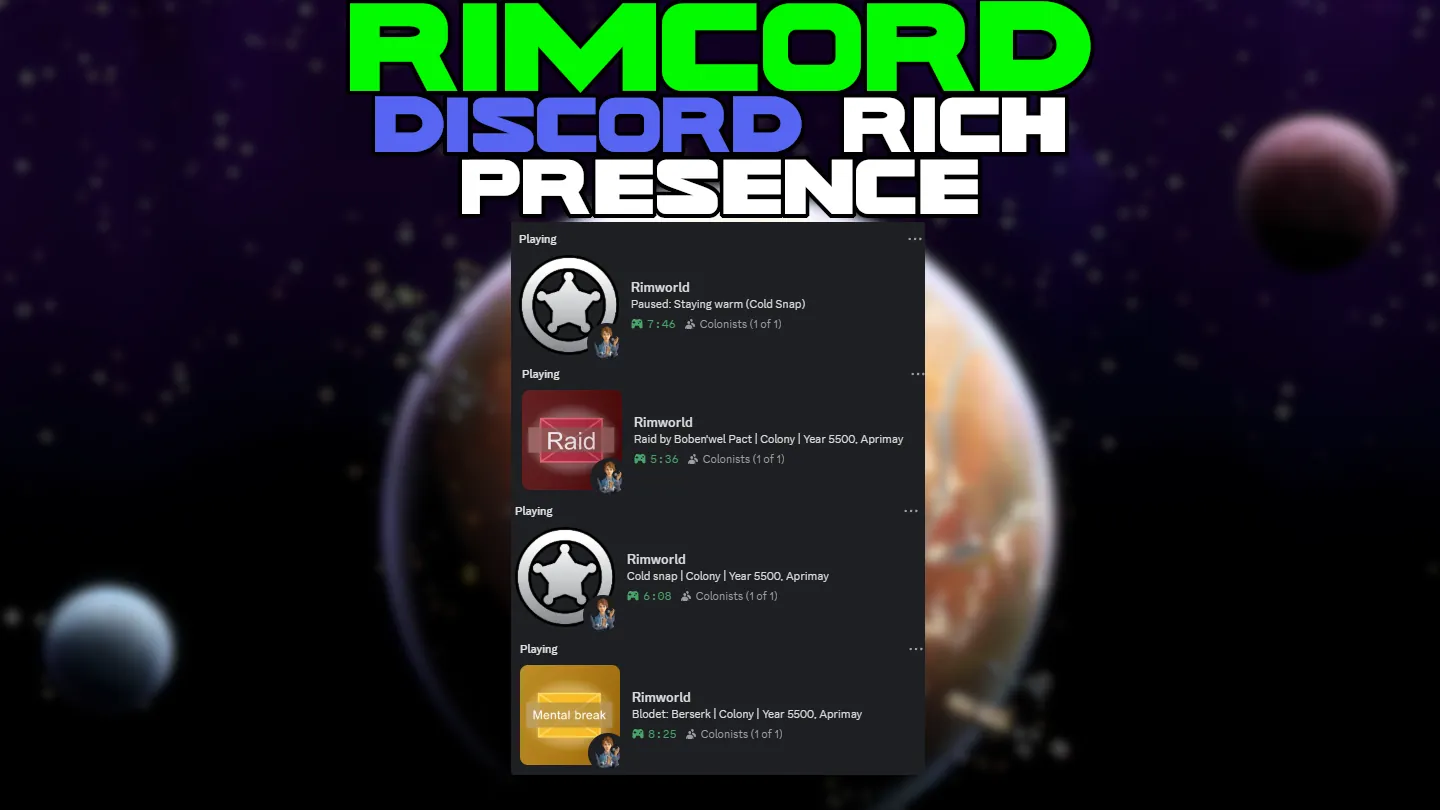
Show off your colony on Discord. Your friends can see what colony you are running, how many colonists you have, and when major colony events happen.
Discord is limited to one presence update every 15 seconds. If multiple events occur within that window, the most recent event will be shown.
Features
Colony Status
Shows your colony name, current year, quadrum, biome, storyteller icon, and colonist count in Discord.
Colonist Count
Shows your current colonists as Discord party size.
Brief Letter Events
Vanilla and modded letters can update presence with short event text.
Threat and Event Context
Raids, mental breaks, game conditions, and other letters can update your status. Letter events, threat alerts, and game conditions can be toggled separately.
Pause Context
If the game stays paused for about 1 minute, Discord can show what is happening, such as:
- Paused: Planning counter-attack
- Paused: Val is Berserk
- Paused: Haggling with orbital traders
- Paused: Frozen wasteland
Main Menu Status
Shows Main Menu with the current active mod count.
Custom Button
Adds one optional Discord button with your own label and HTTPS URL.
Settings
Find them in Options > Mod Settings > RimCord
You can toggle what shows up in your status:
- Colony name
- Colonist count (shows as party size)
- Biome
- Storyteller icon
- Letter events
- Threat alerts (raids + mental breaks)
- Game conditions
- Custom button label and HTTPS URL
Troubleshooting
Nothing showing up?
Make sure Discord desktop app is running. The browser version does not support Rich Presence.
Status stuck after closing the game?
Press Ctrl+R in Discord to refresh.
Colonist count looks stale?
Leave the colony running for about a minute. RimCord refreshes the count regularly while you play.
Can't see my own button?
That is normal. Discord hides buttons from yourself. Other people can still see it.
Languages
Included languages:
- English
- German
- Spanish
- French
- Italian
- Polish
- Portuguese
- Russian
- Chinese
- Japanese
- Korean
Non-English translations are generated with DeepL. If you want to help improve them, corrections are welcome through GitHub issues or pull requests.
Report Issues[github.com] | Source Code on GitHub[github.com]