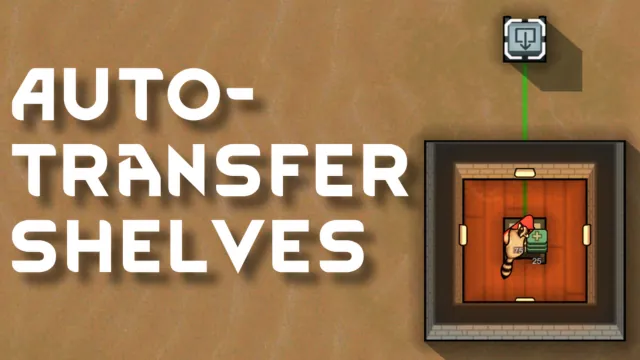
Introduces two new items: the Sender Shelf and the Receiver Shelf, which allow automatic item transfer. When powered and linked, items put into a Sender Shelf are automatically transferred to its linked Receiver Shelf.

Mechanics
Construction (both shelves require):
- Materials: 50 Steel, 3 Components, and 1 Advanced Component.
- Research: Unlocks after completing Complex Furniture and Microelectronics.
- Can be built from the Furniture tab.
Setup
- Build at least one Sender Shelf and one Receiver Shelf.
- Ensure both are connected to a power grid. Each consumes 150W (with the sender shelf power consumption scaled for distance from receiver shelf).
- Select the Sender Shelf, click “Link Receiver Shelf”, and choose a Receiver Shelf to create the link.
Making It Work
- Ensure storage settings on the Receiver Shelf allow the items being sent.
- The Receiver Shelf must have enough space to store incoming items.
- You can toggle auto-transfer or unlink shelves at any time via the Sender Shelf’s menu.
- You can toggle to allow 'overflow' to allow items to spill from the receiver shelf when it is full. Overflow items will be placed near the shelf. The default state is to not allow for overflow.
- Both shelves must be powered. Power consumption scales with the distance between the sender shelf and the receiver shelf. For every unit of distance, the sender shelf requires 5 additional power. Both the sender and receiver shelves have a base power consumption of 150 W. Note that only the sender shelf's power consumption scales with distance; the receiver shelf's power consumption remains constant.
Visual Indicators
- A green line will appear between linked shelves, showing the connection.
- Unlinked shelves display an icon to indicate they need linking or power.
- A visual mote effect appears whenever the sender shelf transmits an item and whenever the receiver shelf receives an item.

USE CASES
Locking pawns in doorless rooms? That was your idea, not mine.
 *This gif was created before the update that added the visual mote effect for sending and receiving items.
- Automate the kitchen to dump slop straight into the prisoners’ cells. Why waste your colonists's time on those ungrateful SOBs?
- Got a drug-addict artist? Brick them in with a tailoring bench and refill their stash of yayo with your auto-transfer shelves; they’ll churn out masterpieces right up until they faceplant into the loom.
- Toss a bed in the kitchen, throw down some sender and receiver shelves, seal the doors, and let your chef live in blissful ignorance of who’s eating or why—they’ll think the world starts and ends at their cutting board.
Compatibility
- Game Version: RimWorld 1.5+.
- Mod Conflicts: None known. If it steps on any toes, let us know in the comments!
Credits & Disclaimer
- Contributions: Thanks to the RimWorld community for feature suggestions and balance tweaks.
- This mod is fan-made and not affiliated with Ludeon Studios.
Thank you for supporting Auto-Transfer Shelves. May your colonies thrive! ⚡