LogisticRequestManager
A factorio mod for managing logistic request presets.
Original Mod by Goalie: Logistic-Request-Manager
I was asked to re-upload the mod with my fixes for the original mod to have the download available ingame, so here it is.
Credits and my thanks go to Goalie for the original mod!
What does it do?
The mod offers the possibility to save or load presets of logistic requests.
It is also possible to request all items required to build a given blueprint.
Saved presets can be exported as strings (similar to blueprints) and exchanged or re-imported.
This function is compatible with serveral other mods, for example Personal Logistics Import/Export
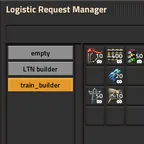
Access to the GUI is available via the logistic bot icon in the top-left of the screen or a short-cut, once personal logistics is researched:

Version 0.18.x only
- Requests to chests can only contain 30 different item-types.
Therefor presets that contain more than 30 different item-types will be rejected.
If the limit is not exceeded, but the requests are spread out over more than the first 30 slots all empty slots will be ignored and the requests will be squished together.
Version 1.1.x only
- Vehicles as the spidertron can be used in the same way as the player-character.
Configuration
A few things can be configured:
user-specific settings:
character as default target
 This setting allows to interact with the character when no other entity that supports logistic requests is open. It can be changed anytime.
force GUI creation
 This setting enforces the creation of the GUI. CAN be done by command as well.
hide toggle button
 This setting hides the toggle button:

creat default presets:
 This setting allows to disable the default-preset 'clear all'. Disabling this can improve the startup of the map. Only relevant on player creation or when loading a game where LRM was active in quite an old version.
 This setting allows to disable the default-preset 'keep all'. Disabling this can improve the startup of the map. Only relevant on player creation or when loading a game where LRM was active in quite an old version.
allow constant combinators as target
 This setting allows to interact with constant combinators similar to chests. This allows to push requests into the logic circuitry.
append added requests at the end
 If this is enabled, requets that are added to existing ones will be created in a new line after the last existing request if no existing request can be extended.
Otherwise new requests will be squeezed in wherever possible.
always add requests from blueprints to existing requests
 If this setting is enabled blueprints will not overwrite existing requests regardless of the corresponding modifier settings below.
create unlimited requests from blueprints
 If this is enabled, blueprint requets will be created with an unlimited request if added to player or vehicles as the spidertron.
Otherwise the modifier-setting for unlimited chets below will be used.
modifier to add requests to existing requets
 This setting allows to add new requests to existing ones instead of overwriting them.
modifier to save requests from chests with unlimited max
 By default requests from entities with only one setting for requests will be limited to that value.
This modifier allows to change this limit to infinity.
modifier to round up requests to their stacksize
 This modifier allows to round up requests to their stacksize. If the request happens to be configured at a multiple of its stacksize it is not changed.
GUI: slot updates per tick

Warning when saving large presets

user-control / hot-keys:
toggle the GUI:
 This shortcut opens or closes the whole GUI.
close the GUI:
This one is linked to the 'toggle-menu' hotkey and cannot be changed.
How to
For this How-To it is assumed that the player-character is NOT configured as default-target.
In each part of the How-To another entity is used as interaction target (character, requester & buffer chest, spidertron). All these interactions can be done with each of these entities - as far as available in-game.
First time opening the GUI
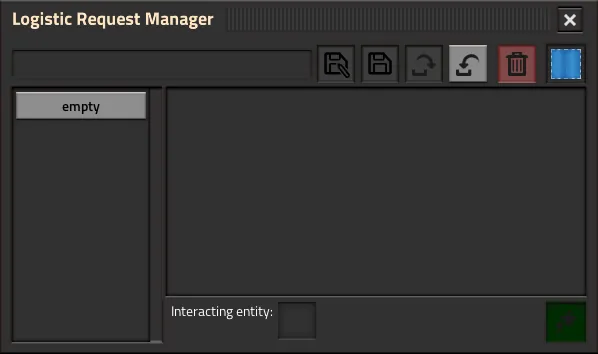
- Once you open the GUI for the first time, all you will see is a frame with some buttons, and - depending on the settings - up to three presets you can select:
- The empty preset will simply remove all requests from the target.
- The clear all preset configures requests with an auto-trash limit of zero for every normal item in the game but such with an inventory (armors, spidertron and such). Those will not be auto-trashed at all.
- The keep all preset configures requests for all items with a minimum of 0 and an infinit maximum, so that nothing will be delivered.
- Depending on whether an entity that supports logistic requests is opened or the player-character is configured as default target in the settings some buttons may be disabled or not.
- The current target for interactions with the GUI is shown in the bottom-middle of the frame.

Creating the first preset
- Have the GUI open.
- Open the player-character and configure some requests that you want to reuse.
- Enter a suitable name into the textbox.
- Click onto the button next to the textbox - the one with the disk-with-pen icon to save the requests as a new preset.
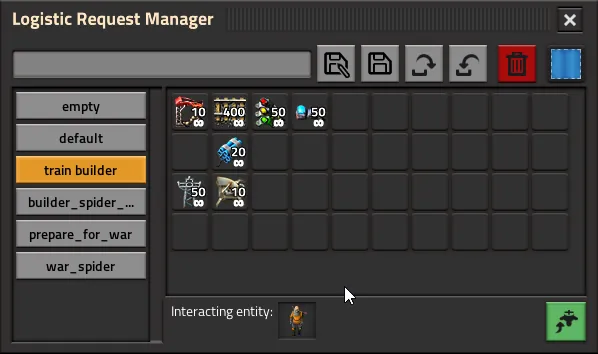
- The new preset is displayed in the GUI.

To export a preset as encoded string
- Have the mods GUI open.
- Chose the preset to export.
- Click the button with the arrow pointing out of the basket.
- A new part of the GUI opens.
- Copy the string from that textbox and save it somewhere or give it to a friend.

To import a preset from an encoded string
- Have the mods GUI open.
- Chose the preset to export.
- Click the button with the arrow pointing into the basket.
- A new part of the GUI opens.
- Copy your encoded string into the textbox and klick the OK-button.
- The right frame changes to a preview of the preset in the imported string.
- NOTE: If the imported preset contains requests for items that are not present in the game due to missing mods or some other reason, these items are replaced by a dummy (red X in the gif) in the GUI. They will be ignored when applying a preset until the mod they originated in is loaded.
- If the string originated in an LRM-export, the name under which the preset was saved before exporting is put into the textbox.
- Change the name to your liking and finally hit the button with the disk-with-pen right next to the textbox.
- The preview-frame is closed.
- The new preset is displayed in the main part of the GUI.

To load a preset (into a chest and create a new preset from there):
- Have the mods gui open.
- Choose an existing preset.
- Open a chest (buffer-chest in this example), or another requester-entity.
- Click the green button in the bottom-right corner (the one with the upward arrow and a logistic bot pictogram) to apply the preset.
- The preset is loaded into the chest.
In Factorio <= 1.0.0 chests have