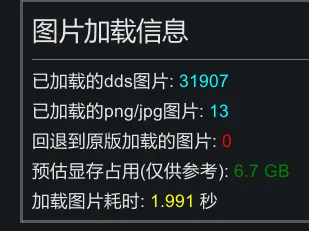
This is a mod that attempts to optimize texture image loading times.
Refactored on August 23, 2019
Fully multi-threaded the reading, loading, and uploading of data to the GPU, further optimizing performance.
Future support will only be available on 64-bit Windows due to the use of the D3D11 API.
Main features of this mod:
- For PNG/JPEG images: Multi-threaded parallel reading, decoding, and loading, significantly improving loading speed.
- For DDS images: Multi-threaded file reading, slightly improving loading speed.
- For DDS.zstd images generated by this mod: Same as DDS images, but significantly reducing the storage space on the hard drive.
- Detect expired textures and automatically regenerate them
Q&A
What's the difference between Graphics Settings+?
GS+ only has single-threaded loading of DDS images.
What's the difference between and rimsort's optimize texture?
rimsort can only generate DDS images, not ZSTD compression.
What are the benefits of enabling ZSTD compression for DDS?
Compressed DDS images become smaller, reducing disk space usage (but not reducing video memory usage).
ZSTD decompression is very fast and has little impact on loading speed. (Especially when loading in multiple threads)
What are the benefits of converting existing PNG images to DDS?
DDS is a format that can be directly read by the GPU, making it faster to load, using less video memory, and putting less strain on the GPU rendering.
What is automatic regeneration of expired textures?
Imagine a scenario where you generated a DDS texture yesterday, and today the mod author changes a PNG image (while the image name remains the same). Even though the mod has been updated, you're still using the old DDS texture created yesterday.
This feature in this mod checks the modification date of the image file when loading. If the DDS file is older than the source PNG file, it automatically regenerates a new DDS file.
This operation is time-consuming, but considering that texture updates are rare and loading is multi-threaded, the cost should be acceptable.
Error: Error creating texture, code: <int>
Please first try using this mod's texture compression tool (found in the mod settings) to regenerate all DDS files. If the error persists, please include the log file when reporting the error.
error: Texture2D.***: not allowed on native textures.
Please see the compatibility section. Report this mod (or provide logs) and I'll add it to the compatibility list for additional processing.
Recommended Usage
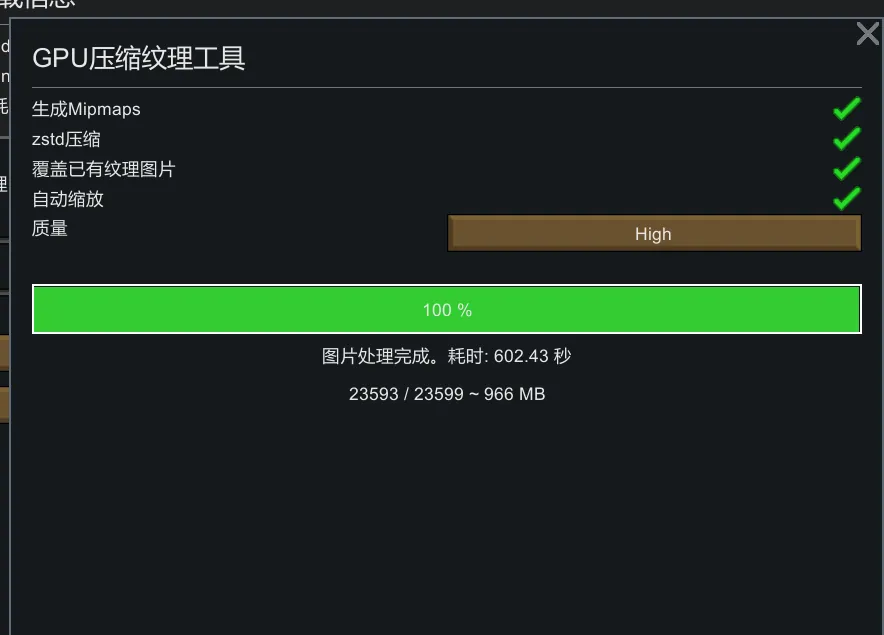
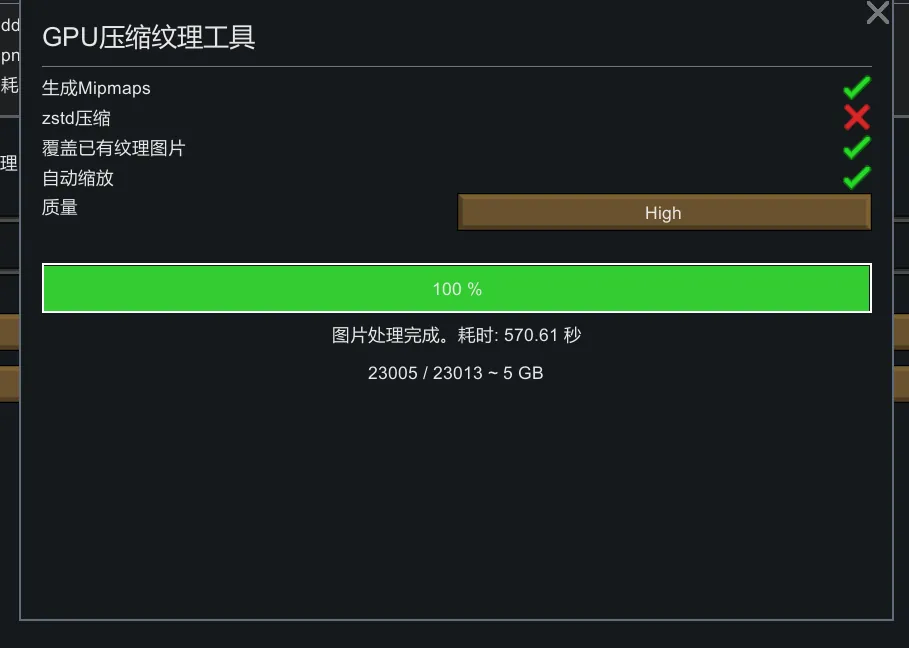
After enabling this mod, open the game and go to the mod settings page. Click to open the GPU Compressed Texture Tool, check all options (including Overwrite and ZSTD), set the quality to High, and then click the Generate button. Wait for the multi-threaded compression to complete; do not close the window. For reference, processing the 23,600 images in the 550 mod took approximately 600 seconds on my 5600 CPU.
If you previously generated DDS files using rimsort/rimpy, you can first click Clear All DDS Files to reduce disk usage.
This operation will not delete or modify any of the mod's PNG images; it will only generate/delete the DDS files and will not damage the mod content.
When using this mod, if you:
1. Do not use .dds files: You will benefit from the loading speed improvements provided by parallel decoding.
2. Using DDS files generated by this mod or rimsort: There is no difference from using Graphics Settings+ alone. DDS files themselves load very quickly, but parallel loading provides a slight increase in loading speed.
3. Using the dds.zstd files generated by this mod: The disk space occupied by the DDS files is significantly reduced.
Compatibility
Theoretically, this mod is incompatible with any mod that modifies texture loading code, with the exception of Graphics Settings+.
This mod can be used with Graphics Settings+. The DDS loading function and mipmap bias in Graphics Settings will not be applied, but texture memory usage calculations will function normally.
The texture2D created by this mod cannot be read/written by the CPU, causing errors in mods using methods like GetPixel(s), ReadPixels, SetPixels, and EncodeToJPG. The current workaround is to manually patch the GetPixels32 implementation, but I'm not sure if there are other mods that use other unsupported methods.
This mod will disable the vanilla 'Image Compression' option, because this option essentially compresses the image on the fly when loading. It works the same way as using DDS, but the image quality is worse and the loading time is longer. If you need this feature, then I don't think you need ImageOpt (
Differences from vanilla:
As of 1.6.4.4552 unstable, vanilla has built-in functionality for reading DDS files. This is similar to what Graphics Settings+ does, but it still doesn't seem to offer the ability to modify mip bias (which both Graphics Settings+ and this mod do).
AI-generated content:
- English translation
- Logo image
tips: .zstd is a compression format. If your compression software supports it (such as bandizip), you can even open it directly and see the .dds file inside.