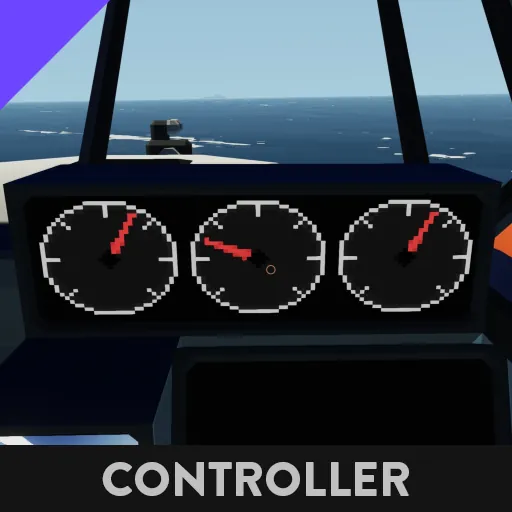
Digital Gauge Cluster for 3x1 Display
Simple digital gauge cluster for 3x1 displays that accepts 3 numerical inputs.
Instructions for use:
[list]
[*] Place microcontroller in your build
[*] Place a 3x1 Display
[*] Connect Video Out on the microcontroller to the Video In on the display
[*] Connect your On/Off Input for the display to both your display and the On/Off input on the microcontroller
[list]
[*] The microcontroller will not run unless it receives an ON signal for efficiency
[/list]
[*] Connect the numerical values that you would like to display to each of the three Gauge Inputs
[*] Set the Min Value property for each of the gauges
[list]
[*] This is the minimum value that the gauge will display. If it receives a value lower than this, it will simply render it as if it was the min value.
[*] Each gauge can have a different min value.
[/list]
[*] Set the Max Value property for each of the gauges
[list]
[*] This is the maximum value that the gauge will display. If it receives a value higher than the max value, it will simplyl render as if it was the max value.
[*] Each gauge can have a different max value.
[/list]
[*] (Optional) Set the alert threshold for each of the 3 gauges.
[list]
[*] This determines when the "!" alert icon will display on the gauges.
[*] The value you assign here should presumably be between your min and max values for the gauge
[*] If you do not want the alert icon to display, you should set it to value that is greater than your max value.
[/list]
[/list]