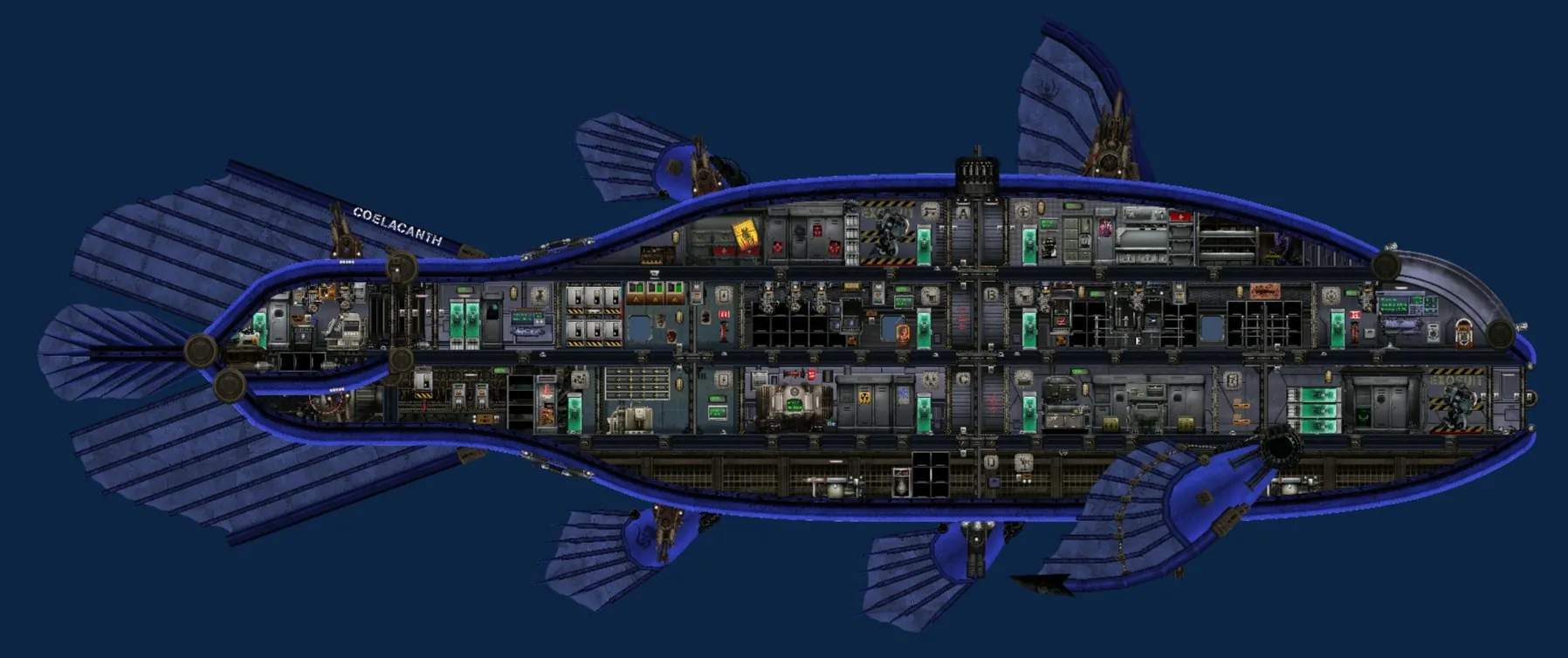
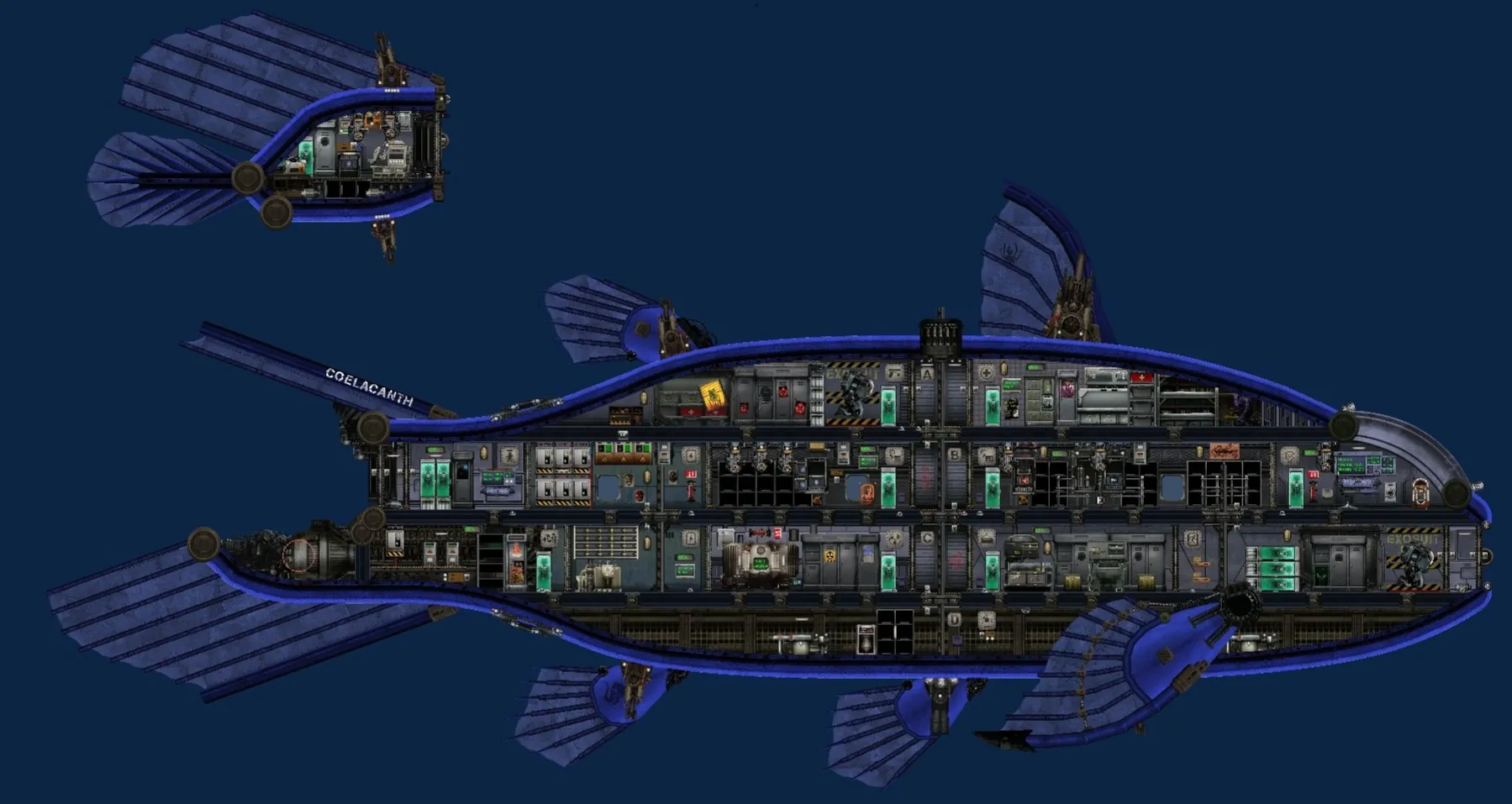
The COELACANTH!
---
A medium-sized ship designed for T3 campaign play with a small group of players. I tried to balance it against vanilla ships, at least in terms of speed, energy, and blind-spot coverage. It's optimized for organization and storage without feeling cramped. With campaign play in mind, it has only basic flood-control and no crazy reactor automation (beyond a 2C ARC, which is accessible without the sub editor), both of which I feel can ruin the spirit of campaign mode. It also lacks role-play and traitor-mode-centered content (like messaging functions, broken vents, or prisons) in an effort to streamline space.
---
The Coelacanth has:
- COOL FINS!
- A fairly robust wifi-accessible terminal, with many ol' reliables like a stealth mode and pump switches, a plethora of status commands (for stuff like batteries and the reactor), and commands to override things like motion and water detectors. Most features have a physical button somewhere, so terminal use is mostly supplementary.
- A waypoint system; click a button to record your current coordinates. Use the terminal to retrieve them later. Stores multiple sets.
- No fiddly shell pieces impossible to fix from the inside. I'm pretty sure bots agree with that, from the small amount of play testing I've done.
- MORE FINS!
- A secret storage cabinet for each player class to store a few personal belongings.
- A camera system at the helm, for visuals (and triggers) to discharge coils, an (aimable!) depth charge launcher, the ballasts, and more.
- A drone! It's got coil guns and a periscope-based navigation system (look up/down to go up or down, hold the trigger to engage the forward thrust, double click to switch the engine into reverse). And, the drone has, you guessed it -
- EVEN MORE FINS!
- The drone can be manned from inside or controlled remotely via the drone-control station on the mother ship. Both navigation terminals have their velocity input vector synced.
- The drone-control station includes it's own terminal for accessing data (such as last known coordinates and a psuedo-status terminal) and sending commands (like closing the airlock).
---
USER’S GUIDE
DRONE CONTROL STATION:
- There is a navigation terminal, a normal terminal, and a surveillance center here.
- The light on the terminal indicates whether the drone is in wifi range or not.
- Read the INFO command at the drone control station if you are confused about controlling the coil guns.
MISCELLANEOUS BUTTONS:
- The button by the engine is a stealth toggle.
- The yellow-and-black buttons under the weapon periscopes toggle safety mode, which disables all weapons controlled via periscope.
SHUTTLE BUTTONS:
- The button on the battery disables battery output.
- The button on the supercapacitor prevents it from charging, or puts it back to ~70%. It’s just quicker than using the lever, but does the same thing.
- The button on the oxygen generator cuts the power or returns it to 100%. It’s quicker than using the lever on the power distributor, but does the same thing.
HELM SURVEILLANCE / CAM SYSTEM TRIGGERS:
- When viewing camera 1, the trigger toggles power to the pumps.
- When viewing camera 2, the trigger launches the depth charge in the direction you aim (indicated by the green light).
- When viewing cameras 3 and 4, the respective discharge coil is discharged.
DOORS, HATCHES, AND DUCTS:
- If you have a problem with either of them, disabling and re-enabling them via the terminal should fix it. I had a weird bug happen a few times that caused issues with one of the hatches, but haven’t been able to re-create it enough times to diagnose and confirm I’ve solved it.
Uses a double click switch from 自由の代償
https://steamcommunity.com/sharedfiles/filedetails/?id=2958072566
And an edge detector from comjar
https://steamcommunity.com/sharedfiles/filedetails/?id=2974811191
Thanks to double sneeze deluxe and Bartholodrew for advice and playtesting.